
98-349 · Question #197
Which of the following steps will you take to install a local printer? Each correct answer represents a part of the solution. Choose all that apply.
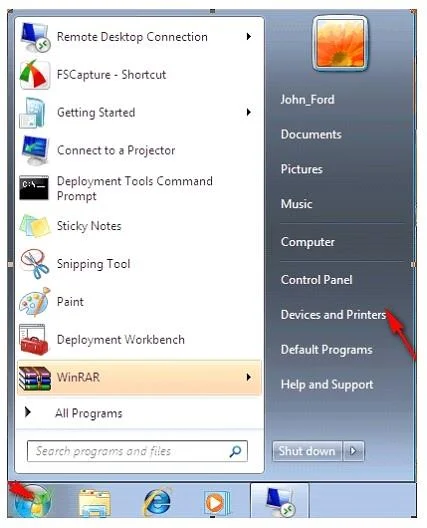
The correct answer is B. In the Add Printer wizard, click Add a local printer. C. On the Install the printer driver page, select the printer manufacturer and model, and then click D. On Choose a printer port, select Use an existing port, and then select the recommended port. Take the following steps to install a local printer: 1. Open the Start menu and click Devices and Printers. 2. Click Add a Printer. 3. In the Add Printer wizard, click Add a local printer. 4. On Choose a printer port, select Use an existing port, and then select the recommended…
Question
Exhibit
Options
- AClick the Start button and open Device Manager.
- BIn the Add Printer wizard, click Add a local printer.
- COn the Install the printer driver page, select the printer manufacturer and model, and then click
- DOn Choose a printer port, select Use an existing port, and then select the recommended port.
How the community answered
(39 responses)- A5% (2)
- B95% (37)
Explanation
Take the following steps to install a local printer: 1. Open the Start menu and click Devices and Printers. 2. Click Add a Printer. 3. In the Add Printer wizard, click Add a local printer. 4. On Choose a printer port, select Use an existing port, and then select the recommended port. 5. On the Install the printer driver page, select the printer manufacturer and model, and then click If the printer is not listed, click Windows Update, and then wait while Windows checks for additional drivers. If none are available and you have the installation CD, click Have Disk, and then browse to the folder where the printer driver is located. 6. Complete the additional steps, and then click Finish.
Topics
Community Discussion
No community discussion yet for this question.