
77-885 · Question #49
You are working on a home computer with Windows XP installed on it. Microsoft Office 2010 is also installed on the computer. By default, Access stores all the databases and projects created by you…
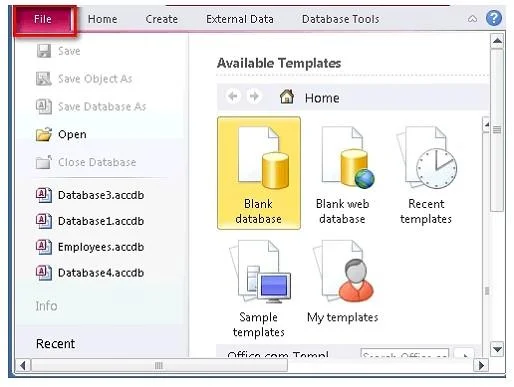
The correct answer is B. File > Save As > Specify a name. Take the following steps to change the default database location: 1.Click the File tab to open the File gallery. 2.Click the Options button to open the Access Options dialog box. 3.Type or browse to the path to the new default database location on the Default Database Folder…
Question
Exhibit
Options
- BFile > Save As > Specify a name
- CFile > Options > Default database location
- DFile > Save & Publish > Save As
- EFile > File Name > Create
How the community answered
(18 responses)- B72% (13)
- C6% (1)
- D17% (3)
- E6% (1)
Explanation
Take the following steps to change the default database location: 1.Click the File tab to open the File gallery. 2.Click the Options button to open the Access Options dialog box. 3.Type or browse to the path to the new default database location on the Default Database Folder text box of default General page. Answer: A and C are incorrect. By following these steps, you can simply save your database and project on the desired location, but these steps will not help in setting the location as a default database location. You have to manually choose the location every time you are going to save a new database or project. Answer: D is incorrect. By following these steps, you can create a new database in Microsoft
Topics
Community Discussion
No community discussion yet for this question.