
77-427 · Question #42
You work as an Office Assistant for Tech Perfect Inc. You are working in a spreadsheet as shown below: You want to use Excel Transpose Function for copying the contents of cells B1:B3 into cells…
The correct answer is A. Type the array formula into the first cell. B. Highlight the range of cells that you want to use as an input in his array formula. D. Press CTRL-SHIFT-Enter. The following steps are taken to input Excel array formulas: 1. Highlight the range of cells that a user wants to use as an input in his array formula. 2. Type the array formula into the first cell or make this cell editable by pressing F2 or clicking in the formula bar if a…
Question
Exhibit
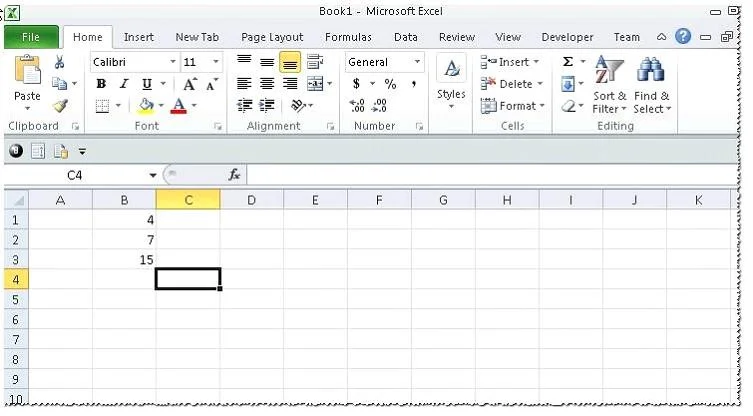
Options
- AType the array formula into the first cell.
- BHighlight the range of cells that you want to use as an input in his array formula.
- CPress CTRL-SHIFT-Tab to remove the error message.
- DPress CTRL-SHIFT-Enter.
How the community answered
(40 responses)- A80% (32)
- C20% (8)
Explanation
The following steps are taken to input Excel array formulas: 1. Highlight the range of cells that a user wants to use as an input in his array formula. 2. Type the array formula into the first cell or make this cell editable by pressing F2 or clicking in the formula bar if a user has already specified a value into the first cell. 3.Press CTRL-SHIFT-Enter. Answer option C is incorrect. This is an invalid answer option.
Topics
Community Discussion
No community discussion yet for this question.