
70-685 · Question #25
All computers on your company network run Windows 7. Several support requests have been made by employees who have recently had hardware upgrades to their computers. Each request states that the…
Sign in or unlock 70-685 to reveal the answer and full explanation for question #25. The question stem and answer options stay visible for context.
Question
All computers on your company network run Windows 7. Several support requests have been made by employees who have recently had hardware upgrades to their computers. Each request states that the employee's computer restarts automatically at random times. You examine one of the computers and verify the following information:
- Only approved applications and processes are run on the computer.
- All updates to the operating system and applications have been
applied to the computer.
- No malicious software is found on the computer.
You need to find out why the computers are restarting automatically. What should you do?
Exhibit
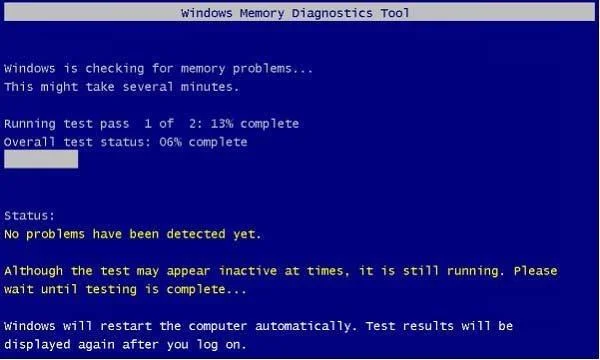
Options
- ARun the Windows Memory Diagnostic tool.
- BRun the fixmbr command from the Recovery Console.
- CRun the fixboot command from the Recovery Console.
- DRun the Check for performance issues Control Panel tool.
Unlock 70-685 to see the answer
You've previewed enough free 70-685 questions. Unlock 70-685 for full answers, explanations, the timed quiz mode, progress tracking, and the master PDF. Question stem and options stay visible so you can still see what's on the exam.