
Microsoft
70-667 · Question #157
Steps to configure the SQL Server Reporting Services to work with Sharepoint
The correct answer is A. Download and install the Reporting Service Add-in for Sharepoint Technologies. See the full explanation below for the reasoning.
Question
Steps to configure the SQL Server Reporting Services to work with Sharepoint
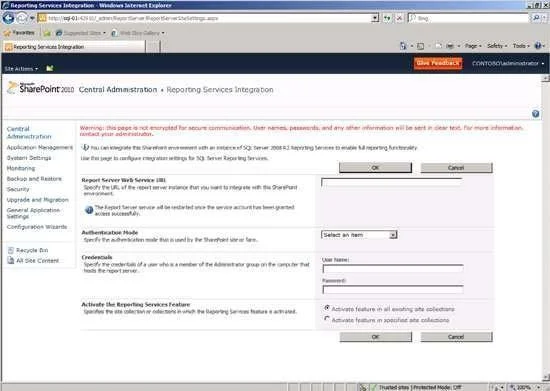
Exhibit
Options
- ADownload and install the Reporting Service Add-in for Sharepoint Technologies.
- BUse the Change Database Wizard in the Dadabase page of Reporting Services Configuration Manager
- CUse Reporting services configuration manager to update the connection to the report server database
- DUse SQL server management studio to administer a report server database. Select features in SharePoint
How the community answered
(56 responses)- A77% (43)
- B4% (2)
- C14% (8)
- D5% (3)
Community Discussion
No community discussion yet for this question.