
70-663 · Question #8
Your company has an Exchange 2010 organization that contains multiple Hub Transport servers. You have a line of business application that retry e-mail messages by using a Hub Transport server named…
The correct answer is C. Implement Windows network load balancing on the Hub Transport servers. Application is configured to use only Hub1 server [sort of a hardcoded config]. If Hub1 fails then application is not able to send emails. To protect the app from the Hub1 failure you have to use Load Balancer and assign Hub1 name to it. You can configure Windows Network Load…
Question
Your company has an Exchange 2010 organization that contains multiple Hub Transport servers. You have a line of business application that retry e-mail messages by using a Hub Transport server named Hub1. The application only supports sending e-mail to a single SMTP server. You need to ensure that the application can retry e-mail messages of Hub1 tails. What should you do?
Exhibit
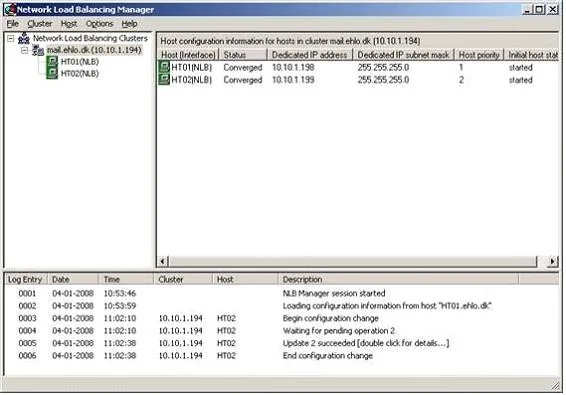
Options
- AImplement log transactions
- BInstall and configure failover clustering on the Hub Transport servers.
- CImplement Windows network load balancing on the Hub Transport servers.
- DCreate multiple MX records for the Hub Transport servers in the internal DNS zone.
How the community answered
(34 responses)- A6% (2)
- B15% (5)
- C74% (25)
- D6% (2)
Explanation
Application is configured to use only Hub1 server [sort of a hardcoded config]. If Hub1 fails then application is not able to send emails. To protect the app from the Hub1 failure you have to use Load Balancer and assign Hub1 name to it. You can configure Windows Network Load Balancing (NLB) to distribute non-Exchange messages among your Hub Transport or Edge Transport servers. Configure the Receive connector, so it only listens on port 25 on the NLB cluster address.
Topics
Community Discussion
No community discussion yet for this question.