
70-663 · Question #111
You have an Exchange Server 2010 organization. The network contains two Mailbox servers that are configured in a database availability group (DAG). You plan to implement a disaster recovery…
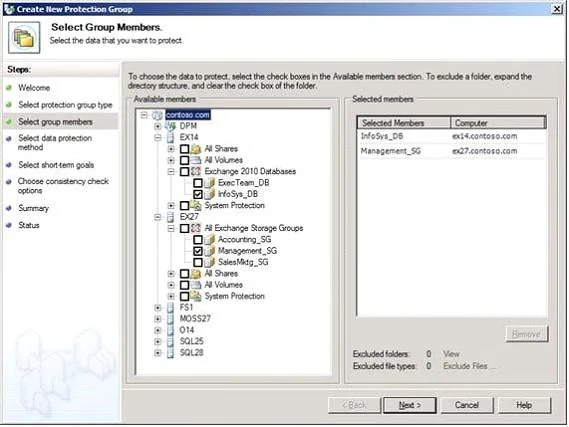
The correct answer is D. Microsoft System Center Data Protection Manager. Select the 2010 mailbox databases or 2007/2003 storage groups that you want to add to the protection group as shown in Figure : On the Specify Exchange DAG protection page, select which database copies will be selected for full backup and which database copies will be selected…
Question
You have an Exchange Server 2010 organization. The network contains two Mailbox servers that are configured in a database availability group (DAG). You plan to implement a disaster recovery solution. You need to recommend a solution that ensures that the active mailbox database copy is unaffected by the backup process. You want to achieve this goal while minimizing costs. What should you recommend?
Exhibit
Options
- AWindows Server Backup
- BNetwork Attached Storage (NAS) snapshots
- CMicrosoft System Center Configuration Manager
- DMicrosoft System Center Data Protection Manager
How the community answered
(36 responses)- A3% (1)
- B8% (3)
- C14% (5)
- D75% (27)
Explanation
Select the 2010 mailbox databases or 2007/2003 storage groups that you want to add to the protection group as shown in Figure : On the Specify Exchange DAG protection page, select which database copies will be selected for full backup and which database copies will be selected for copy backup. When protecting mailbox servers that are members of DAGs, it is only possible to perform a full backup on one copy of the database due to federated log truncation. DPM must back up other copies of the database up using a copy backup.
Topics
Community Discussion
No community discussion yet for this question.