
70-491 · Question #6
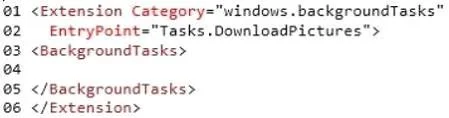
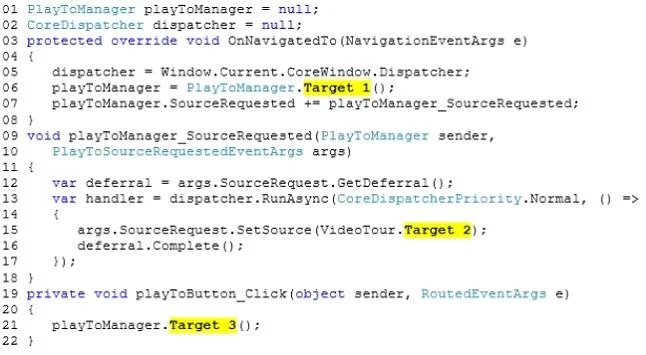
You create a mobile service to send push notifications to the app. You configure the service and the app to work with Windows Push Notification Services (WNS). You add the following code to the…
The correct answer is A. Add a call to GetChannel in the OnLaunched event handler of the app. us/library/windows/apps/windows.ui.xaml.application.onlaunched.aspx Case Study 3 - Scenario 3 (Question 7 - Question 9) You are developing a Windows Store app. The app will allow ornithologists to photograph migrating geese, taking note of the location, heading, and weather…
Question
You create a mobile service to send push notifications to the app. You configure the service and the app to work with Windows Push Notification Services (WNS). You add the following code to the App.xaml.cs file:
You need to ensure that the app can access the push notification channel. What should you do first?
Exhibits
Options
- AAdd a call to GetChannel in the OnLaunched event handler of the app.
- BSet the Uri property of pushChannel in the OnActivated event handler of the app.
- CSet the Uri property of pushChannel in the OnLaunched event handler of the app.
- DAdd a call to GetChannel in the OnActivated event handler of the app.
How the community answered
(48 responses)- A71% (34)
- B4% (2)
- C17% (8)
- D8% (4)
Explanation
us/library/windows/apps/windows.ui.xaml.application.onlaunched.aspx Case Study 3 - Scenario 3 (Question 7 - Question 9) You are developing a Windows Store app. The app will allow ornithologists to photograph migrating geese, taking note of the location, heading, and weather conditions at the time each Business Requirements The app must adhere to the following requirements: - Create and store photographs of migrating geese. - Record the location and weather conditions where the photograph was - Record the heading and time that the photograph was taken. - Allow the user to display the information on any device that supports the PlayTo feature. Technical Requirements The app must meet the following technical requirements: - The app must store images and image metadata in the Pictures Library. - The metadata logic must be encapsulated within a reusable component named LogicComponent1. - The metadata logic must be available to Windows Store apps written in Visual Basic, C#, JavaScript, and C++. - The app requires a device with camera, compass, and GPS features. - The app requires a device with Internet capabilities. CurrentEnvironment.es MainPage.xaml.es Package.appxmanifest GooseTracker.csproj
Topics
Community Discussion
No community discussion yet for this question.