
300-715 · Question #261
Drag and Drop Question An engineer needs to configure a compliance policy on Cisco ISE to ensure that the latest encryption software is running on the C drive of all endpoints. Drag and drop the…
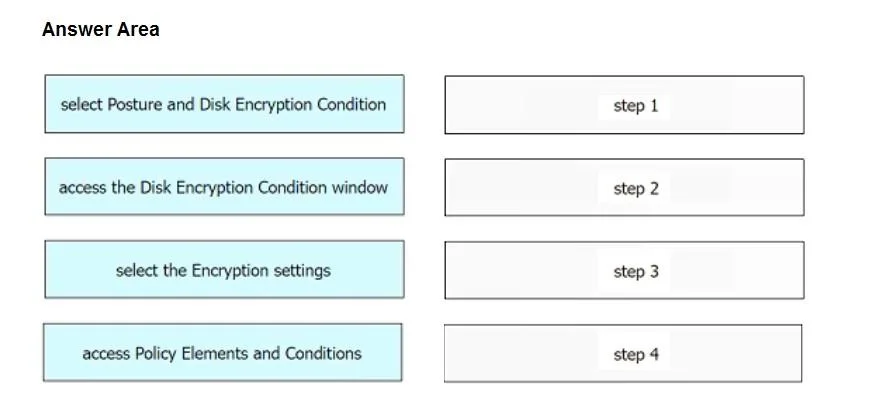
The correct answer is access Policy Elements and Conditions; select Posture and Disk Encryption Condition; access the Disk Encryption Condition window; select the Encryption settings. To configure a compliance policy for disk encryption on Cisco ISE, one must first navigate to policy elements, then select the specific posture condition for disk encryption, open its configuration window, and finally define the encryption settings.
Question
Drag and Drop Question An engineer needs to configure a compliance policy on Cisco ISE to ensure that the latest encryption software is running on the C drive of all endpoints. Drag and drop the configuration steps from the left into the sequence on the right to accomplish this task. Answer:
Exhibit
Answer Area
Drag items
Correct arrangement
- access Policy Elements and Conditions
- select Posture and Disk Encryption Condition
- access the Disk Encryption Condition window
- select the Encryption settings
Explanation
To configure a compliance policy for disk encryption on Cisco ISE, one must first navigate to policy elements, then select the specific posture condition for disk encryption, open its configuration window, and finally define the encryption settings.
Approach. The correct sequence for configuring a compliance policy on Cisco ISE for disk encryption, which is a posture policy, follows a logical administrative workflow:
- access Policy Elements and Conditions: Any new policy element, such as a condition for a posture policy, must be defined by navigating to the Policy Elements section within Cisco ISE.
- select Posture and Disk Encryption Condition: After accessing the policy elements, the next step is to choose the specific type of condition you want to create. In this scenario, it's a 'Disk Encryption Condition' under 'Posture'.
- access the Disk Encryption Condition window: Once the condition type is selected, you need to open its dedicated configuration window to define its specifics.
- select the Encryption settings: Within the Disk Encryption Condition window, you would then configure the actual parameters, such as specifying the C drive and the requirement for the latest encryption software. This is what 'select the Encryption settings' refers to.
Common mistakes.
- common_mistake. A common mistake would be to incorrectly order the navigation steps, such as trying to 'select the Encryption settings' before accessing the specific 'Disk Encryption Condition window', or attempting to select a specific condition type before navigating to the general 'Policy Elements and Conditions' section. For example, placing 'access the Disk Encryption Condition window' before 'select Posture and Disk Encryption Condition' is incorrect because you first need to specify what kind of condition you're defining before you can access its specific configuration interface. Similarly, 'select the Encryption settings' must come last as it pertains to configuring the details within the opened condition window, not the initial navigation or selection of the condition itself.
Concept tested. The underlying technical concept being tested is the administrator's knowledge of configuring posture policies and conditions in Cisco Identity Services Engine (ISE), specifically related to endpoint compliance checks for disk encryption. This includes understanding the navigation hierarchy and the logical workflow for defining policy elements.
Topics
Community Discussion
No community discussion yet for this question.