
300-615 · Question #285
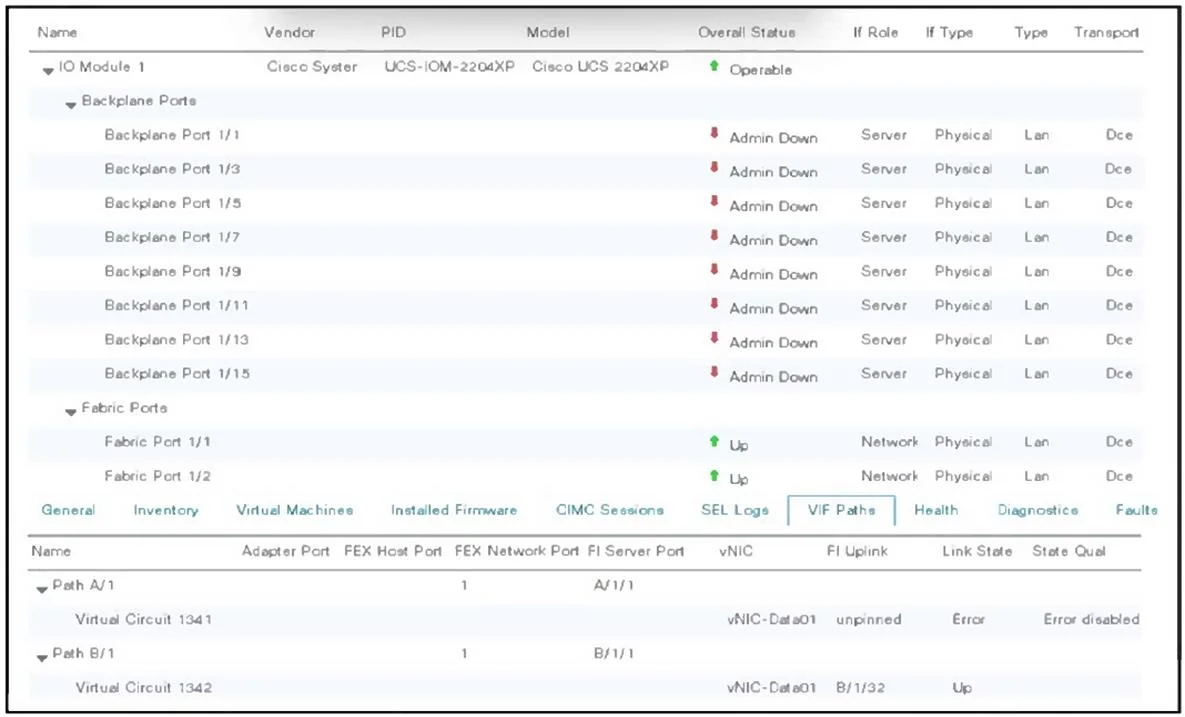
Refer to the exhibit. An engineer performs a firmware activation on the subordinate fabric interconnect A (FI A) during the manual upgrade process. After the fabric interconnect reboot, all blades…
The correct answer is D. Acknowledge IOM of fabric path A. After a manual firmware activation and reboot of the subordinate Fabric Interconnect, the backplane ports remain disabled until you explicitly acknowledge the I/O modules (IOMs) on that interconnect. Issuing the "Acknowledge IOM" for fabric path A brings those server-facing…
Question
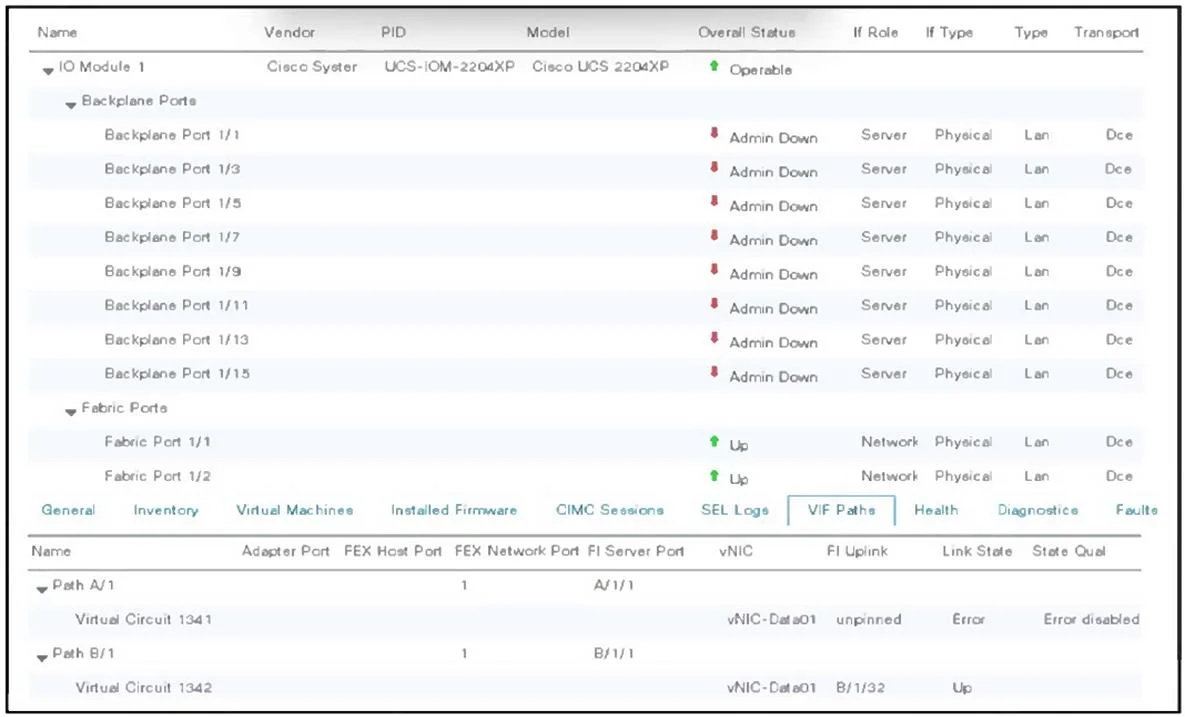
Refer to the exhibit. An engineer performs a firmware activation on the subordinate fabric interconnect A (FI A) during the manual upgrade process. After the fabric interconnect reboot, all blades that are connected to fabric path A remain in an Error Disabled state. Which action resolves the issue?
Exhibits
Options
- AActivate firmware on IOMs that are connected to fabric interconnect A.
- BReset connectivity on vNIC-Data01.
- CSet Admin Evac mode to Off.
- DAcknowledge IOM of fabric path A.
How the community answered
(30 responses)- A10% (3)
- B3% (1)
- C3% (1)
- D83% (25)
Explanation
After a manual firmware activation and reboot of the subordinate Fabric Interconnect, the backplane ports remain disabled until you explicitly acknowledge the I/O modules (IOMs) on that interconnect. Issuing the "Acknowledge IOM" for fabric path A brings those server-facing ports out of error-disabled and restores connectivity on path A.
Topics
Community Discussion
No community discussion yet for this question.