
300-410 · Question #96
You need to resolve a route-selection problem in a redistributed network by increasing the administrative distance to several networks for a protocol, other than EIGRP or BGP, so that these routes…
The correct answer is C. Router(config-router)# distance 220 0.0.0.0 255.255.255.255 5. The distance command within routing protocol configuration mode is used to modify the administrative distance for routes, optionally filtered by an access list.
Question
Exhibit
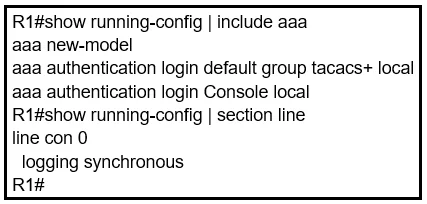
Options
- ARouter(config-router)# ip list 5 distance 220
- BRouter(config-router)# admin 220 access-list 5
- CRouter(config-router)# distance 220 0.0.0.0 255.255.255.255 5
- DRouter(config-router)# increase 0.0.0.0 255.255.255.255 admin 220 list 5
How the community answered
(24 responses)- A8% (2)
- C88% (21)
- D4% (1)
Why each option
The `distance` command within routing protocol configuration mode is used to modify the administrative distance for routes, optionally filtered by an access list.
The syntax `ip list 5 distance 220` is incorrect for setting administrative distance within routing protocol configuration.
The syntax `admin 220 access-list 5` is incorrect and does not follow the standard Cisco IOS command structure for modifying administrative distance.
The `distance` command with `distance <AD> <source-ip> <wildcard-mask> <ACL-number>` syntax sets the administrative distance for routes learned from a specific source, optionally matching an access list. In this case, `distance 220 0.0.0.0 255.255.255.255 5` applies the AD of 220 to routes matching access list 5, regardless of their source IP, effectively increasing their AD to prevent their selection.
The `increase` keyword is not used in this context to modify administrative distance, and the syntax is incorrect.
Concept tested: Modifying administrative distance with ACLs
Source: https://www.cisco.com/c/en/us/td/docs/ios-xml/ios/iproute_rip/configuration/15-mt/irr-15-mt-book/rip-cfg.html
Topics
Community Discussion
No community discussion yet for this question.