
2V0-622 · Question #206
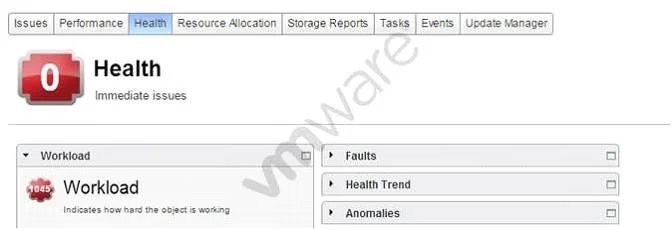
Refer to the Exhibit. An administrator reviews the Health of a virtual machine, as shown in the Exhibit. Based on the exhibit, which three metrics can be used to determine the virtual machine's…
The correct answer is A. CPU B. Memory C. Network IO. vSphere tracks virtual machine Workload characteristics using CPU, Memory, and Network IO metrics visible in the VM Health monitoring view.
Question
Refer to the Exhibit. An administrator reviews the Health of a virtual machine, as shown in the Exhibit. Based on the exhibit, which three metrics can be used to determine the virtual machine's Workload characteristics? (Choose three.)
Exhibit
Options
- ACPU
- BMemory
- CNetwork IO
- DThreads
- EvNUMA Stats
How the community answered
(52 responses)- A87% (45)
- D4% (2)
- E10% (5)
Why each option
vSphere tracks virtual machine Workload characteristics using CPU, Memory, and Network IO metrics visible in the VM Health monitoring view.
CPU utilization is a core workload metric that reflects compute demand on the virtual machine, directly indicating how hard the VM is working relative to its allocation.
Memory consumption tracks active and balloon/swap activity, showing whether the VM is under memory pressure and how its workload demands RAM.
Network IO throughput and packet rates reveal how data-intensive the VM's workload is, covering both inbound and outbound traffic patterns.
Threads is an operating system process-level metric, not a vSphere VM Health workload characteristic exposed in the Health summary view.
vNUMA Stats relate to virtual NUMA topology and memory locality optimization, not to workload characterization in the Health monitoring panel.
Concept tested: vSphere VM Health workload metrics identification
Source: https://docs.vmware.com/en/VMware-vSphere/7.0/com.vmware.vsphere.monitoring.doc/GUID-A4517E7F-A5B7-4D4C-9A1A-8F7A3B1B2F4A.html
Topics
Community Discussion
No community discussion yet for this question.