
Broadcom-VMware
2V0-51.21 · Question #9
An administrator notices that a cloud pod is not in the correct site. What can be done to solve this issue?
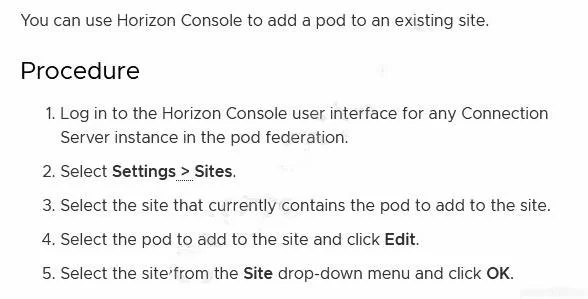
The correct answer is D. Under Settings > sites, select the pod, click edit, and select the correct site from the menu. architecture/GUID-DC290CDC-1A8E-463B-A010-1469186D17AD.html
Section 5 – Horizon Troubleshooting and Operations
Question
An administrator notices that a cloud pod is not in the correct site. What can be done to solve this issue?
Exhibit
Options
- AUnder Settings > Cloud Pod Architecture, select the pod and change the name of the site.
- BUnder Settings > sites, select the site, and select move pod to this site.
- CUnder Settings > Cloud Pod Architecture, select the pod, click edit and select the correct site.
- DUnder Settings > sites, select the pod, click edit, and select the correct site from the menu.
How the community answered
(54 responses)- A13% (7)
- B4% (2)
- C7% (4)
- D76% (41)
Explanation
architecture/GUID-DC290CDC-1A8E-463B-A010-1469186D17AD.html
Topics
#Cloud Pod Architecture#site assignment#pod management#Horizon admin
Community Discussion
No community discussion yet for this question.