
220-1202 · Question #90
SIMULATION 3 You are configuring a home network for a customer. The customer has requested the ability to access a Windows PC remotely, and needs all chat and optional functions to work in their…
Home Network Configuration - Simulation Explained Overall Goal The customer needs two things: 1. Remote Desktop access to a Windows PC from the internet 2. Full online functionality for a game console (chat, voice, UPnP/NAT traversal) The correct approach separates concerns…
Question
Exhibits
Explanation
Home Network Configuration - Simulation Explained
Overall Goal
The customer needs two things:
- Remote Desktop access to a Windows PC from the internet
- Full online functionality for a game console (chat, voice, UPnP/NAT traversal)
The correct approach separates concerns: the router handles internet-facing rules, the wireless AP handles local wireless clients, and the firewall protects a screened subnet (DMZ) for any publicly exposed resources. Each device sits where its function requires it.
Step-by-Step Reasoning
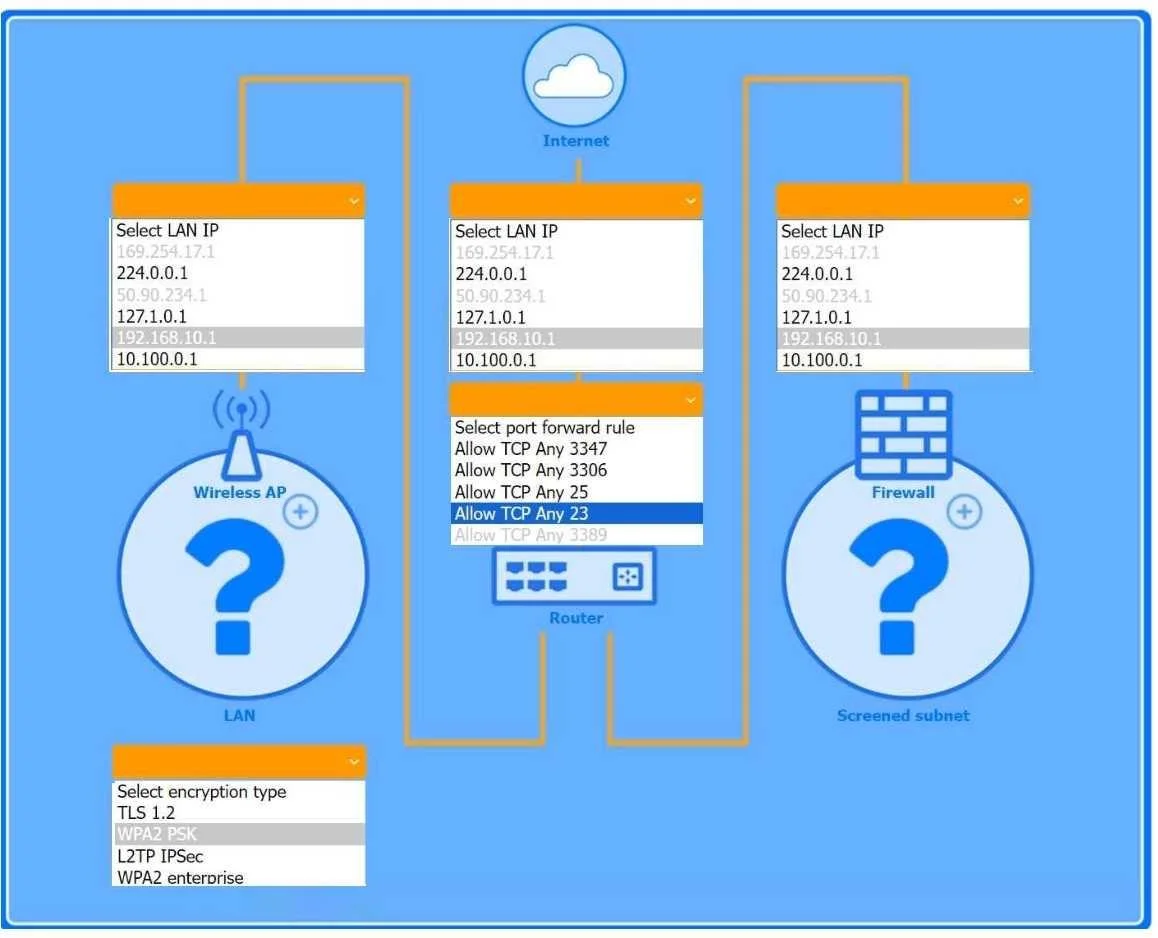
Step 1 - Configure the Wireless AP: LAN IP 192.168.10.1, WPA2 PSK
Why: The game console connects wirelessly. WPA2 PSK is the correct encryption standard for a home network - it provides strong security without requiring a RADIUS server (which WPA2 Enterprise would need). The LAN IP 192.168.10.1 places the AP on the internal LAN segment where the console can reach the internet through the router.
If skipped: The console either can't connect wirelessly, or connects with weak/no encryption, exposing the network.
What goes wrong with wrong encryption: WEP is broken and easily cracked. WPA3 may not be supported by older consoles. WPA2 PSK is the universal safe choice for home gear.
Step 2 - Configure the Router: Port-Forward Rule - Allow TCP Any -> 3389
Why: Remote Desktop Protocol (RDP) runs on TCP port 3389. By default, the router's NAT drops all unsolicited inbound traffic. A port-forward rule tells the router: "When traffic arrives from the internet destined for TCP 3389, send it to the Windows PC's internal IP." This is the only way to make RDP reachable from outside the home network.
If skipped: The Windows PC is invisible from the internet. Remote Desktop will time out every time.
Security note: Port-forwarding RDP directly is a real-world risk (brute-force attacks are common on 3389). On the exam, this is the required answer. In practice, a VPN is safer.
Step 3 - Configure the Firewall: LAN IP 10.100.0.1 (screened subnet side)
Why: The screened subnet (also called a DMZ) is a network segment between the internet and the internal LAN, used to host publicly accessible services. The firewall sits at the boundary with IP 10.100.0.1 facing this subnet. This IP is on a different subnet (10.100.0.x) than the internal LAN (192.168.10.x), which is intentional - it enforces network separation.
If skipped: The screened subnet has no protection. Anything placed there is directly exposed without a policy boundary.
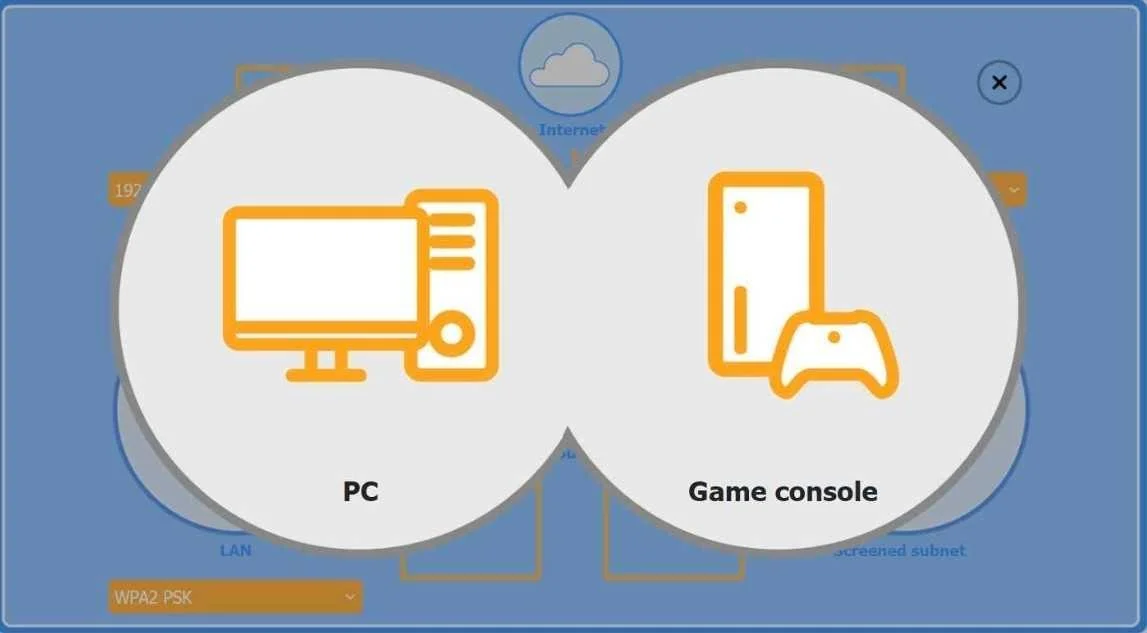
Step 4 - Place the PC Behind the Router
Why: The port-forward rule on the router points inbound RDP traffic to the PC. The PC must therefore sit on the LAN side of the router (at 192.168.10.x) so the router knows where to deliver that traffic. Placing it elsewhere (e.g., in the screened subnet) would break the forwarding path and also unnecessarily expose the PC publicly.
Step 5 - Place the Game Console on the Wireless AP
Why: The customer specifically said the console needs chat and optional functions - this language signals NAT traversal and UPnP requirements, which work best when the console is behind the router's NAT on the LAN. The wireless AP (with WPA2 PSK) provides that wireless LAN connection. Placing it in the screened subnet would be overkill and potentially break UPnP.
Step 6 - Place the Firewall in Front of the Screened Subnet
Why: The firewall enforces the policy boundary before traffic reaches the screened subnet. Traffic flows: Internet -> Router -> Firewall -> Screened Subnet. This ensures that even publicly reachable resources in the screened subnet are filtered by firewall rules.
If placed behind: The screened subnet would be unprotected - a direct path from the internet with no inspection.
Memory Tip
Use the mnemonic "RDP Wires Fire Screens":
| Letter | Step |
|---|---|
| R | Router -> port-forward TCP 3389 for RDP |
| W | Wireless AP -> WPA2 PSK for the console |
| F | Firewall -> faces the screened subnet (10.100.0.1) |
| S | Screened subnet -> protected DMZ zone |
And for device placement: "PC behind, Console wireless, Firewall in front" - each device goes where its traffic needs to flow.
Topics
Community Discussion
No community discussion yet for this question.