
Cisco
200-301 · Question #380
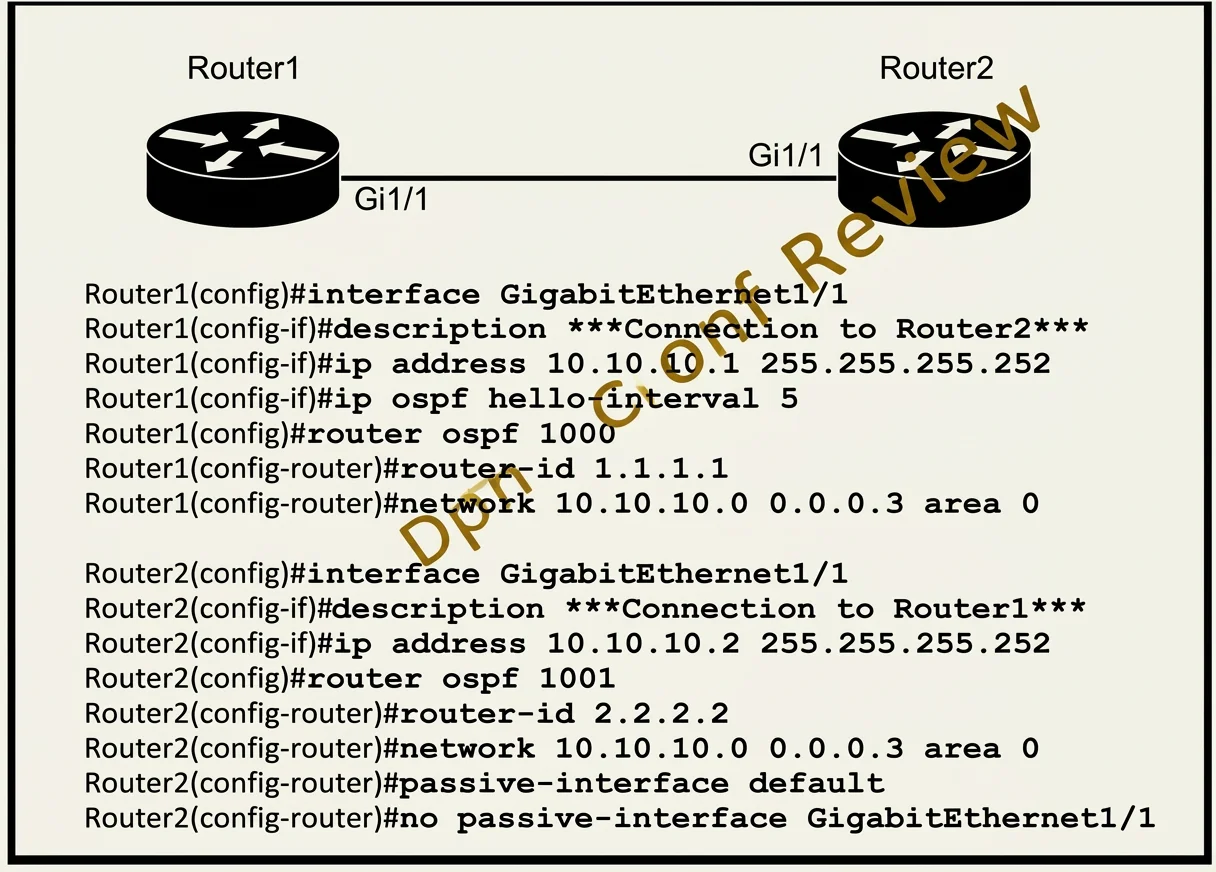
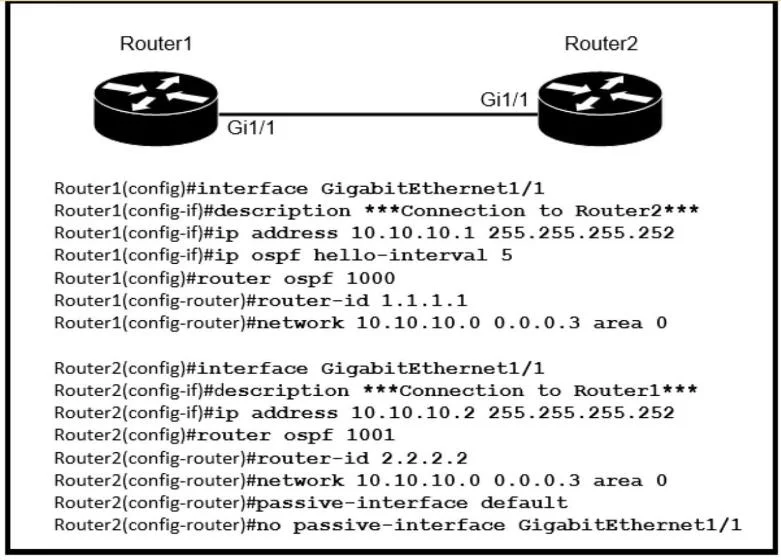
Refer to the exhibit. After the configuration is applied, the two routers fail to establish an OSPF neighbor relationship. what is the reason for the problem?
The correct answer is B. Router2 is using the default hello timer. Ospf processes can differ on each router and neighborship will form Ospf area must be the same to form adjacency Hello and dead timers must match to form adjacency. Ospf Default hello timer is 10 and dead timer is 40. In This case R1 hello timer was modified to 5 seconds…
Submitted by renata2k· Mar 5, 2026IP Connectivity
Question
Refer to the exhibit. After the configuration is applied, the two routers fail to establish an OSPF neighbor relationship. what is the reason for the problem?
Exhibits
Options
- AThe OSPF router IDs are mismatched.
- BRouter2 is using the default hello timer.
- CThe network statement on Router1 is misconfigured.
- DThe OSPF process IDs are mismatched.
How the community answered
(27 responses)- A22% (6)
- B59% (16)
- C11% (3)
- D7% (2)
Explanation
Ospf processes can differ on each router and neighborship will form Ospf area must be the same to form adjacency Hello and dead timers must match to form adjacency. Ospf Default hello timer is 10 and dead timer is 40. In This case R1 hello timer was modified to 5 seconds, Timers was not changed on R2 hence using the default timers.
Topics
#OSPF neighbor#OSPF troubleshooting#OSPF timers
Community Discussion
No community discussion yet for this question.