
200-301 · Question #1644
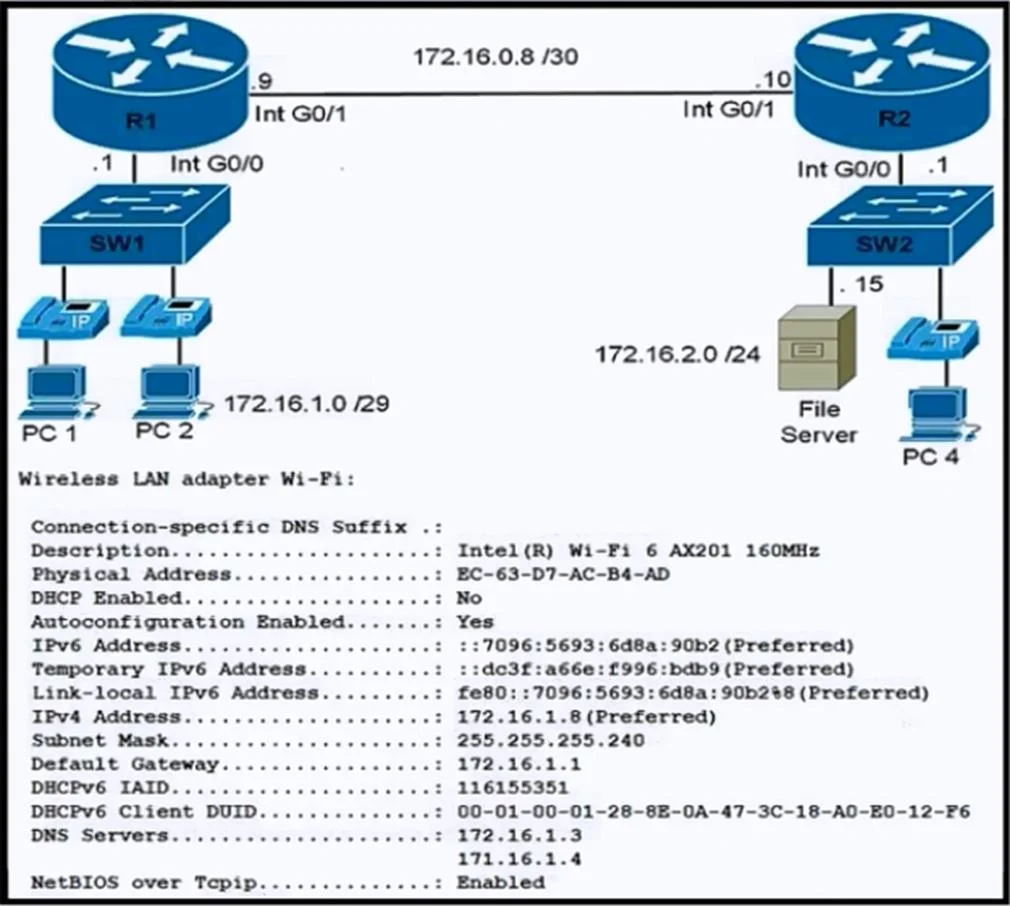
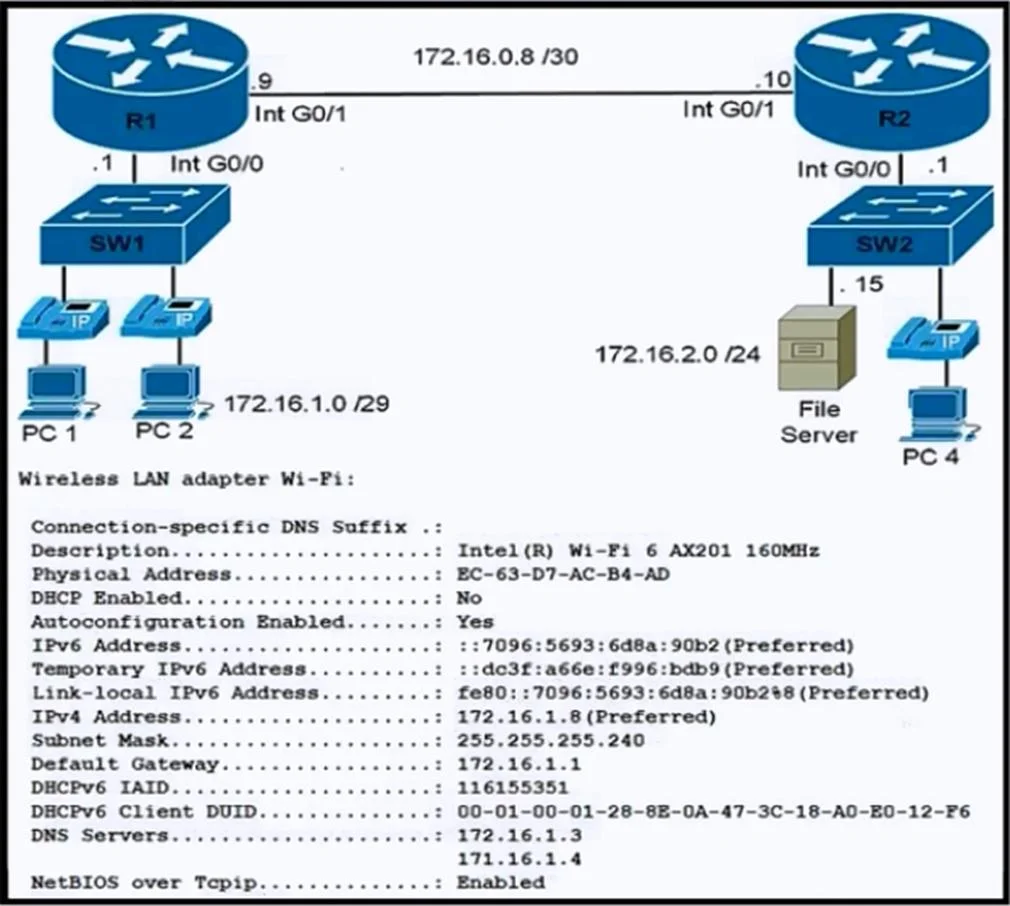
Refer to the exhibit. During initial configuration testing, the Windows workstation PC1 cannot connect with the 172.16.2.0 /24 network. Which set of actions corrects the configuration?
The correct answer is C. Change the IP address to 172.16.1.6 and change the subnet mask to 255.255.255.248. PC1 is part of the 172.16.1.0/29 subnet, which has a subnet mask of 255.255.255.248. This subnet provides six usable IP addresses (172.16.1.1 to 172.16.1.6). The current IP address of PC1 is 172.16.1.8, which is outside the valid range of this subnet. To correct the…
Question
Refer to the exhibit. During initial configuration testing, the Windows workstation PC1 cannot connect with the 172.16.2.0 /24 network. Which set of actions corrects the configuration?
Exhibits
Options
- AChange the IP address to 172.16.1.9 and change the default gateway to 172.16.1.7.
- BChange the IP address to 172.16.1.6 and change the DNS servers to 172.16.1.12 and
- CChange the IP address to 172.16.1.6 and change the subnet mask to 255.255.255.248.
- DChange the IP address to 172.16.1.9 and change the DNS server to 172.16.1.12 only.
How the community answered
(28 responses)- A14% (4)
- B4% (1)
- C57% (16)
- D25% (7)
Explanation
PC1 is part of the 172.16.1.0/29 subnet, which has a subnet mask of 255.255.255.248. This subnet provides six usable IP addresses (172.16.1.1 to 172.16.1.6). The current IP address of PC1 is 172.16.1.8, which is outside the valid range of this subnet. To correct the configuration, the IP address should be set to a valid address within the subnet, such as 172.16.1.6, while keeping the subnet mask as 255.255.255.248. This ensures proper connectivity to the router and other devices in the network.
Topics
Community Discussion
No community discussion yet for this question.