
200-101 · Question #62
Which commands are required to properly configure a router to run OSPF and to add network 192.168.16.0/24 to OSPF area 0? (Choose two.)
The correct answer is B. Router (config)# router ospf 0. Two commands are required: (A) 'router ospf 1' - this enables the OSPF routing process using a locally significant process ID (valid range is 1–65535; process ID 0 is invalid, making choice B wrong); and (E) 'network 192.168.16.0 0.0.0.255 area 0' - this uses the correct…
Question
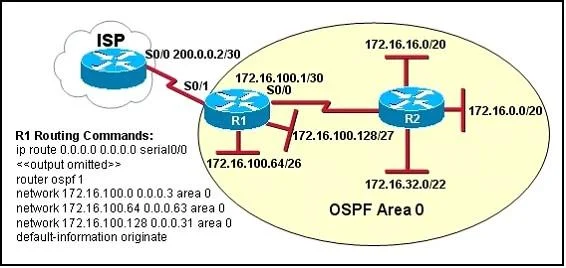
Exhibit
Options
- ARouter (config)# router ospf 1
- BRouter (config)# router ospf 0
- CRouter (config)# router ospf area 0
- DRouter (config-router)# network 192.168.16.0 0.0.0.255 0
- ERouter (config-router)# network 192.168.16.0 0.0.0.255 area 0
- FRouter (config-router)# network 192.168.16.0 255.255.255.0 area 0
How the community answered
(46 responses)- A4% (2)
- B85% (39)
- D9% (4)
- F2% (1)
Explanation
Two commands are required: (A) 'router ospf 1' - this enables the OSPF routing process using a locally significant process ID (valid range is 1–65535; process ID 0 is invalid, making choice B wrong); and (E) 'network 192.168.16.0 0.0.0.255 area 0' - this uses the correct wildcard mask (0.0.0.255 is the inverse of 255.255.255.0) and proper syntax 'area 0'. Choice C is incorrect because 'router ospf area 0' is not valid IOS syntax. Choice D is missing the 'area' keyword. Choice F uses the subnet mask instead of the wildcard mask, which is incorrect syntax for the OSPF network statement.
Topics
Community Discussion
No community discussion yet for this question.