
1Z0-450 · Question #17
In your Orders application, you created a 30 Pie Flash chart page to display products by category. You provided the following query: Select null link, category_name# count (*) from (SELECT CASE WHEN…
Sign in or unlock 1Z0-450 to reveal the answer and full explanation for question #17. The question stem and answer options stay visible for context.
Question
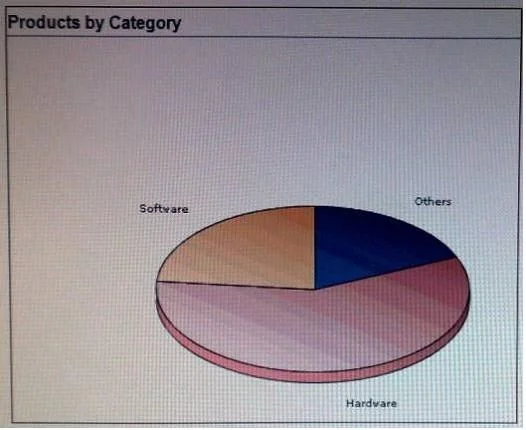
In your Orders application, you created a 30 Pie Flash chart page to display products by category. You provided the following query:
Select null link, category_name# count (*) from (SELECT CASE WHEN (category_id between 10 and 19) THEN 'Television1 WHEN (category_id between 20 and 29) THEN 'Computer1 ELSE 'Others1 END category_name VMM new_product. Group by category_name order by 1 View the Exhibit. What action should you perform to display the chart title and the total number of products under each category without using custom XML?
Exhibit
Options
- AEdit the Flash Chart region to select the Show Values check box.
- BModify the query to display the value and edit the Flash Chart region to display the chart title
- CEdit the Flash Chart region to specify the chart title and select the Show Values check box.
- DEdit the Flash Chart region to specify the chart title.
Unlock 1Z0-450 to see the answer
You've previewed enough free 1Z0-450 questions. Unlock 1Z0-450 for full answers, explanations, the timed quiz mode, progress tracking, and the master PDF. Question stem and options stay visible so you can still see what's on the exam.