
Citrix
1Y1-300 · Question #103
Scenario: A Citrix Engineer at CCH needs to provide owners of a specific application with delegated administrative rights to perform specific tasks on their application and the servers hosting their…
Sign in or unlock 1Y1-300 to reveal the answer and full explanation for question #103. The question stem and answer options stay visible for context.
Question
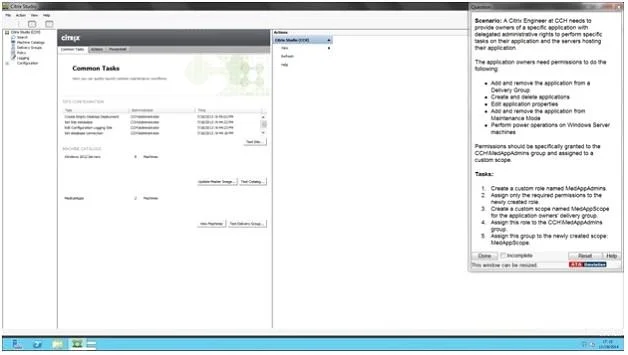
Scenario: A Citrix Engineer at CCH needs to provide owners of a specific application with delegated administrative rights to perform specific tasks on their application and the servers hosting their application. The application owners need permissions to do the following: - Add and remove the application from a Delivery Group - Create and delete applications - Edit application properties - Add and remove the application from Maintenance Mode - Perform power operations on Windows Server machines Permissions should be specifically granted to the CCH\MedAppAdmins group and assigned to a custom scope. Tasks: 1. Create a custom role named MedAppAdmins. 2. Assign only the required permissions to the newly created role. 3. Create a custom scope named MedAppScope for the application owners' delivery group. 4. Assign this role to the CCH\MedAppAdmins group. 5. Assign this group to the newly created scope: MedAppScope. Answer: To create a custom role 1. In Studio, click Configuration > Administrators in the left pane, then click the Roles tab in the middle pane. A list of existing roles appears. 2. In the Actions pane, click Create new Role. 3. Type a name and description for the role. 4. For each object type that you want this role to have permissions for, select the object type, then select the permissions. 1. Click Save. To create a scope 1. In Studio, click Configuration > Administrators in the left pane, then click the Scopes tab in the middle pane. A list of existing scopes appears. 2. In the Actions pane, click Create new Scope. 3. Type a name (for example, 'Sales') and a description (for example, 'Delivery Groups used by Sales') for the scope. 4. Select object types or specific objects:
Exhibit
Options
- ATo select all objects of a particular type (for example, Delivery Groups), select the object type.
- BTo select specific objects, expand the type, then select the individual objects (for example,
Unlock 1Y1-300 to see the answer
You've previewed enough free 1Y1-300 questions. Unlock 1Y1-300 for full answers, explanations, the timed quiz mode, progress tracking, and the master PDF. Question stem and options stay visible so you can still see what's on the exam.