
XK0-006 · Question #29
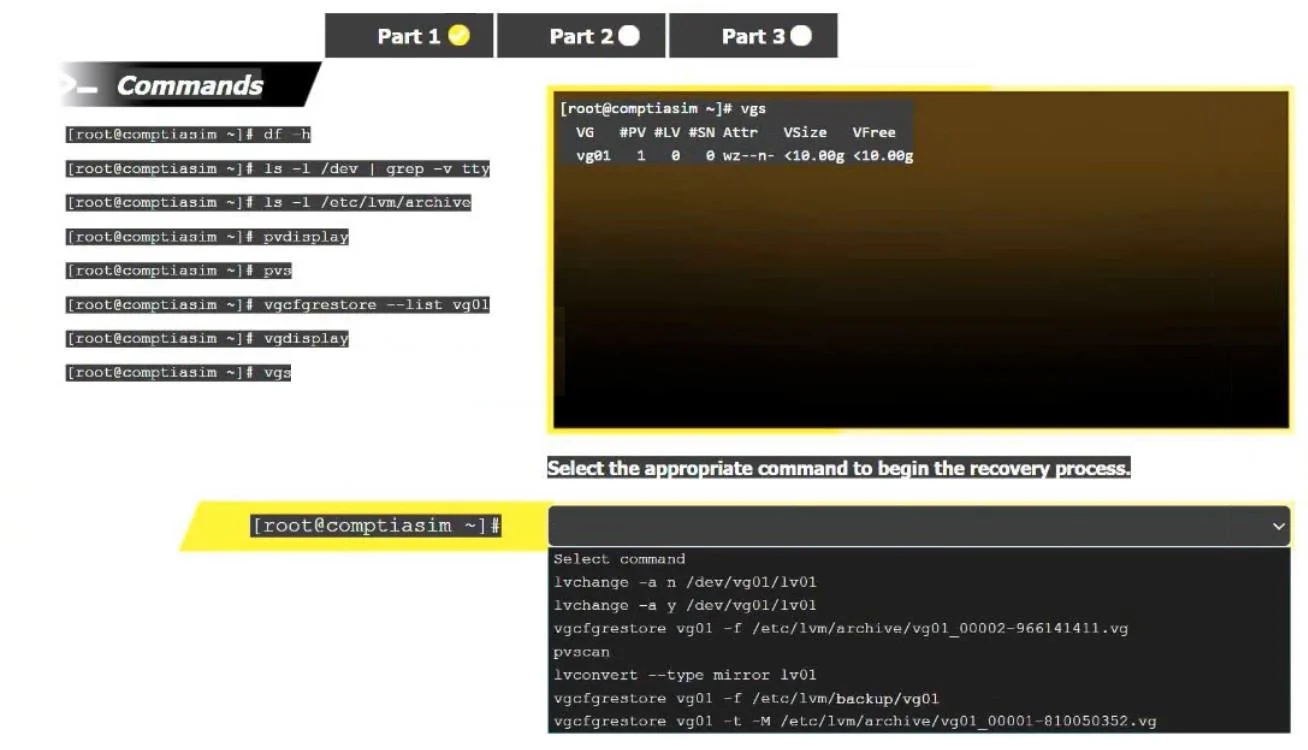
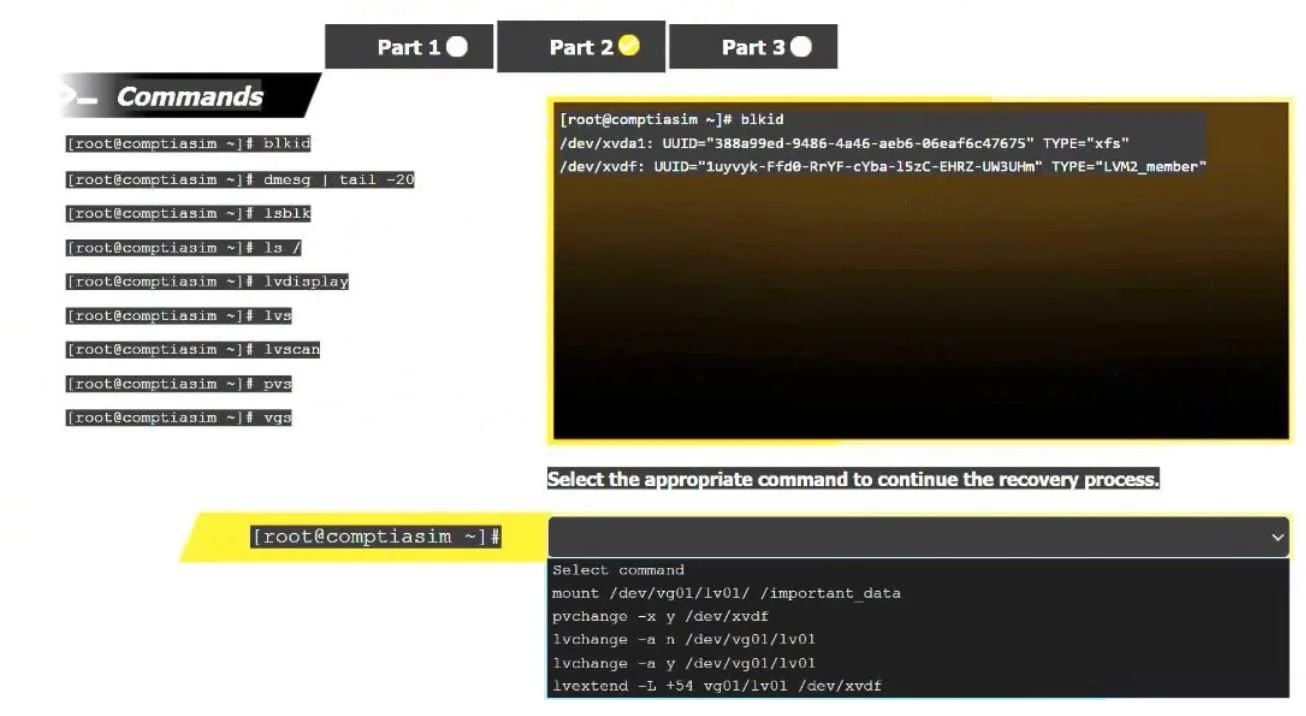
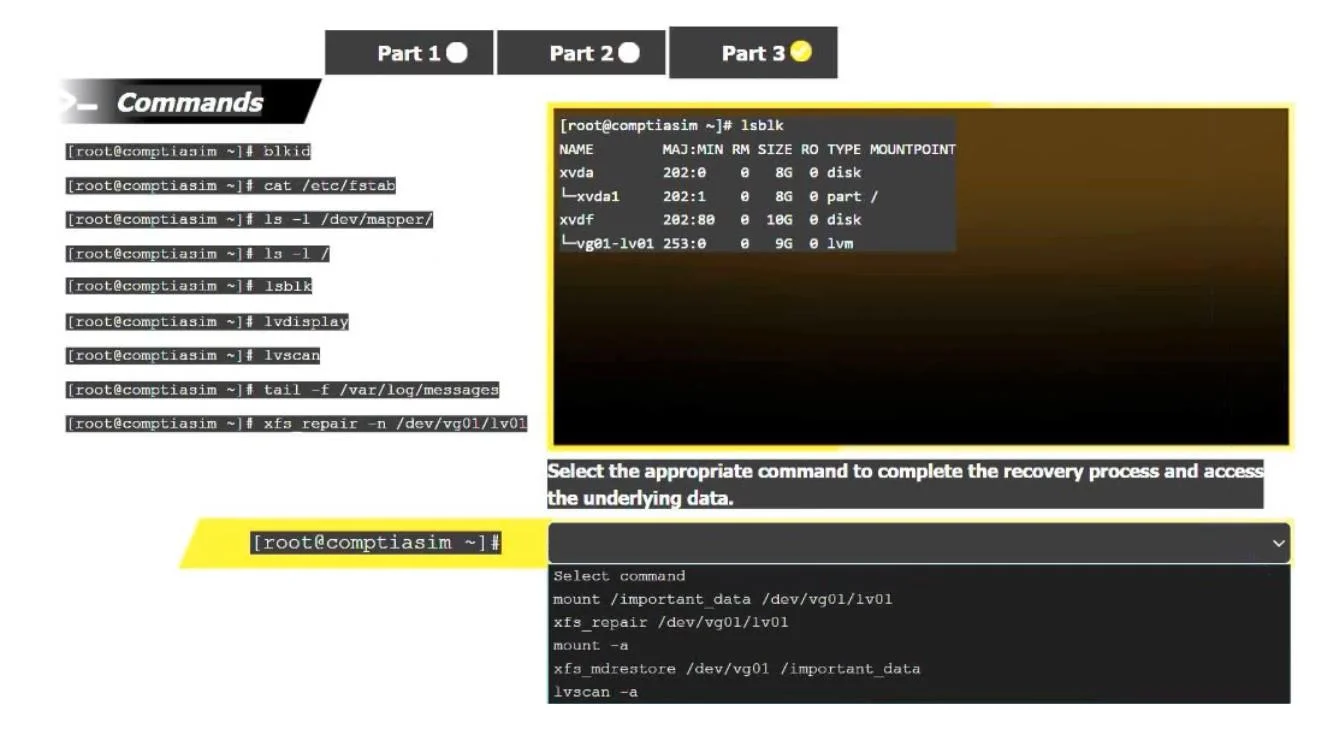
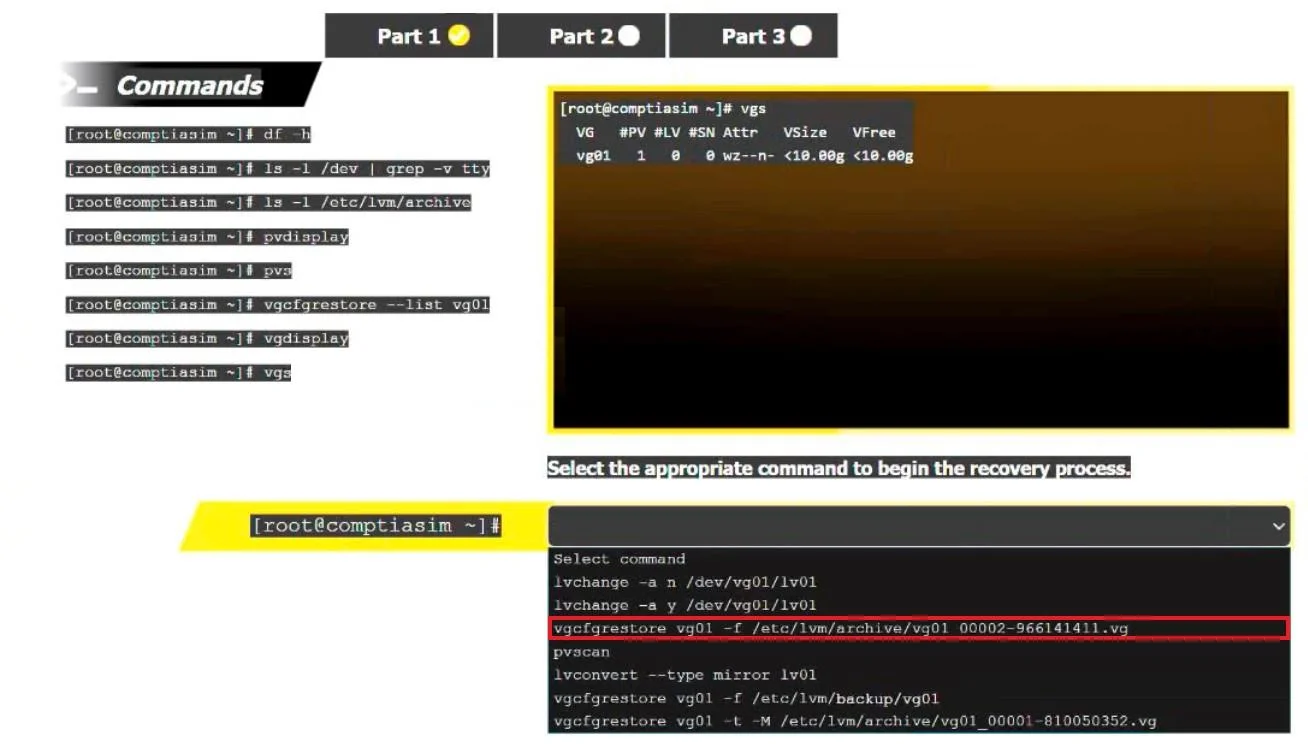
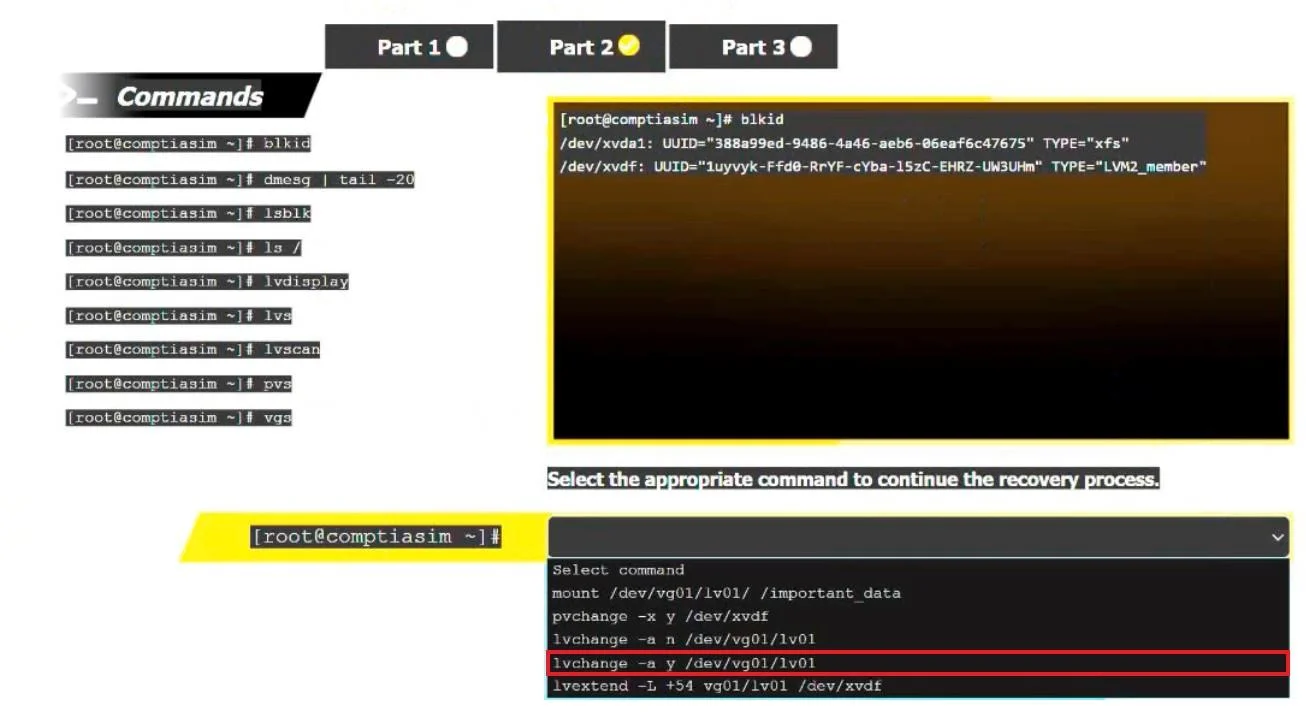
SIMULATION 2 A junior system administrator removed an LVM volume by mistake. INSTRUCTIONS Part 1 Review the output and select the appropriate command to begin the recovery process. Part2 Review the…
The correct answer is E. vgcfgrestore vg01 -f /etc/lvm/archive/vg01_00001-81905303.vg. You've hit your limit · resets 5:20am (America/New_York)
Question
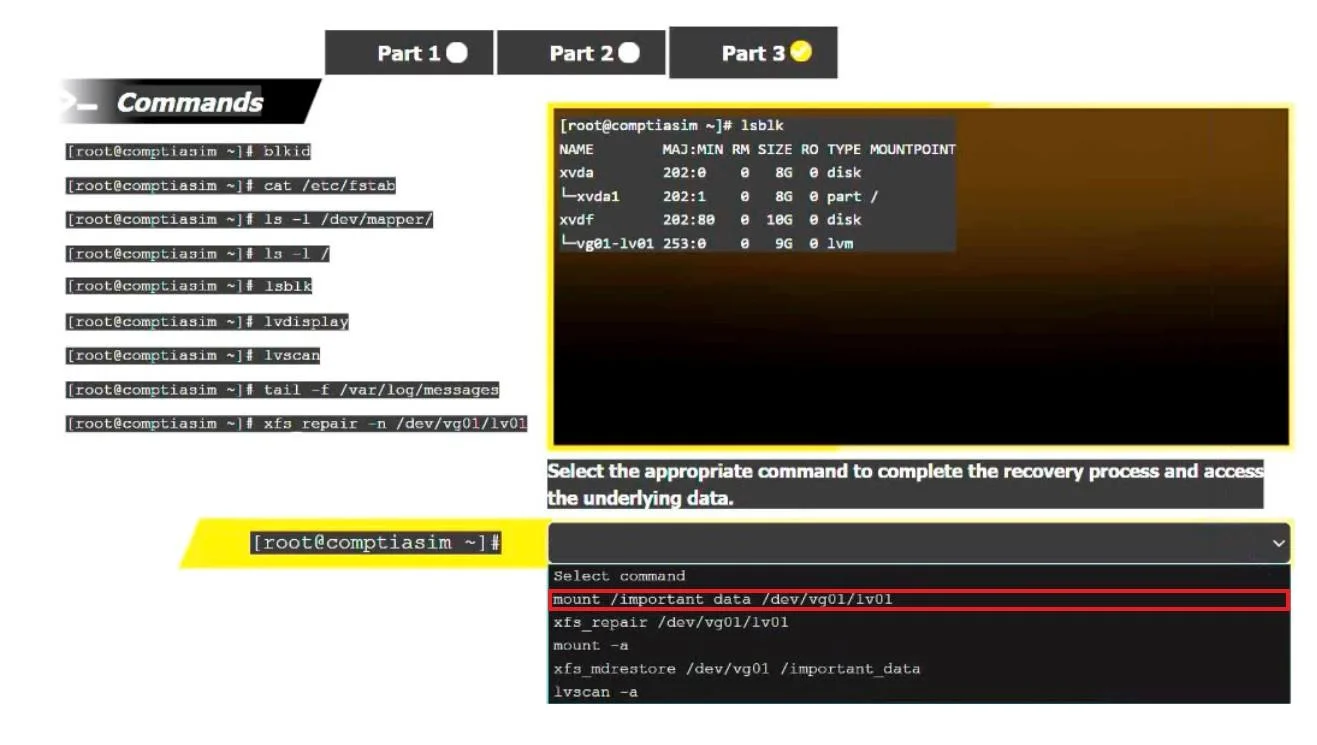
SIMULATION 2 A junior system administrator removed an LVM volume by mistake. INSTRUCTIONS Part 1 Review the output and select the appropriate command to begin the recovery process. Part2 Review the output and select the appropriate command to continue the recovery process. Part 3 Review the output and select the appropriate command to complete the recovery process and access the underlying data. If at any time you would like to bring back the initial state of the simulation, please click the Reset All button. Answer:
Restoring the Volume Group (VG) configuration from the LVM archive begins the recovery process after the VG metadata was lost. After restoring the VG metadata, the logical volume must be reactivated (-ay) so it becomes accessible to the system. Once the LV is active, mounting it to the /important_data directory makes the filesystem accessible, completing the recovery process.
Exhibits
Options
- Avgcfgrestore -l /dev/vg01/lv01
- Bvgcfgrestore -f /dev/lvm/archive/vg01_00001-81905303.vg
- Clvconvert --type mirror lv01
- Dvgdisplay /dev/backup/vg01
- Evgcfgrestore vg01 -f /etc/lvm/archive/vg01_00001-81905303.vg
How the community answered
(27 responses)- A4% (1)
- B15% (4)
- C7% (2)
- D22% (6)
- E52% (14)
Explanation
You've hit your limit · resets 5:20am (America/New_York)
Topics
Community Discussion
No community discussion yet for this question.