
XK0-005 · Question #1546
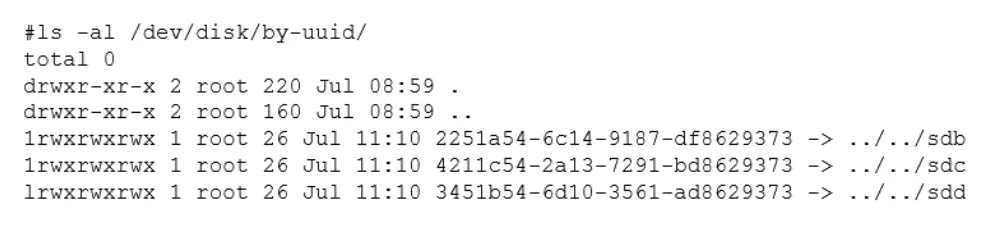
A Linux administrator cloned an existing Linux server and built a new server from that clone. The administrator encountered the following error after booting the cloned server: The administrator…
The correct answer is A. mount disk by device-id. The administrator should use the command mount disk by device-id to resolve the device mismatch issue and mount the disk. The issue is caused by the cloned server having a different device name for the disk than the original server. The output of blkid shows that the disk has…
Question
Exhibit
Options
- Amount disk by device-id
- Bfsck -A
- Cmount disk by-label
- Dmount disk by-blkid
How the community answered
(69 responses)- A74% (51)
- B3% (2)
- C16% (11)
- D7% (5)
Explanation
The administrator should use the command mount disk by device-id to resolve the device mismatch issue and mount the disk. The issue is caused by the cloned server having a different device name for the disk than the original server. The output of blkid shows that the disk has the device name /dev/sdb1 on the cloned server, but the output of cat /etc/fstab shows that the disk is expected to have the device name /dev/sda1. The command mount disk by device-id will mount the disk by using its unique identifier (UUID) instead of its device name. The UUID can be obtained from the output of blkid or lsblk -f. The command will mount the disk to the specified mount point (/data) and resolve the issue.
Topics
Community Discussion
No community discussion yet for this question.