
TDS-C01 · Question #102
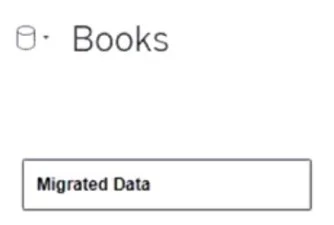
You view the relationship canvas shown in the following exhibit. What does Migrated Data indicate?
The correct answer is A. The workbook was created in a previous version of Tableau Desktop. When you see "Migrated Data" in Tableau, it typically indicates that the workbook was created in a previous version of Tableau Desktop. Tableau automatically labels the data as "Migrated Data" when opening older workbooks that may have been created with a different data model…
Question
You view the relationship canvas shown in the following exhibit. What does Migrated Data indicate?
Exhibit
Options
- AThe workbook was created in a previous version of Tableau Desktop.
- BThe data was imported from Tableau Server.
- CThe workbook was downloaded from Tableau Online.
- DThe data was recently saved as a packaged data source.
How the community answered
(39 responses)- A90% (35)
- B3% (1)
- C5% (2)
- D3% (1)
Explanation
When you see "Migrated Data" in Tableau, it typically indicates that the workbook was created in a previous version of Tableau Desktop. Tableau automatically labels the data as "Migrated Data" when opening older workbooks that may have been created with a different data model, to support compatibility with newer versions. This does not necessarily mean the data was imported from Tableau Server, downloaded from Tableau Online, or saved as a packaged data source.
Topics
Community Discussion
No community discussion yet for this question.