
SY0-501 · Question #166
Simulation A security administrator discovers that an attack has been completed against a node on the corporate network. All available logs were collected and stored. You must review all network…
Incident Response Simulation - Explanation Overall Goal An attack has already occurred. Your job is not to stop an ongoing attack, but to respond forensically while minimizing disruption to a critical production environment. This tests your knowledge of the IR lifecycle…
Question
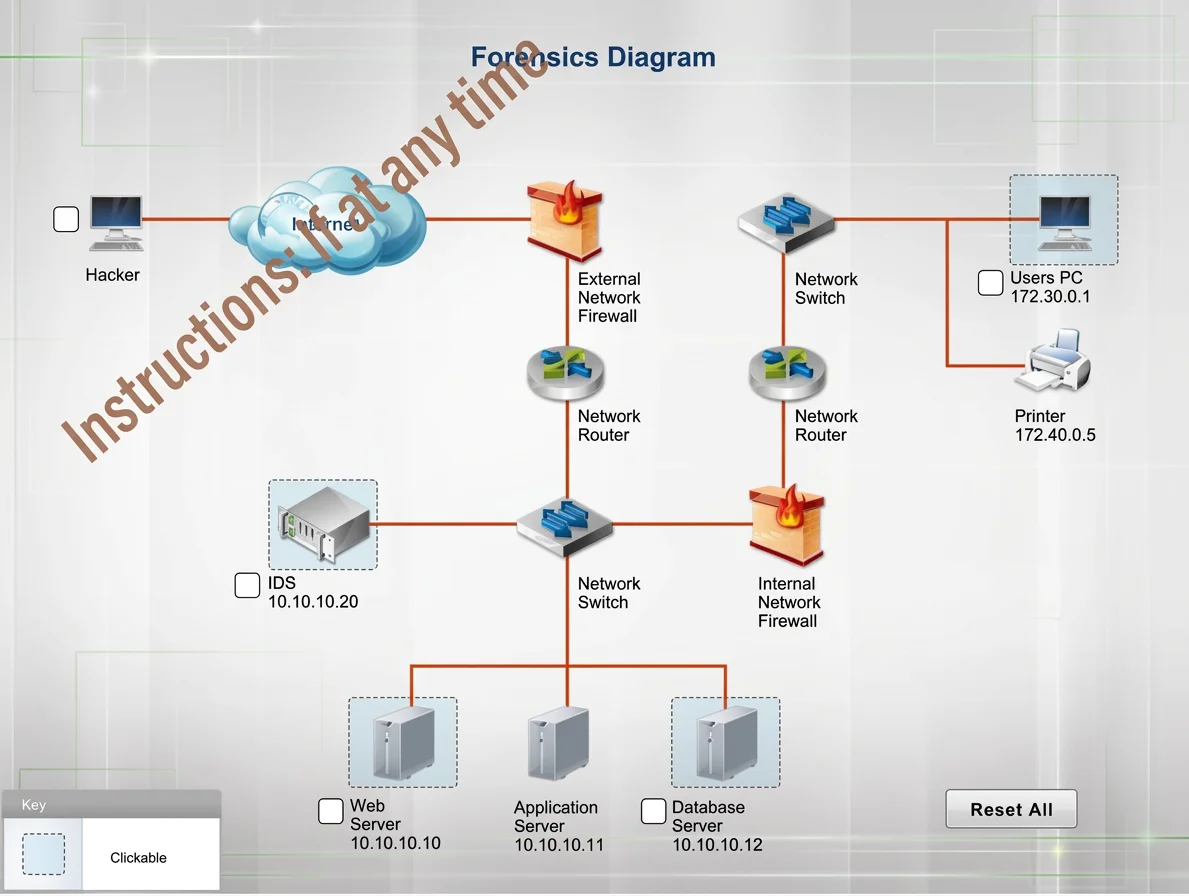
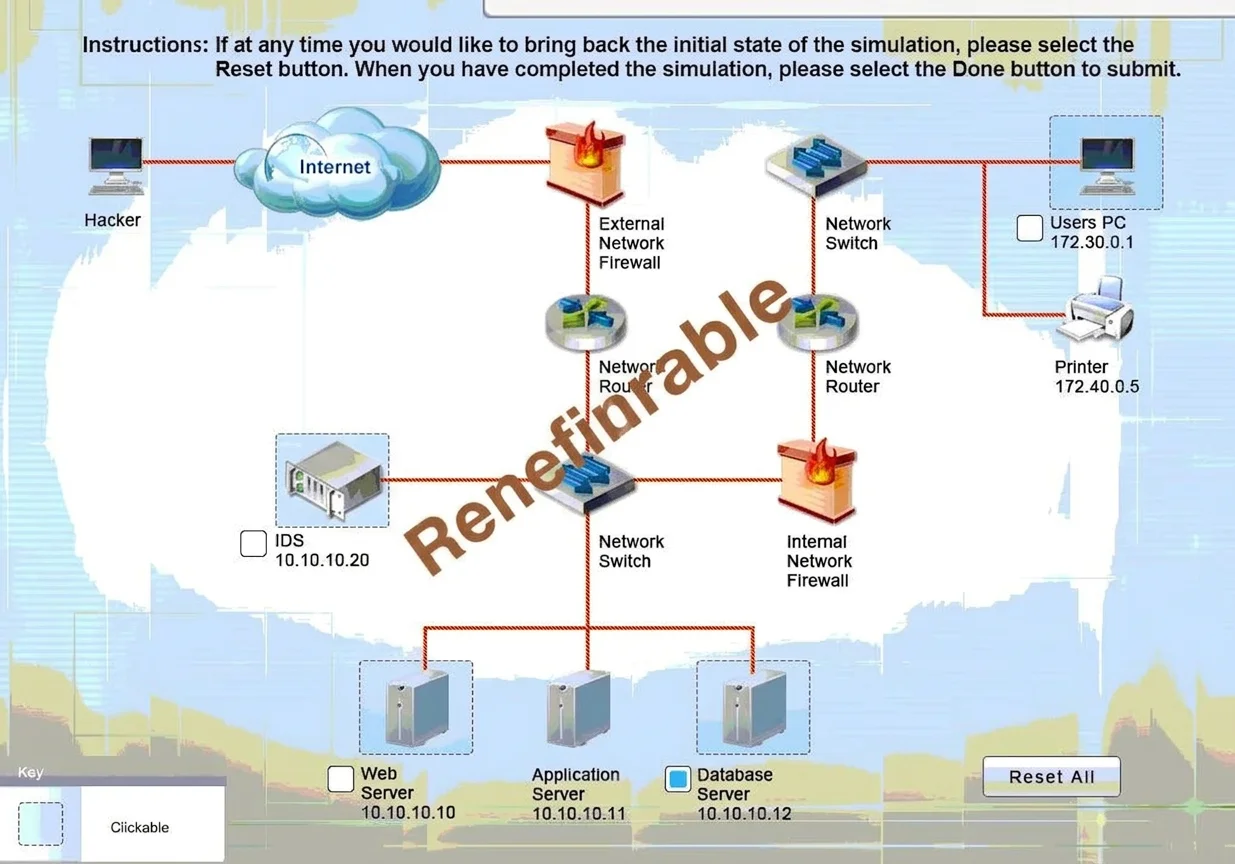
Simulation A security administrator discovers that an attack has been completed against a node on the corporate network. All available logs were collected and stored. You must review all network logs to discover the scope of the attack, check the box of the node(s) that have been compromised and drag and drop the appropriate actions to complete the incident response on the network. The environment is a critical production environment; perform the LEAST disruptive actions on the network, while still performing the appropriate incid3nt responses. Instructions: The web server, database server, IDS, and User PC are clickable. Check the box of the node(s) that have been compromised and drag and drop the appropriate actions to complete the incident response on the network. Not all actions may be used, and order is not important. If at anytime you would like to bring back the initial state of the simulation, please select the Reset button. When you have completed the simulation, please select the Done button to submit. Once the simulation is submitted, please select the Next button to continue. Answer:
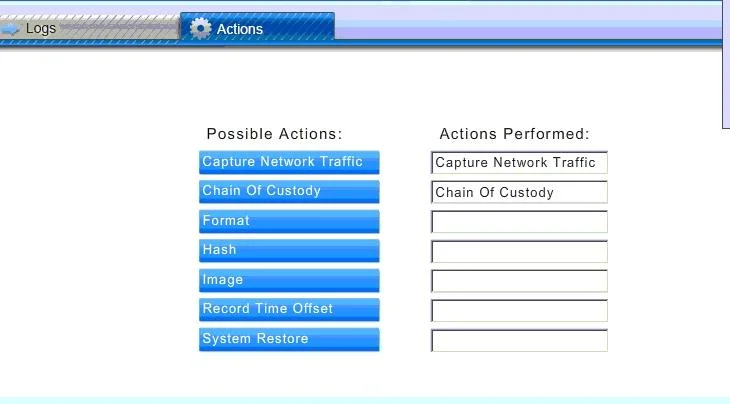
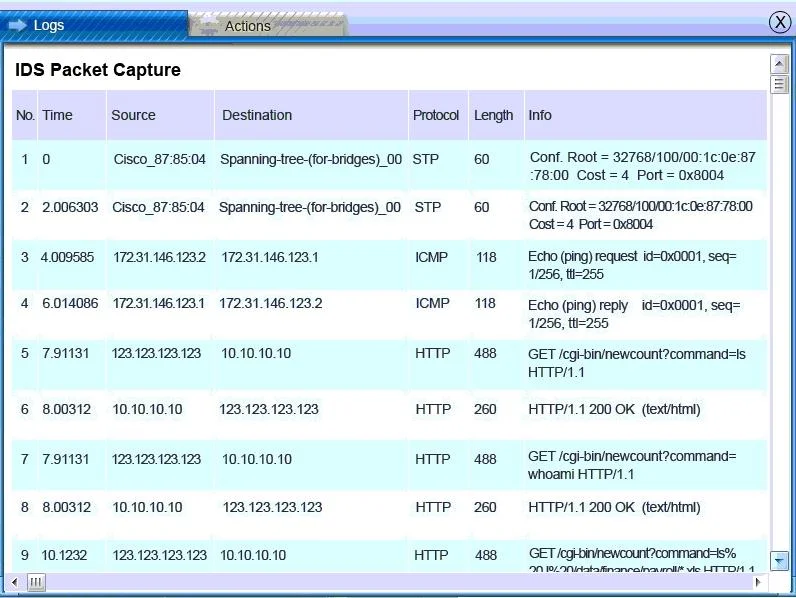
Database server was attacked, actions should be to capture network traffic and Chain of Custody. IDS Server Log:
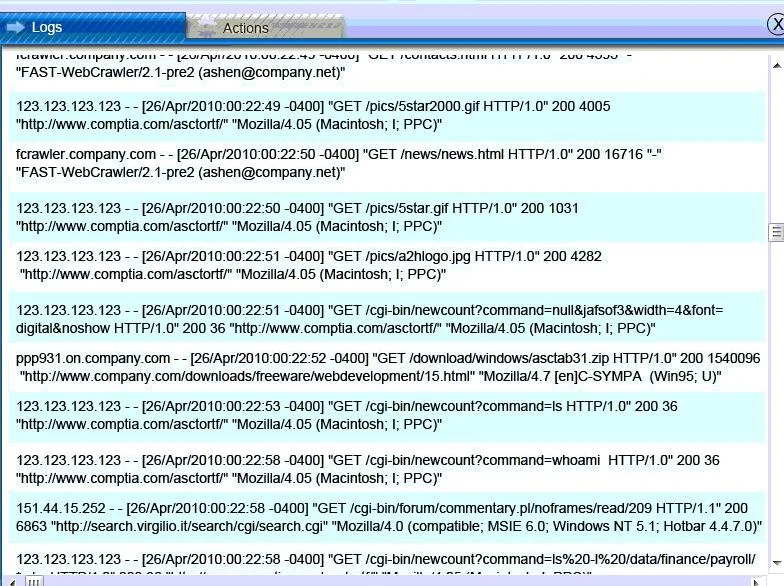
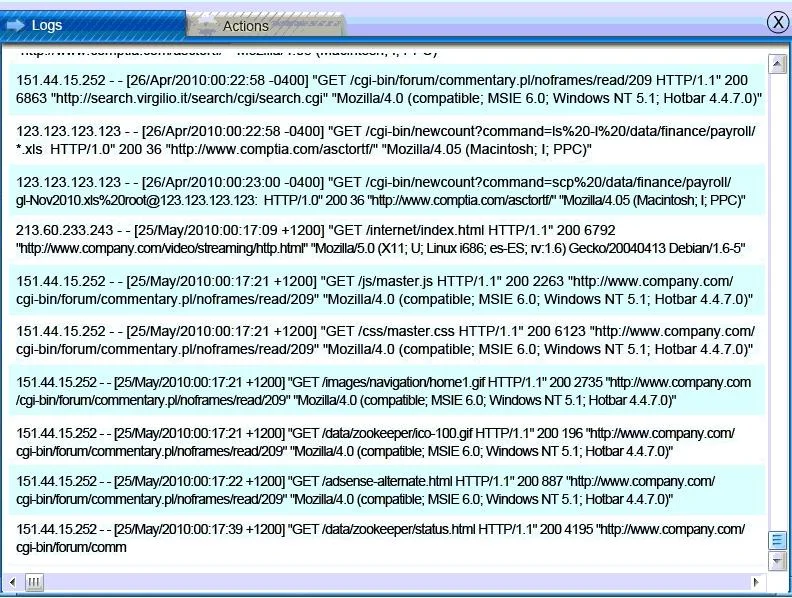
Web Server Log:
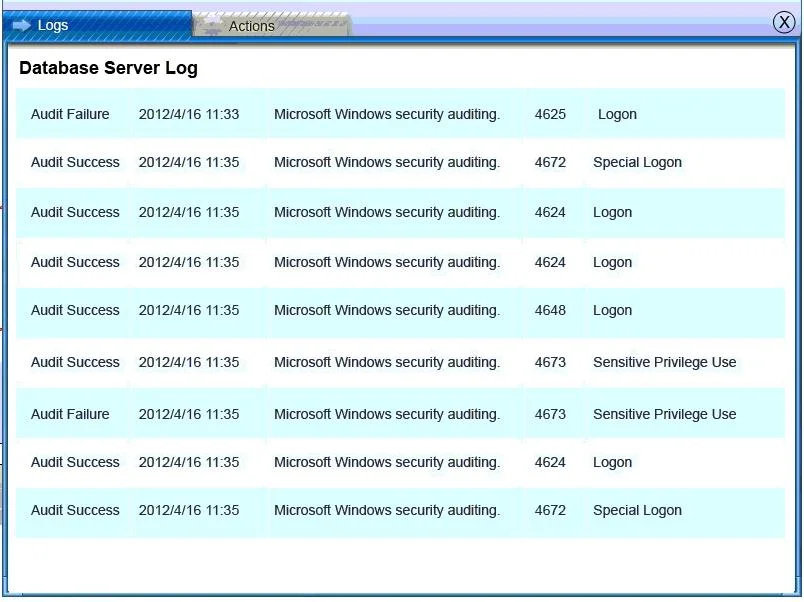
Database Server Log:
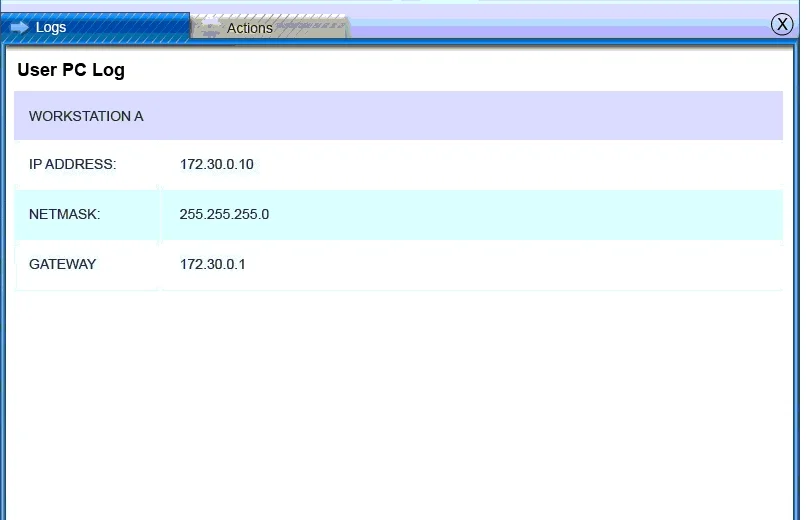
Users PC Log:
Exhibits
Explanation
Incident Response Simulation - Explanation
Overall Goal
An attack has already occurred. Your job is not to stop an ongoing attack, but to respond forensically while minimizing disruption to a critical production environment. This tests your knowledge of the IR lifecycle (specifically the identification and containment/evidence phases) and the principle of least disruption.
Why the Database Server is the Compromised Node
Without seeing the actual log contents, the answer tells us the DB server (10.10.10.12) was attacked. In typical scenarios like this, the IDS log would show:
- Suspicious traffic directed at the database server (e.g., SQL injection attempts, unusual port activity)
- The web server may show inbound requests that served as the entry vector, but the web server itself was not compromised - it was used as a conduit
- The user PC and IDS server show no signs of compromise
Key distinction: The web server being used in an attack chain is not the same as the web server being compromised. The database server is where the breach actually occurred (data exfiltration, unauthorized access, etc.).
Step-by-Step Reasoning
Step 1 - Review IDS Packet Capture Logs
The IDS sits at the network level and captures all traffic. Reviewing it first gives you the full picture: source IPs, destination IPs, attack signatures, and timeline. Without this, you're guessing which node was hit.
Skipping this: You might check the wrong node, wasting time and potentially missing the real breach.
Step 2 - Identify the Database Server as Compromised
After log analysis, the evidence points to 10.10.10.12. The DB server shows signs of successful attack (not just probing), such as unauthorized queries, data dumps, or privilege escalation entries in its log.
Skipping this: You take actions on the wrong system, which can be legally and forensically catastrophic.
Step 3 - Check the Box for the Database Server
This formally documents which node was compromised in the forensics diagram. It scopes your response - you're not touching the web server, IDS, or user PC because they weren't breached.
Skipping this: Your incident response is unfocused and you may over-respond (disrupting production systems unnecessarily) or under-respond (missing the real target).
Step 4 - Capture Network Traffic
This is the least disruptive evidence-gathering action. You do not take the server offline; you simply monitor and capture ongoing traffic from/to the compromised node. This:
- Preserves volatile evidence (live network state)
- May reveal if the attacker still has an active connection or exfiltration in progress
- Does not interrupt the production database service
Skipping this: Volatile network evidence is lost forever. If an attacker has a persistent backdoor, you won't detect it.
Step 5 - Chain of Custody
Chain of custody (CoC) is the legal documentation that tracks who collected evidence, when, and how it was handled. Without it, any evidence gathered (logs, packet captures) may be inadmissible in legal or HR proceedings.
Skipping this: Evidence becomes legally worthless. If the attacker is prosecuted or disciplinary action is taken, the case collapses.
Why Other Actions Were NOT Selected
In a critical production environment, actions like:
- Isolating/shutting down the server - too disruptive
- Reimaging the system - destroys forensic evidence
- Blocking all traffic - disrupts production operations
...would be inappropriate at this stage when the goal is evidence preservation with minimal impact.
Memory Tip
"CCC - Confirm, Capture, Custody"
- Confirm which node is compromised (log review)
- Capture network traffic (preserve volatile evidence)
- Custody - establish chain of custody (protect legal integrity)
This maps directly to the NIST IR framework phases: Identification -> Containment (minimal) -> Evidence Preservation.
Topics
Community Discussion
No community discussion yet for this question.