
SCS-C02 · Question #300
A security team is creating a response plan in the event an employee executes unauthorized actions on AWS infrastructure. They want to include steps to determine if the employee's IAM permissions…
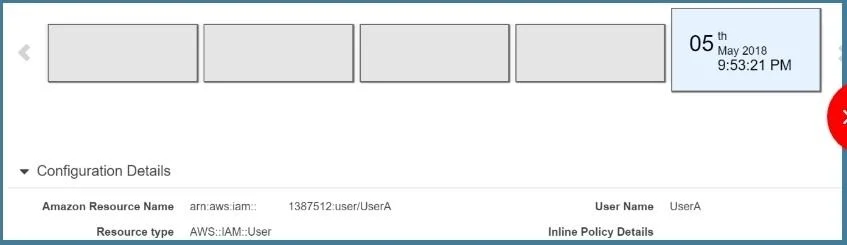
The correct answer is A. Use AWS Config to examine the employee's IAM permissions prior to the incident and compare. You can use the AWSConfig history to see the history of a particular item. The below snapshot shows an example configuration for a user in AWS Config Option B,C and D are all invalid because these services cannot be used to see the history of a particular configuration item…
Question
A security team is creating a response plan in the event an employee executes unauthorized actions on AWS infrastructure. They want to include steps to determine if the employee's IAM permissions changed as part of the incident. What steps should the team document in the plan?
Exhibit
Options
- AUse AWS Config to examine the employee's IAM permissions prior to the incident and compare
- BUse Made to examine the employee's IAM permissions prior to the incident and compare them to
- CUse CloudTrail to examine the employee's IAM permissions prior to the incident and compare
- DUse Trusted Advisor to examine the employee's IAM permissions prior to the incident and
How the community answered
(23 responses)- A78% (18)
- B4% (1)
- C13% (3)
- D4% (1)
Explanation
You can use the AWSConfig history to see the history of a particular item. The below snapshot shows an example configuration for a user in AWS Config Option B,C and D are all invalid because these services cannot be used to see the history of a particular configuration item. This can only be accomplished by AWS Config. https://docs.aws.amazon.com/AmazonCloudFront/latest/DeveloperGuide/TrackineChanees .htmll
Topics
Community Discussion
No community discussion yet for this question.