
SC-900 · Question #125
Which two cards are available in the Microsoft 365 Defender portal? Each correct answer presents a complete solution. NOTE: Each correct selection is worth one point.
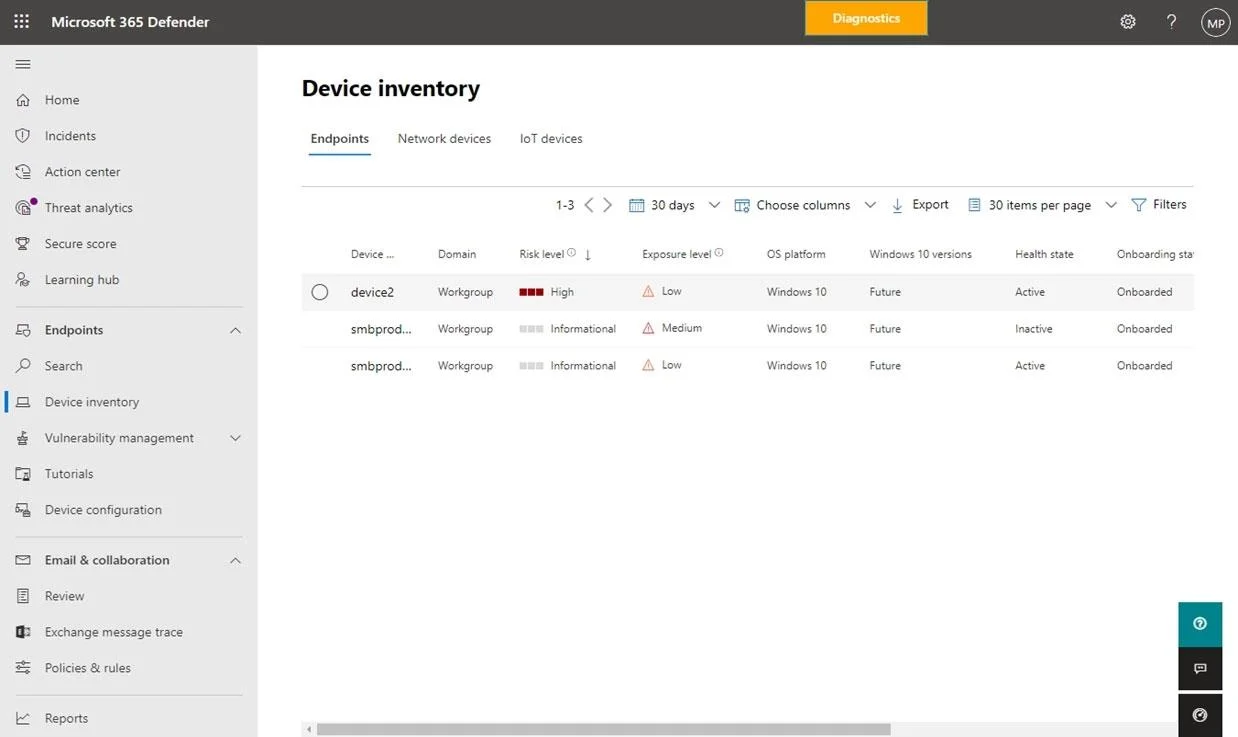
The correct answer is A. Users at risk C. Devices at risk. The Devices at risk card includes a View details button. Selecting that button takes us to the Device inventory page, as shown in the following image: The Microsoft 365 Defender portal cards fall into these categories: Identities - Monitor the identities in your organization…
Question
Which two cards are available in the Microsoft 365 Defender portal? Each correct answer presents a complete solution. NOTE: Each correct selection is worth one point.
Exhibit
Options
- AUsers at risk
- BCompliance Score
- CDevices at risk
- DService Health
- EUser Management
How the community answered
(45 responses)- A93% (42)
- B2% (1)
- D2% (1)
- E2% (1)
Explanation
The Devices at risk card includes a View details button. Selecting that button takes us to the Device inventory page, as shown in the following image: The Microsoft 365 Defender portal cards fall into these categories: Identities - Monitor the identities in your organization and keep track of suspicious or risky behaviors. Here you can find the Users at risk card. Data - Help track user activity that could lead to unauthorized data disclosure. Devices - Get up-to-date information on alerts, breach activity, and other threats on your devices. Apps - Gain insight into how cloud apps are being used in your organization. https://docs.microsoft.com/en-us/microsoft-365/security/defender-business/mdb-respond- mitigate-threats https://docs.microsoft.com/en-us/microsoft-365/security/defender-business/mdb-respond- mitigate-threats?view=o365-worldwide
Topics
Community Discussion
No community discussion yet for this question.