
SC-401 · Question #196
Drag and Drop Question You have a Microsoft 365 E5 subscription that contains two users named User1 and User2. You need to implement insider risk management. The solution must meet the following…
The correct answer is Insider Risk Management Admins; Insider Risk Management Investigators. This question tests the understanding of role-based access control for Insider Risk Management in Microsoft 365, specifically distinguishing between roles for policy administration and content investigation while adhering to the principle of least privilege.
Question
Exhibits
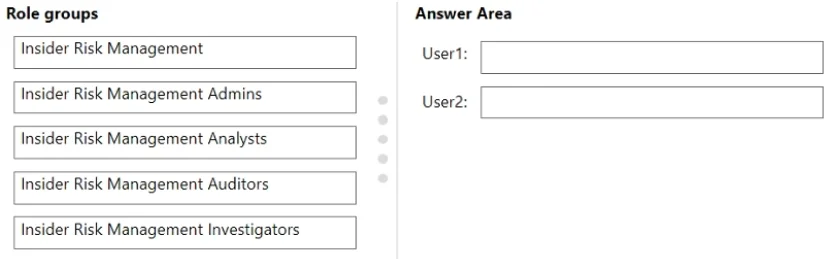
Answer Area
Drag items
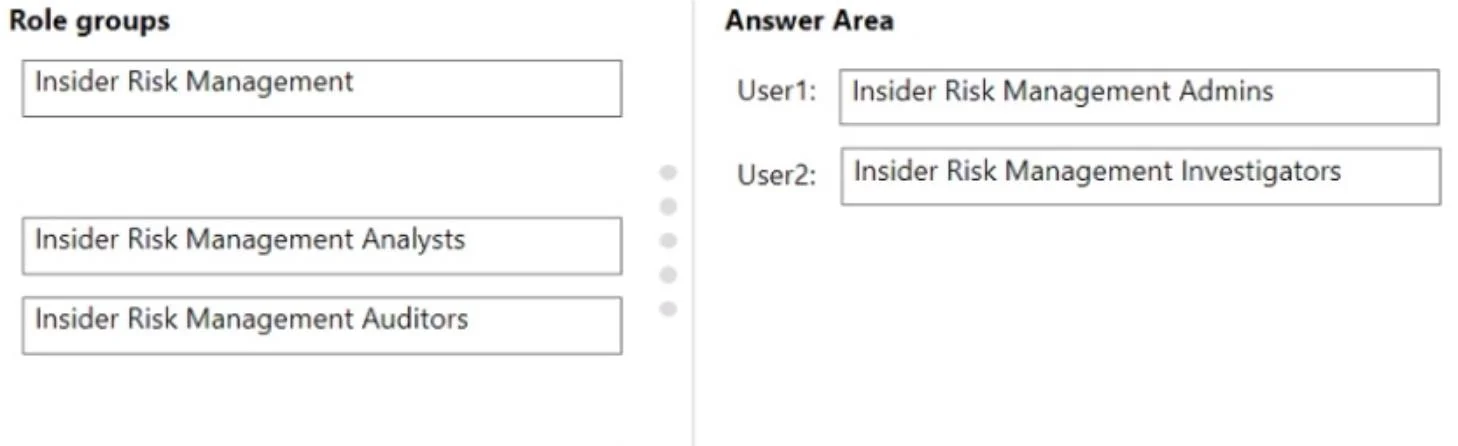
Correct arrangement
- Insider Risk Management Admins
- Insider Risk Management Investigators
Explanation
This question tests the understanding of role-based access control for Insider Risk Management in Microsoft 365, specifically distinguishing between roles for policy administration and content investigation while adhering to the principle of least privilege.
Approach. The core task is to assign the most appropriate Insider Risk Management role groups to User1 and User2 based on their required permissions and the principle of least privilege.
For User1: The requirement is to 'create insider risk management policies'. This is an administrative function. The 'Insider Risk Management Admins' role group is specifically designed for managing and creating policies within the Insider Risk Management solution. Therefore, 'Insider Risk Management Admins' should be dragged to 'User1:'.
For User2: The requirement is to 'use content captured by using insider risk management policies'. This implies reviewing and interacting with the evidence and alerts generated by policies. The 'Insider Risk Management Investigators' role group has permissions to view, manage, and take action on insider risk cases, including reviewing captured content and collaborating with other stakeholders. This fits the requirement perfectly. The 'Insider Risk Management Analysts' role has similar viewing capabilities but typically fewer management actions, and 'Investigators' are explicitly empowered to delve into captured content. 'Insider Risk Management Auditors' are for auditing actions, not directly using captured content for investigations. Adhering to the principle of least privilege, 'Insider Risk Management Investigators' is the most suitable role for User2, granting necessary access without excessive administrative rights. Therefore, 'Insider Risk Management Investigators' should be dragged to 'User2:'.
Common mistakes.
- common_mistake. 1. Assigning 'Insider Risk Management' (the generic group) to User1: This role group is too broad or not a direct assignable role for specific administrative functions in the same granular way 'Admins' is. Specific administrative tasks require the 'Admins' role.
- Assigning 'Insider Risk Management Analysts' to User2: While 'Analysts' can view alerts and cases, 'Investigators' are specifically tasked with reviewing captured content, managing cases, and taking action, which aligns more closely with 'using captured content'. The 'Investigator' role typically has broader access to case details and evidence review.
- Assigning 'Insider Risk Management Auditors' to User2: This role is primarily for reviewing audit logs of actions taken within insider risk management, not for actively reviewing or using the captured content for an investigation.
- Assigning 'Insider Risk Management Admins' to User2: This would violate the principle of least privilege, as User2 only needs to use captured content, not create or manage policies. Giving administrative access would grant unnecessary elevated permissions.
Concept tested. Role-Based Access Control (RBAC) in Microsoft Purview Insider Risk Management, understanding specific permissions associated with different insider risk management roles, and applying the principle of least privilege in security administration.
Reference. null
Topics
Community Discussion
No community discussion yet for this question.