nerdexam
MicrosoftMicrosoft

SC-300 · Question #310

SC-300 Question #310: Real Exam Question with Answer & Explanation

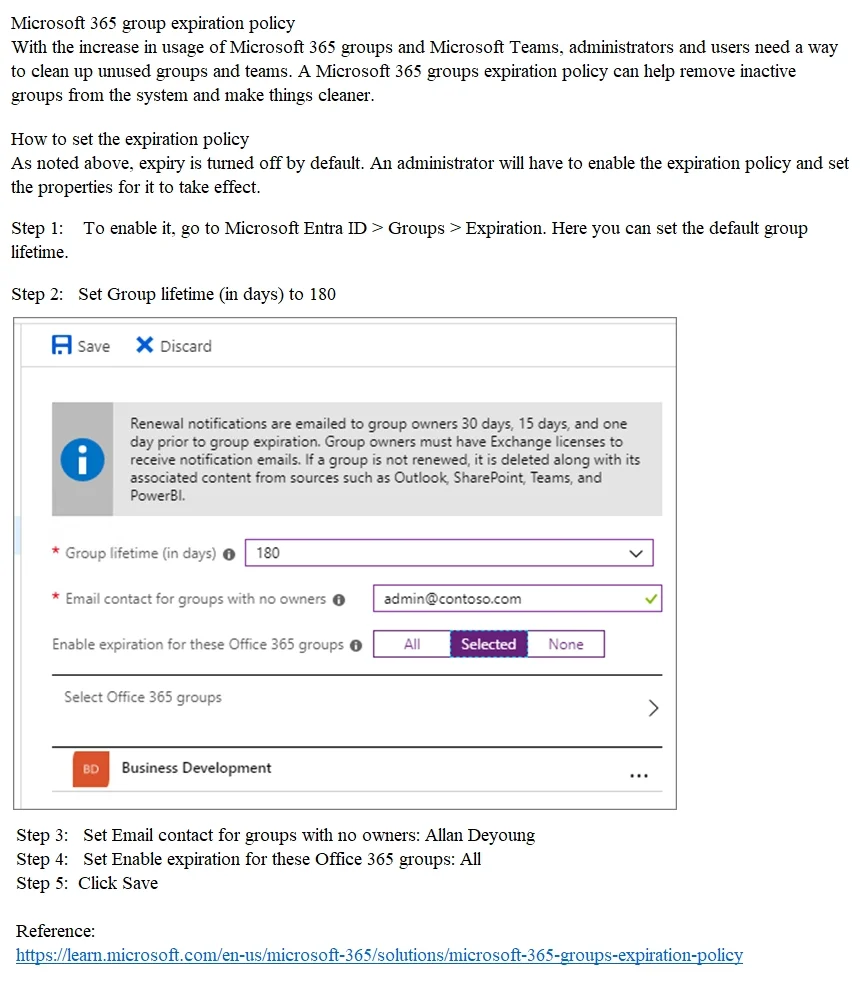
The correct approach is to navigate to Microsoft Entra ID (Azure AD) > Groups > Expiration settings, where you can configure the group lifetime to 180 days, enable automatic deletion of unrenewed groups, and designate Allan Deyoung as the notification contact for ownerless groups

Submitted by paula_co· Mar 6, 2026Manage Microsoft 365 Identity and Services – specifically configuring group settings, expiration policies, and governance within Microsoft Entra ID (MS-102 / MS-900 / SC-300 domain)

Question

SIMULATION Use the following login credentials as needed: To enter your username, place your cursor in the Sign in box and click on the username below. To enter your password, place your cursor in the Enter password box and click on the password below. Microsoft 365 Username:[email protected] Microsoft 365 Password: =1122334455667788 If the Microsoft 365 portal does not load successfully in the browser, press CTRL-K to reload the portal in a new browser tab. The following information is for technical support purposes only: Lab Instance: 99999999 You need to ensure the owner of each Microsoft 365 group is notified to renew their group every 180 days. Groups that are NOT renewed must be deleted. For groups without an owner, the notifications must be sent to Allan Deyoung. To complete this task, sign in to the appropriate admin center. Answer:

Options

  • taskConfigure Microsoft 365 group expiration to 180 days. Ensure the owner of each Microsoft 365 group is notified to renew their group every 180 days, and groups that are not renewed must be deleted. For groups without an owner, set Allan Deyoung as the recipient for notifications.
  • prerequisitesAccess to Microsoft 365 portal/Microsoft Entra admin center with username: [email protected] and password: =1122334455667788

Explanation

The correct approach is to navigate to Microsoft Entra ID (Azure AD) > Groups > Expiration settings, where you can configure the group lifetime to 180 days, enable automatic deletion of unrenewed groups, and designate Allan Deyoung as the notification contact for ownerless groups. This is the only admin center location that provides Group Expiration Policy settings, which automatically sends renewal notifications to group owners and handles deletion of expired groups. Setting the 'Email contact for groups with no owners' field to Allan Deyoung ensures he receives notifications for any groups that lack an assigned owner.

Topics

#Microsoft 365 Groups#Group Expiration Policy#Microsoft Entra ID#Group Lifecycle Management

Community Discussion

No community discussion yet for this question.

Full SC-300 PracticeBrowse All SC-300 Questions