
PT0-003 · Question #132
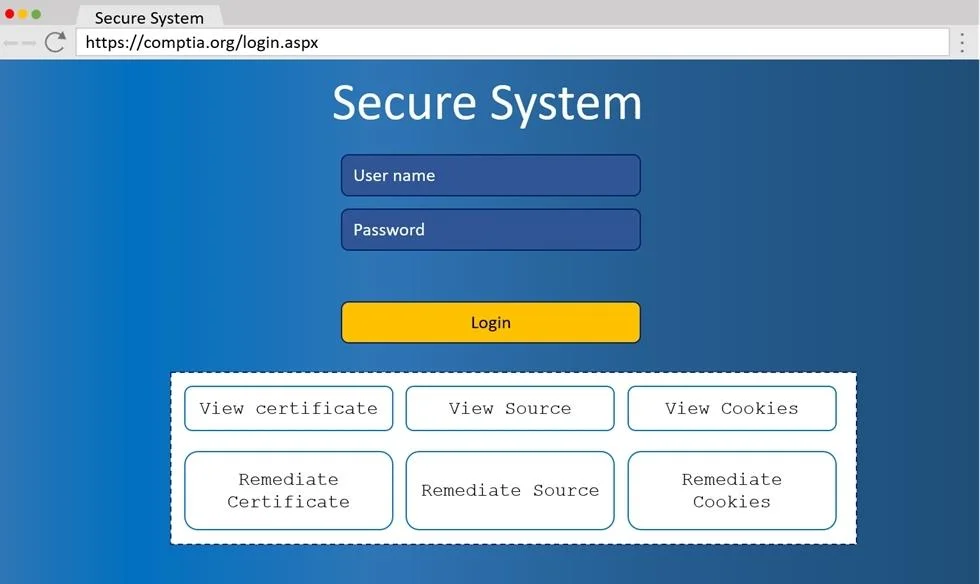
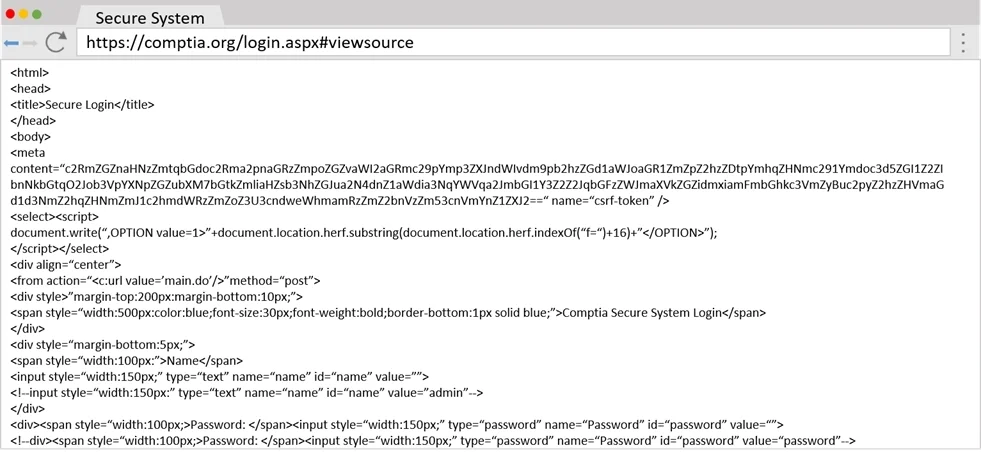
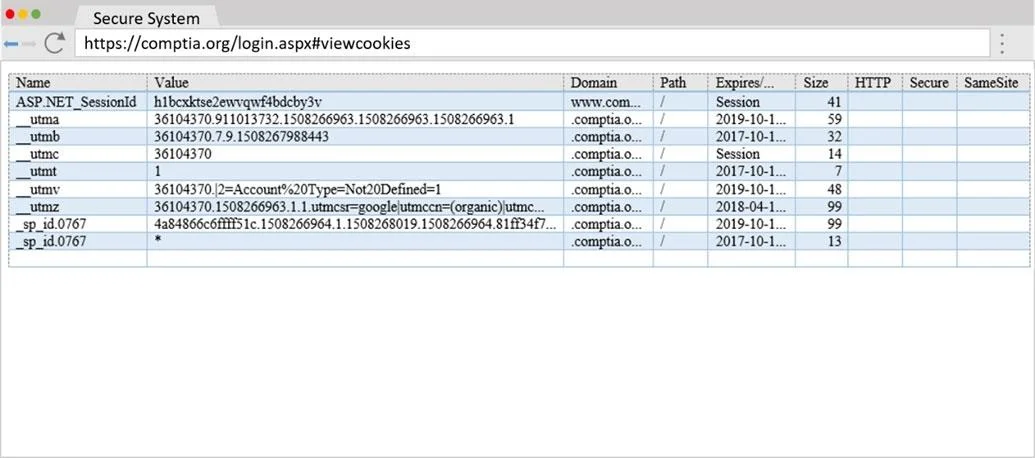
SIMULATION You are a penetration tester reviewing a client's website through a web browser. INSTRUCTIONS Review all components of the website through the browser to determine if vulnerabilities are…
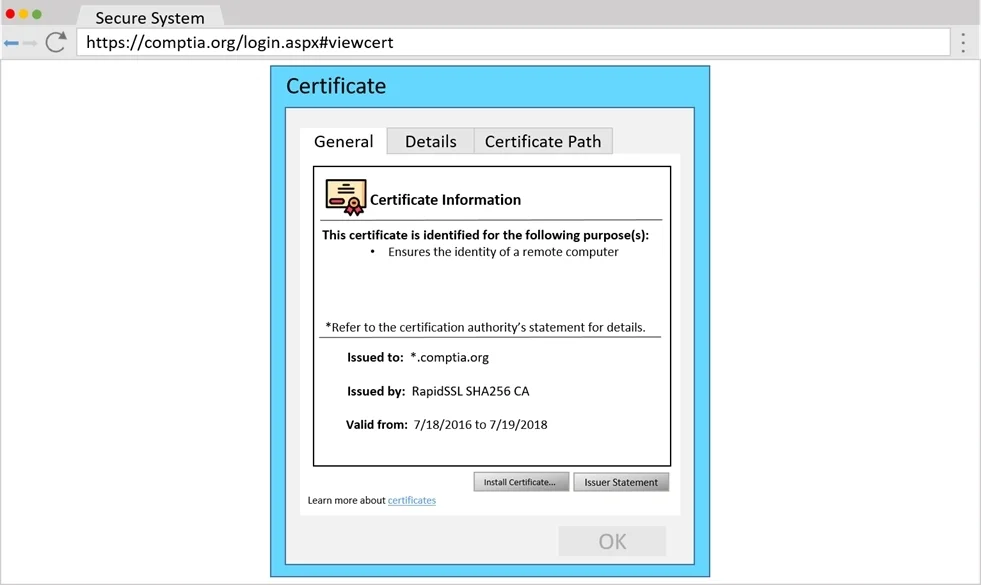
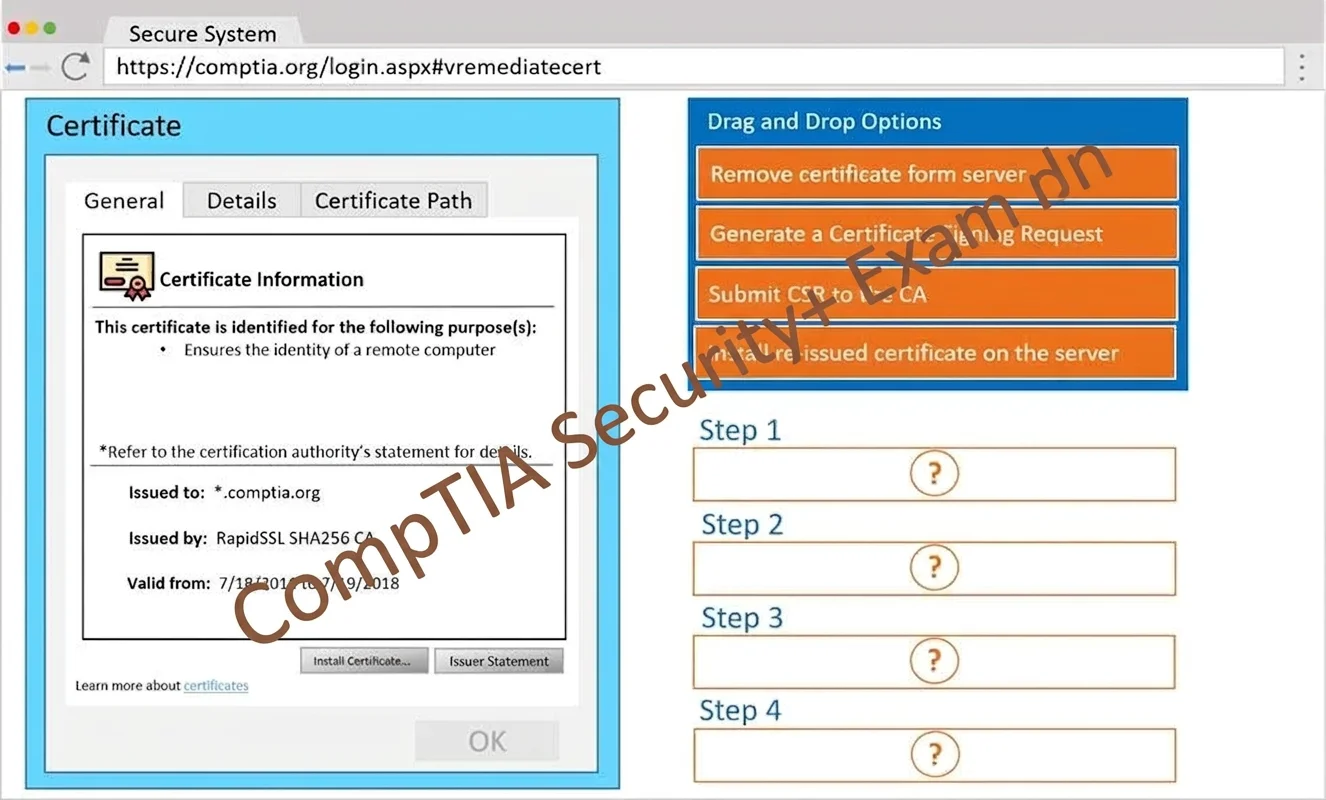
The highest vulnerability in this scenario is an invalid or misconfigured SSL/TLS certificate, which represents a critical security risk as it exposes users to man-in-the-middle attacks and undermines trust. The correct remediation process requires generating a new Certificate…
Question
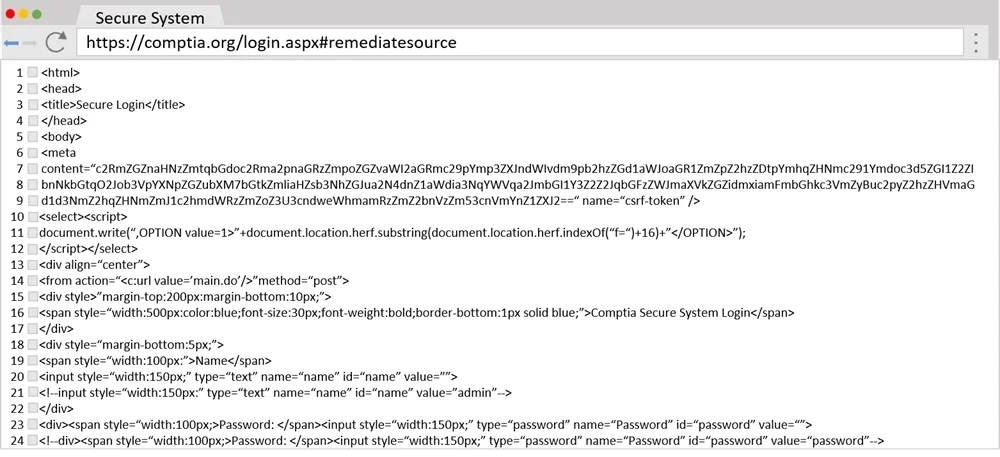
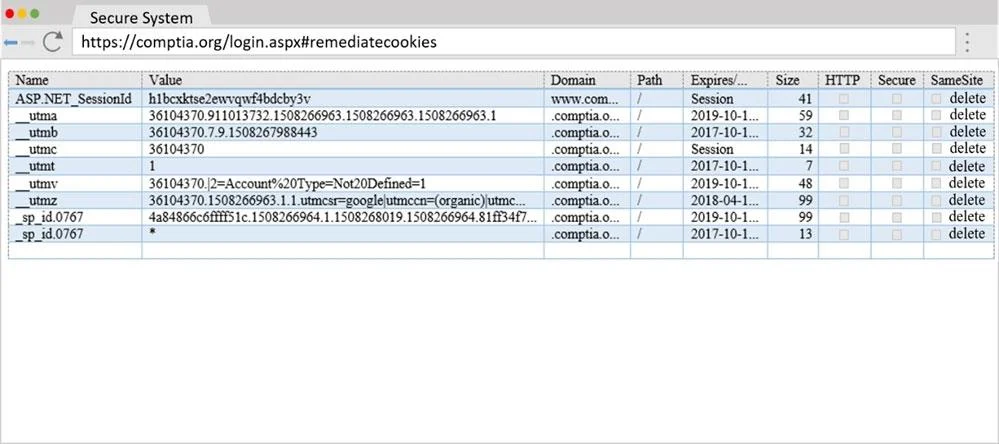
SIMULATION You are a penetration tester reviewing a client’s website through a web browser. INSTRUCTIONS Review all components of the website through the browser to determine if vulnerabilities are present. Remediate ONLY the highest vulnerability from either the certificate, source, or cookies. If at any time you would like to bring back the initial state of the simulation, please click the Reset All button. Answer:
Step 1 - Generate a Certificate Signing Request Step 2 - Submit CSR to the CA Step 3 - Install re-issued certificate on the server Step 4 - Remove Certificate from Server
Exhibits
Explanation
The highest vulnerability in this scenario is an invalid or misconfigured SSL/TLS certificate, which represents a critical security risk as it exposes users to man-in-the-middle attacks and undermines trust. The correct remediation process requires generating a new Certificate Signing Request (CSR) to create a new public/private key pair, submitting it to a trusted Certificate Authority (CA) for signing, installing the newly issued certificate on the server, and removing the old/invalid certificate - following the standard PKI certificate lifecycle. This process ensures the server presents a valid, CA-signed certificate that browsers and clients can trust.
Topics
Community Discussion
No community discussion yet for this question.