
PL-400 · Question #31
You are creating an integration that uses an Azure function to create records in the Common Data Service when leads are submitted from your company website. You create and configure a Common Data…
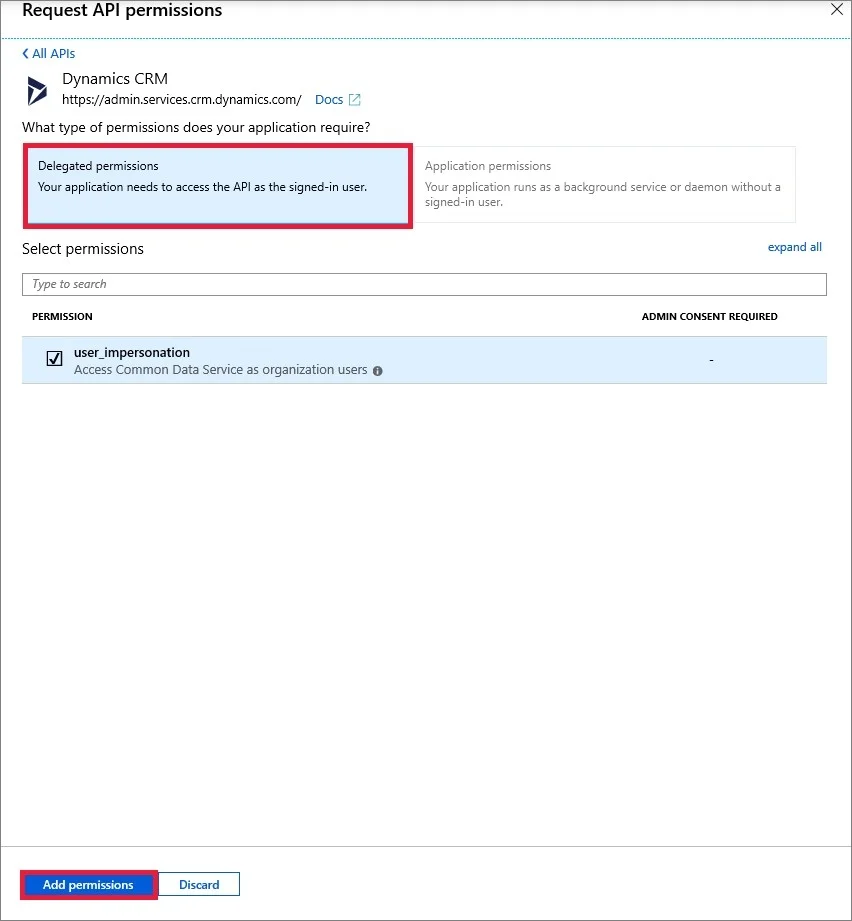
The correct answer is A. Create an application registration in Azure Active Directory. D. Create a new security role with the minimum required permissions and assign to the application E. Grant the application delegated permissions to the Dynamics CRM API in Azure Active Directory. A: Registering an application with Azure Active Directory, enables a user with Power Apps user account to connect to their Microsoft Dataverse environment from external client applications using OAuth authentication. D: Use minimum permissions. E: In the application…
Question
Exhibit
Options
- ACreate an application registration in Azure Active Directory.
- BAssign the system administrator security role to the application user.
- CAssign the Power Platform administrator role to the application user in Azure Active Directory.
- DCreate a new security role with the minimum required permissions and assign to the application
- EGrant the application delegated permissions to the Dynamics CRM API in Azure Active Directory.
- FDeploy Azure B2B guest permissions to the application user.
How the community answered
(44 responses)- A77% (34)
- B14% (6)
- C2% (1)
- F7% (3)
Explanation
A: Registering an application with Azure Active Directory, enables a user with Power Apps user account to connect to their Microsoft Dataverse environment from external client applications using OAuth authentication. D: Use minimum permissions. E: In the application registration process you delegate permissions to the Dynamics CRM API in Azure Active Directory. Not B: The system administrator security role would give the user too much privileges. Not C: The Power Platform administrator role would give the user too much privileges. https://docs.microsoft.com/en-us/powerapps/developer/common-data-service/walkthrough- register-app-azure-active-directory
Community Discussion
No community discussion yet for this question.