
PCNSE · Question #317
How can an administrator configure the NGFW to automatically quarantine a device using GlobalProtect?
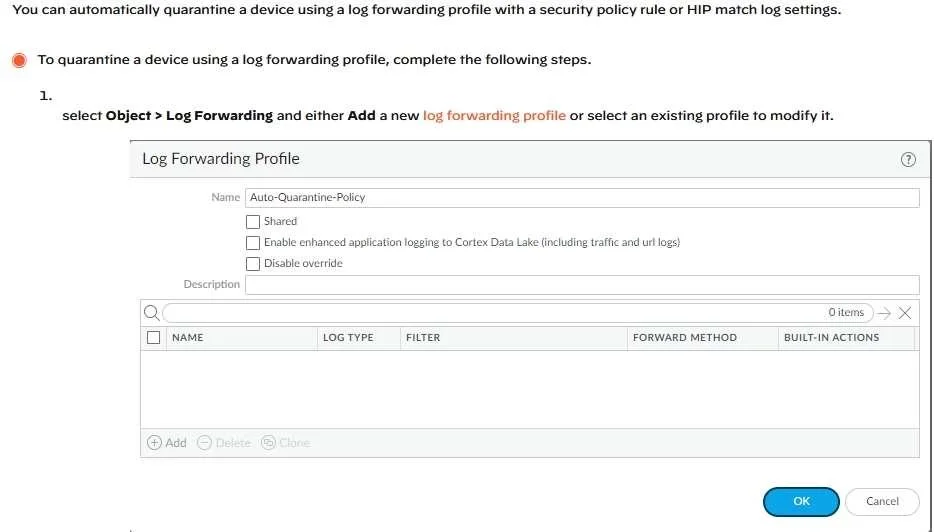
The correct answer is C. by using security policies, log forwarding profiles, and log settings. PAN-OS does support native automatic quarantine of GlobalProtect-connected devices without requiring custom scripts (eliminating D). The correct method (C) uses a combination of: security policies to detect or block suspicious device behavior, log forwarding profiles configured…
Question
How can an administrator configure the NGFW to automatically quarantine a device using GlobalProtect?
Exhibit
Options
- Aby adding the devices Host ID to a quarantine list and configure GlobalProtect to prevent users
- Bby exporting the list of quarantined devices to a pdf or csv file by selecting PDF/CSV at the
- Cby using security policies, log forwarding profiles, and log settings
- Dthere is no native auto-quarantine feature so a custom script would need to be leveraged
How the community answered
(37 responses)- A5% (2)
- B3% (1)
- C81% (30)
- D11% (4)
Explanation
PAN-OS does support native automatic quarantine of GlobalProtect-connected devices without requiring custom scripts (eliminating D). The correct method (C) uses a combination of: security policies to detect or block suspicious device behavior, log forwarding profiles configured with auto-tagging actions that tag a device's Host ID when a specific log condition is met, and log settings to define what triggers the action. Once tagged, a security policy can block the quarantined device from accessing network resources. Option A partially describes the manual quarantine process (adding to a quarantine list), and B describes exporting a quarantine list, neither of which constitutes the automated workflow.
Topics
Community Discussion
No community discussion yet for this question.