
Palo_Alto_Networks
PCNSC · Question #17
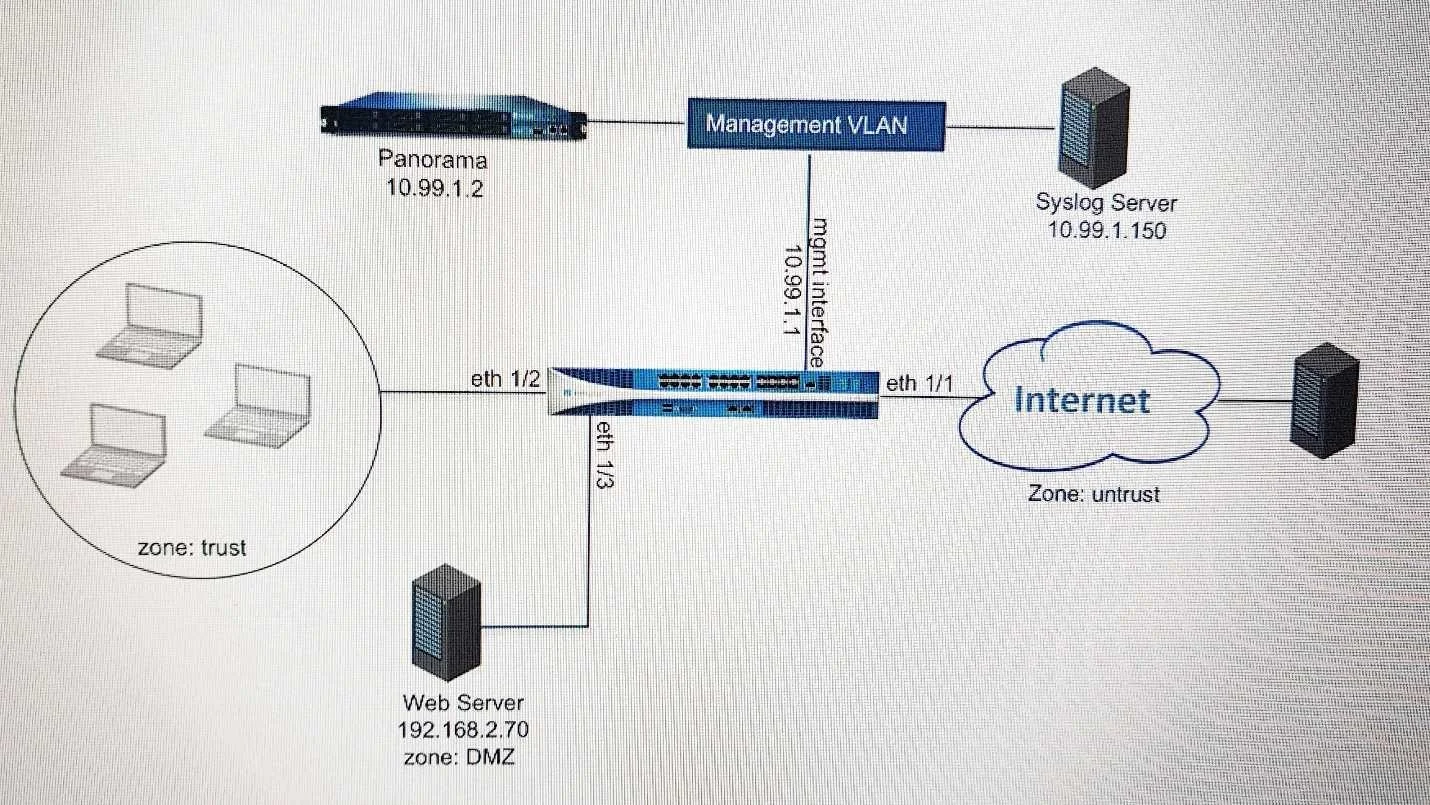
Refer to the exhibit. An administrator cannot see any of the Traffic logs from the Palo Alto Networks NGFW on Panorama. The configuration problem seems to be on the firewall side. Where is the best…
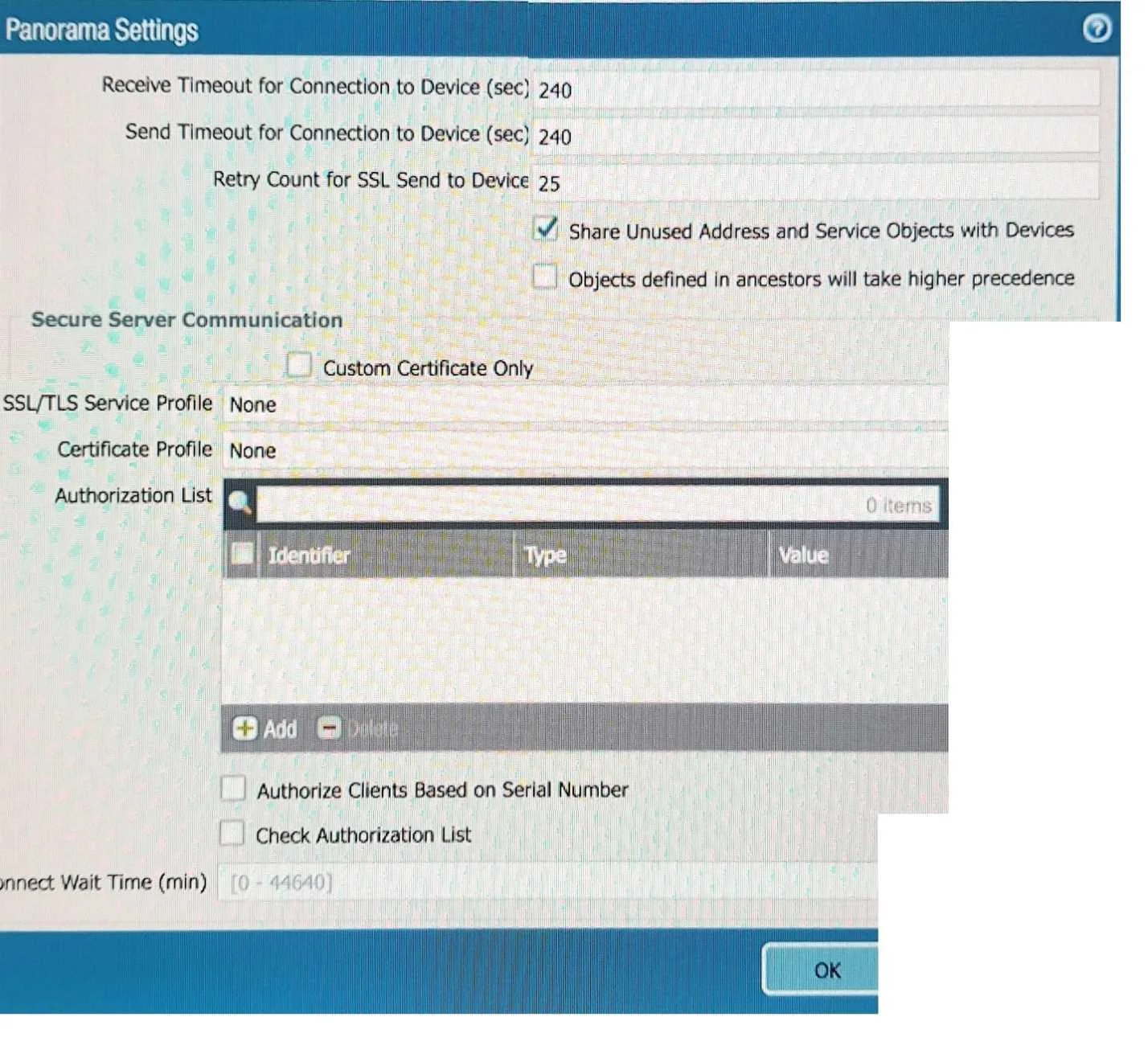
The correct answer is D. Panorama Settings showing Device configuration with timeouts for connection to Device, and Secure Server Communication settings. You've hit your limit · resets 5:20am (America/New_York)
Monitoring, Logging, and Reporting
Question
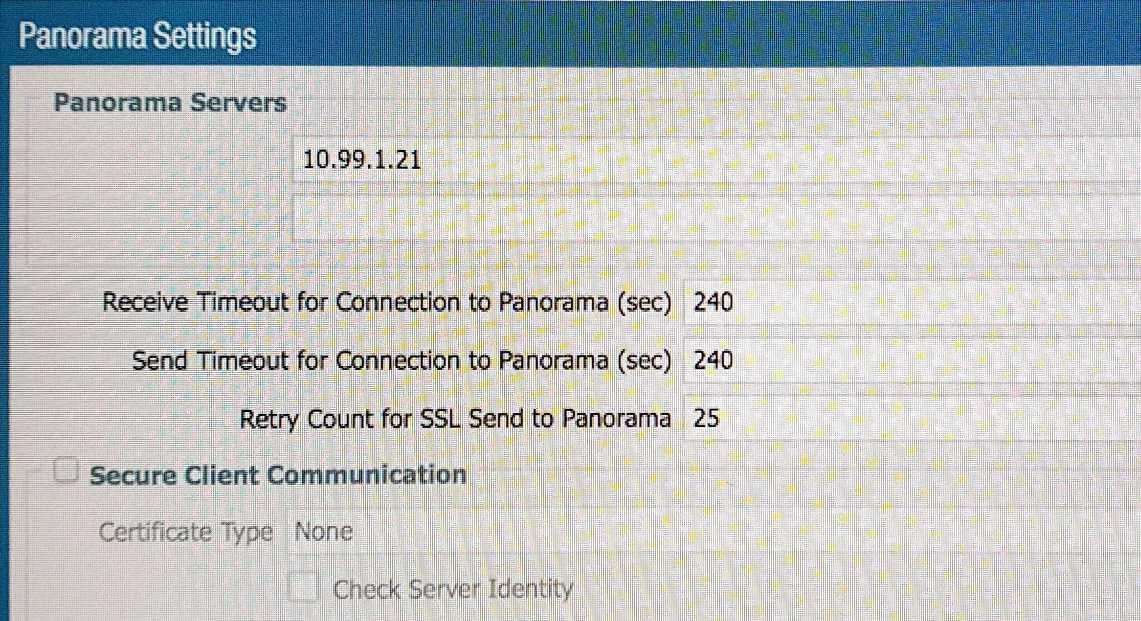
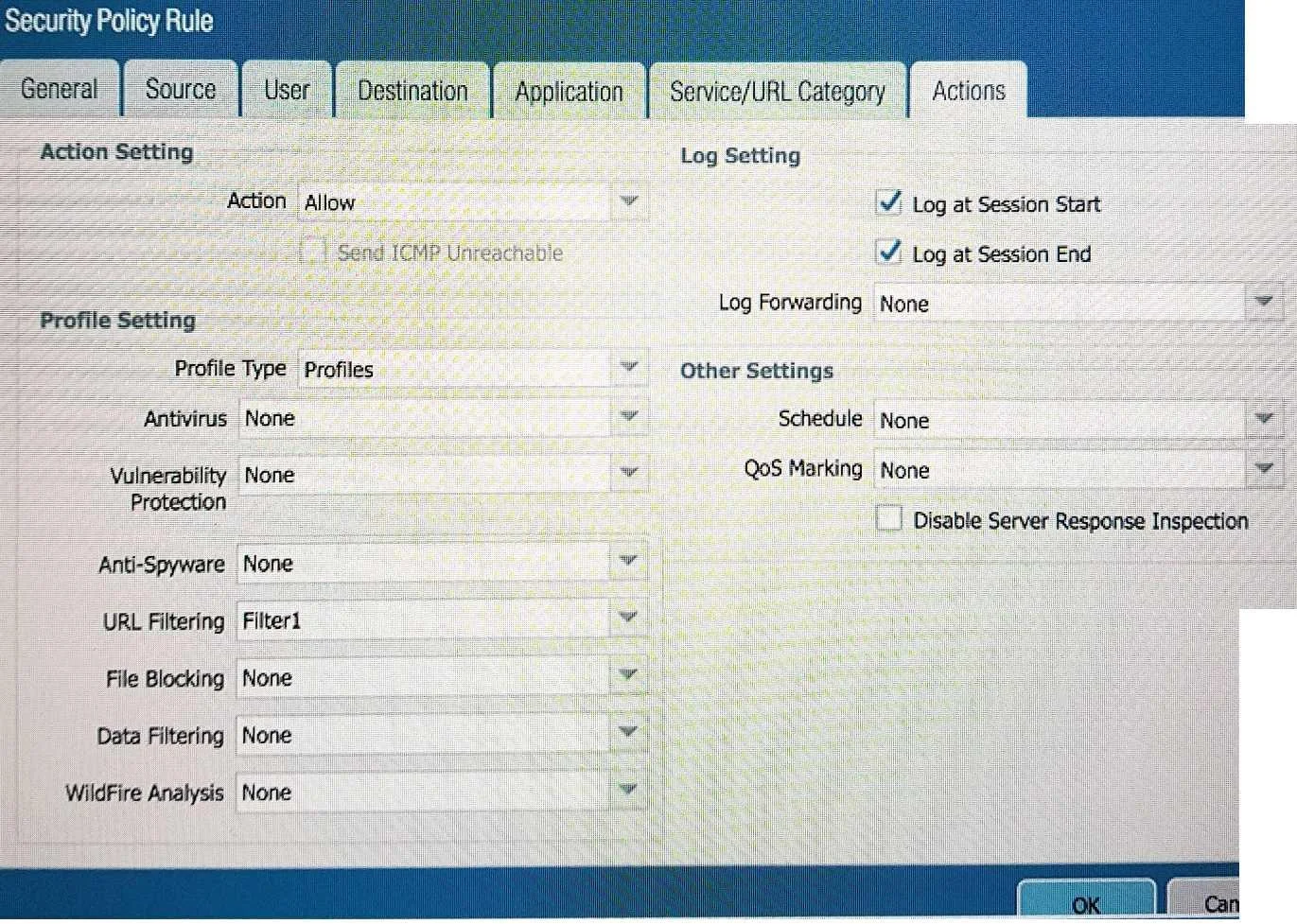
Refer to the exhibit. An administrator cannot see any of the Traffic logs from the Palo Alto Networks NGFW on Panorama. The configuration problem seems to be on the firewall side. Where is the best place on the Palo Alto Networks NGFW to check whether the configuration is correct? A. B. C. D.
Exhibits
Options
- APanorama Settings showing Panorama Servers configuration with IP 10.99.1.21, and timeouts for connection to Panorama.
- BSecurity Policy Rule configuration showing 'Allow' action, 'Log at Session Start' and 'Log at Session End' enabled, and 'Log Forwarding None'.
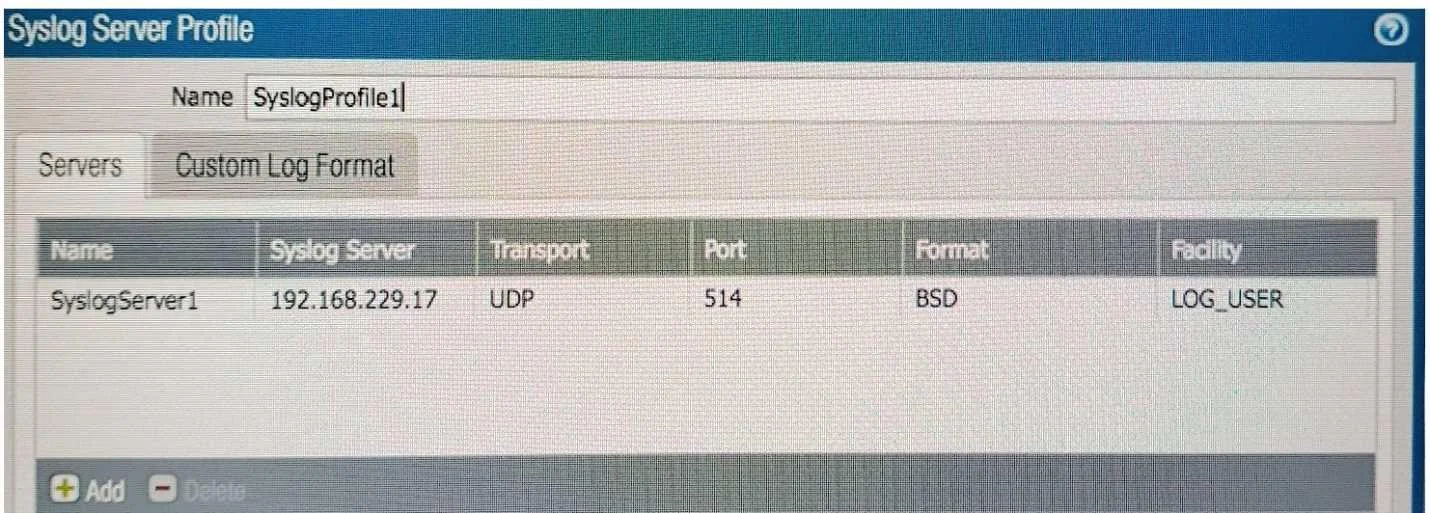
- CSyslog Server Profile configuration showing 'SyslogServer1' with IP 192.168.229.17, UDP, port 514, and facility LOG_USER.
- DPanorama Settings showing Device configuration with timeouts for connection to Device, and Secure Server Communication settings.
How the community answered
(37 responses)- A8% (3)
- B5% (2)
- C3% (1)
- D84% (31)
Explanation
You've hit your limit · resets 5:20am (America/New_York)
Topics
#Panorama#log forwarding#traffic logs#log configuration
Community Discussion
No community discussion yet for this question.