
CyberArk
PAM-SEN · Question #94
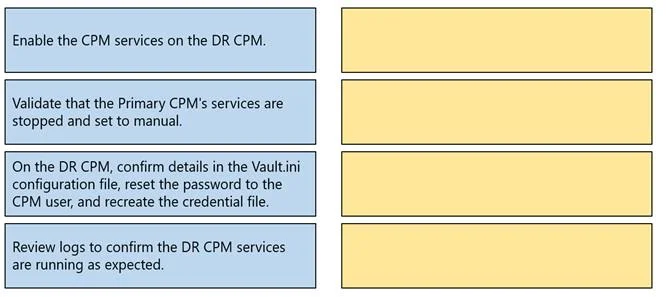
Drag and Drop Question Arrange the steps to failover to the DR CPM in the correct sequence. Answer:
The correct answer is Validate that the Primary CPM's services are stopped and set to manual.; Enable the CPM services on the DR CPM.; On the DR CPM, confirm details in the Vault.ini configuration file, reset the password to the CPM user, and recreate the credential file.; Review logs to confirm the DR CPM services are running as expected. You've hit your limit · resets 5:20am (America/New_York)
Disaster Recovery and High Availability
Question
Drag and Drop Question Arrange the steps to failover to the DR CPM in the correct sequence. Answer:
Exhibit
Answer Area
Drag items
Enable the CPM services on the DR CPM.Validate that the Primary CPM's services are stopped and set to manual.On the DR CPM, confirm details in the Vault.ini configuration file, reset the password to the CPM user, and recreate the credential file.Review logs to confirm the DR CPM services are running as expected.
Correct arrangement
- Validate that the Primary CPM's services are stopped and set to manual.
- Enable the CPM services on the DR CPM.
- On the DR CPM, confirm details in the Vault.ini configuration file, reset the password to the CPM user, and recreate the credential file.
- Review logs to confirm the DR CPM services are running as expected.
Explanation
You've hit your limit · resets 5:20am (America/New_York)
Topics
#CPM failover#DR procedures#Vault.ini#credential file recreation
Community Discussion
No community discussion yet for this question.