
Nutanix
NCP-US-6.10 · Question #81
An administrator is deploying File Analytics. The following subnets are available: CVM subnet: 10.1.1.0/24 AHV subnet: 10.1.2.0/24 Nutanix Files client network: 10.1.3.0/24 Nutanix Files storage…
The correct answer is C. Re-deploy File Analytics on the Files client network. You've hit your limit · resets 5am (America/New_York)
Implement File Storage
Question
An administrator is deploying File Analytics. The following subnets are available:
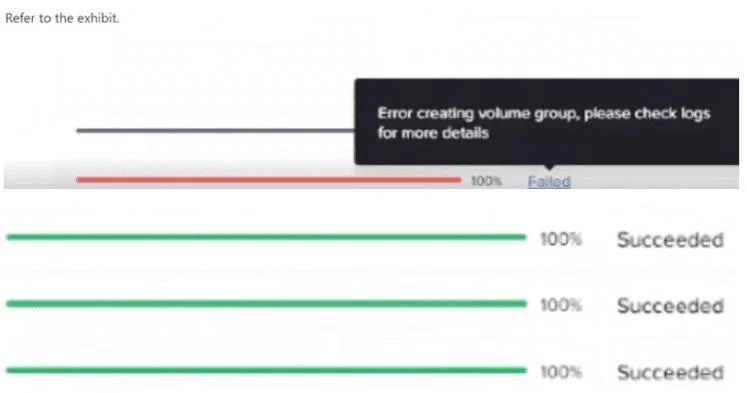
CVM subnet: 10.1.1.0/24 AHV subnet: 10.1.2.0/24 Nutanix Files client network: 10.1.3.0/24 Nutanix Files storage network: 10.1.4.0/24 The administrator has reserved10.1.4.100as the File Analytics IP. However, the deployment fails with the error shown:
"Error creating volume group, please check logs for more details." What action must the administrator take to successfully deploy File Analytics?
Exhibit
Options
- AAllow port 445 in the firewall.
- BRe-deploy File Analytics on the Files storage network.
- CRe-deploy File Analytics on the Files client network.
- DAllow port 139 in the firewall.
How the community answered
(33 responses)- A6% (2)
- B9% (3)
- C85% (28)
Explanation
You've hit your limit · resets 5am (America/New_York)
Topics
#File Analytics#network configuration#deployment#storage network
Community Discussion
No community discussion yet for this question.