
Nutanix
NCP-US-6.10 · Question #75
An administrator has received a complaint from a user that a Windows VM lost access to an iSCSI Volume Group (VG) during a maintenance window of an ESXi-based Nutanix cluster. The VM's iSCSI…
The correct answer is B. Remove Discovery IP and configure with DSIP. You've hit your limit · resets 5am (America/New_York)
Implement Block Storage and Other Features
Question
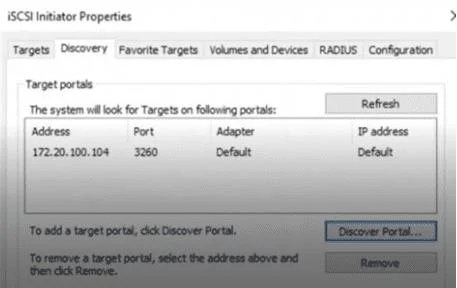
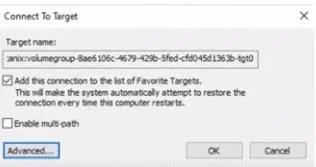
An administrator has received a complaint from a user that a Windows VM lost access to an iSCSI Volume Group (VG) during a maintenance window of an ESXi-based Nutanix cluster. The VM's iSCSI configuration shows it is connecting to a specific IP (172.20.100.104). What recommended change should the administrator make to resolve this disruption?
Exhibits
Options
- AChange the Discovery IP to match the configured VIP.
- BRemove Discovery IP and configure with DSIP.
- CAdd all missing CVM IPs in Discovery tab.
- DSelect the Enable multi-path checkbox.
How the community answered
(48 responses)- A2% (1)
- B81% (39)
- C6% (3)
- D10% (5)
Explanation
You've hit your limit · resets 5am (America/New_York)
Topics
#iSCSI#Volume Group#Data Services IP#multipath
Community Discussion
No community discussion yet for this question.