
MS-900 · Question #419
Hotspot Question Instructions: For each of the following statements, select Yes if the statement is true. Otherwise, select No. NOTE: Each correct selection is worth one point. Answer:
The correct answer is Data Loss Prevention policies can prevent users from opening a document that contains sensitive information in SharePoint. = Yes; Data Loss Prevention policies can be configured to allow users to override a policy. = Yes; Data Loss Prevention policies can prevent users from sharing sensitive information in a Microsoft Teams channel or chat session. = Yes. All three statements about Data Loss Prevention (DLP) policies in Microsoft 365 are true: they can prevent opening sensitive documents in SharePoint, allow user overrides, and prevent sharing sensitive information in Microsoft Teams.
Question
Exhibit
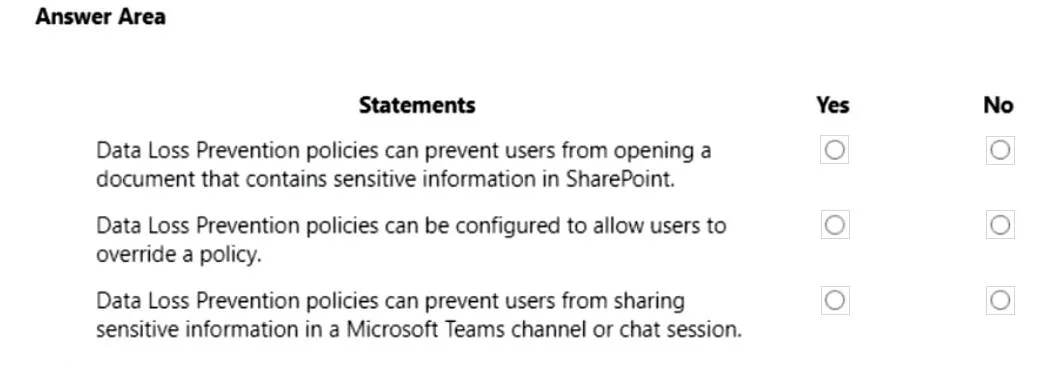
Answer Area
- Data Loss Prevention policies can prevent users from opening a document that contains sensitive information in SharePoint.Yes
- Data Loss Prevention policies can be configured to allow users to override a policy.Yes
- Data Loss Prevention policies can prevent users from sharing sensitive information in a Microsoft Teams channel or chat session.Yes
Explanation
All three statements about Data Loss Prevention (DLP) policies in Microsoft 365 are true: they can prevent opening sensitive documents in SharePoint, allow user overrides, and prevent sharing sensitive information in Microsoft Teams.
Approach. The correct interaction is to select the 'Yes' radio button for all three statements.
-
Statement 1: 'Data Loss Prevention policies can prevent users from opening a document that contains sensitive information in SharePoint.' This statement is TRUE. While often focused on preventing sharing or exfiltration, DLP policies can enforce various actions upon detecting sensitive information. This includes blocking access to a document, moving it to a quarantine location, or revoking permissions, which effectively prevents users from opening it. For instance, a policy might block access for unauthorized users to sensitive documents in SharePoint.
-
Statement 2: 'Data Loss Prevention policies can be configured to allow users to override a policy.' This statement is TRUE. Microsoft 365 DLP allows administrators to configure policies with an 'override' option. When a user triggers a DLP policy, they might be presented with an option to override the policy, often requiring a business justification, which is then logged for auditing purposes. This balances security with legitimate business needs.
-
Statement 3: 'Data Loss Prevention policies can prevent users from sharing sensitive information in a Microsoft Teams channel or chat session.' This statement is TRUE. Microsoft 365 DLP is deeply integrated with Microsoft Teams. It can detect sensitive information in messages, chat sessions, and files shared within Teams channels or private chats, and then take enforcement actions such as blocking the message, file, or content from being shared or sent, ensuring sensitive data remains protected.
Common mistakes.
- common_mistake. Common mistakes stem from a limited understanding of DLP's broad capabilities and integration across the Microsoft 365 suite:
- Selecting 'No' for Statement 1: This would imply that DLP policies cannot restrict direct access or opening of documents within services like SharePoint. However, DLP's enforcement actions include preventing access, quarantining, or modifying permissions on sensitive content, which effectively prevents users from opening it.
- Selecting 'No' for Statement 2: This would indicate unawareness that M365 DLP policies offer configurable options for user overrides, providing flexibility for legitimate business scenarios while ensuring audit trails.
- Selecting 'No' for Statement 3: This would suggest an outdated view that DLP doesn't extend to modern collaboration platforms like Microsoft Teams. M365 DLP is specifically designed to protect sensitive information across the entire M365 ecosystem, including real-time communication and file sharing within Teams.
Concept tested. The core concept tested is Data Loss Prevention (DLP) within Microsoft 365. This includes understanding the scope of DLP enforcement across various M365 services (SharePoint, Microsoft Teams, Exchange, OneDrive), the types of actions DLP can take when sensitive information is detected (e.g., blocking access, blocking sharing, allowing overrides, notifications), and the flexibility and configurability of DLP policies to meet organizational compliance requirements.
Topics
Community Discussion
No community discussion yet for this question.