
MS-900 · Question #40
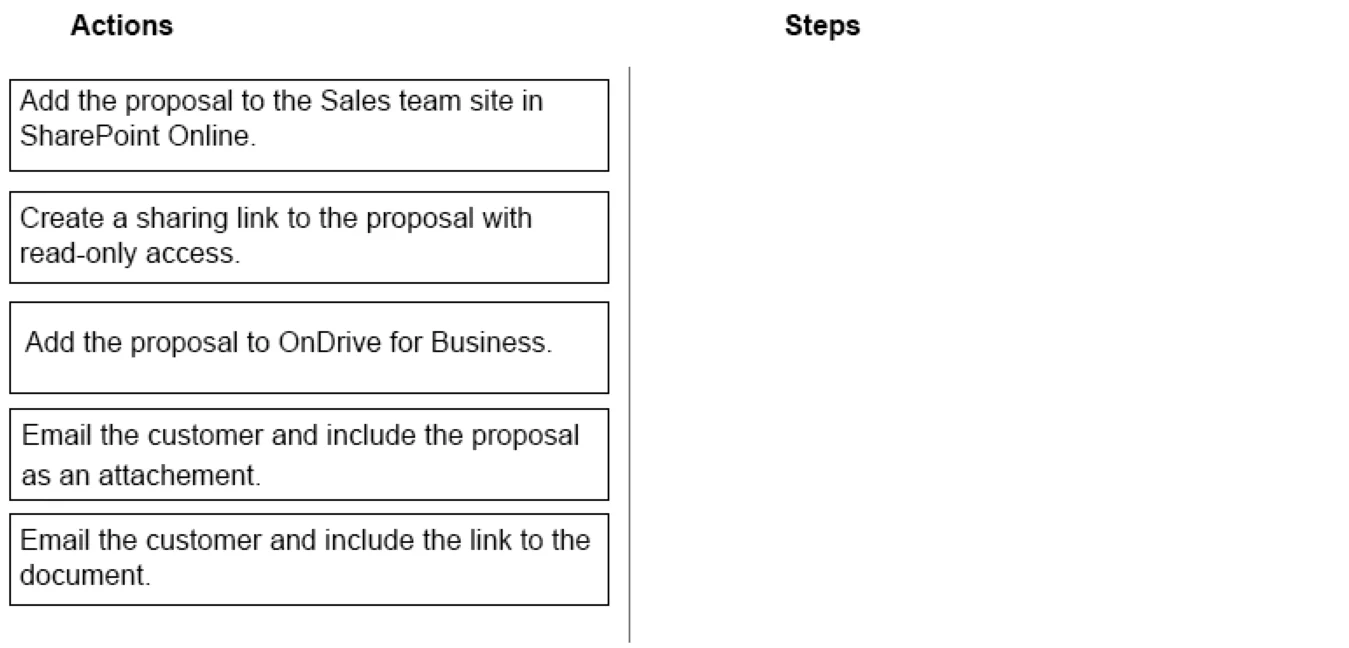
Drag and Drop Question You are a member of a Microsoft Office 365 group named Sates. You create a proposal for a customer by using Word Online. All team members must be able to review and make…
The correct sequence is A → B → E. First, the proposal must be added to the SharePoint Online Sales team site so all team members can simultaneously review and edit it in real time using co-authoring features. Next, a read-only sharing link is created specifically for the…
Question
Exhibit
Options
- AAdd the proposal to the Sales team site in SharePoint Online.
- BCreate a sharing link to the proposal with read-only access.
- CAdd the proposal to OneDrive for Business.
- DEmail the customer and include the proposal as an attachment.
- EEmail the customer and include the link to the document.
Explanation
The correct sequence is A → B → E. First, the proposal must be added to the SharePoint Online Sales team site so all team members can simultaneously review and edit it in real time using co-authoring features. Next, a read-only sharing link is created specifically for the customer, ensuring they cannot make changes. Finally, the customer is emailed the link (not an attachment) so they always access the live, most recent version of the document stored in SharePoint - an attachment would be a static snapshot that would not reflect any updates.
Topics
Community Discussion
No community discussion yet for this question.