
MS-900 · Question #295
Hotspot Question A company plans to implement Microsoft Defender for Office 365. Instructions: For each of the following statements, select Yes if the statement is true. Otherwise, select No. NOTE…
This hotspot question tests knowledge of Microsoft Defender for Office 365 capabilities, specifically what features are included and how they protect against various threats like phishing, malware, and zero-day attacks.
Question
Exhibit
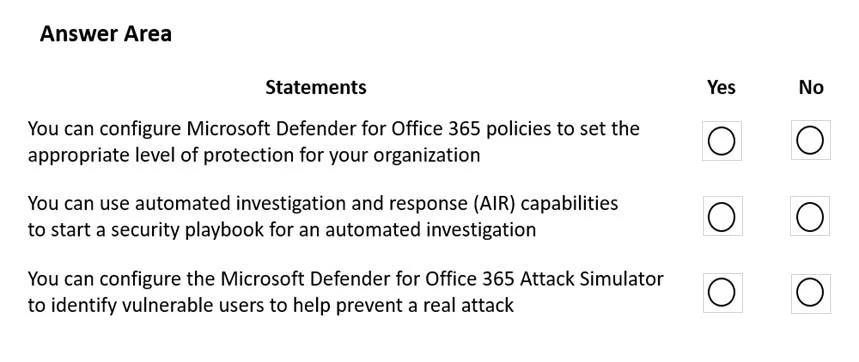
Answer Area
- You can configure Microsoft Defender for Office 365 policies to set the appropriate level of protection for your organization
- You can use automated investigation and response (AIR) capabilities to start a security playbook for an automated investigation
- You can configure the Microsoft Defender for Office 365 Attack Simulator to identify vulnerable users to help prevent a real attack
Explanation
This hotspot question tests knowledge of Microsoft Defender for Office 365 capabilities, specifically what features are included and how they protect against various threats like phishing, malware, and zero-day attacks.
Approach. Microsoft Defender for Office 365 (formerly ATP) includes Safe Attachments (which detonates attachments in a sandbox to detect malware), Safe Links (which scans URLs at click-time to protect against malicious links), and Anti-phishing policies (which use machine learning to detect impersonation and spoofing attacks). Plan 1 covers Safe Attachments, Safe Links, and anti-phishing, while Plan 2 adds Threat Explorer, Attack Simulator, and automated investigation and response (AIR). When evaluating each statement, confirm whether the described feature or behavior aligns with documented Defender for Office 365 functionality - features like real-time reports, zero-hour auto purge (ZAP), and protection for SharePoint/OneDrive/Teams are all included, making those statements 'Yes', while features outside its scope such as endpoint protection or identity protection would be 'No'.
Concept tested. Microsoft Defender for Office 365 feature coverage - including Safe Attachments, Safe Links, anti-phishing, Zero-Hour Auto Purge (ZAP), Threat Explorer, Attack Simulator, and protection scope across Exchange Online, SharePoint, OneDrive, and Teams.
Reference. https://learn.microsoft.com/en-us/microsoft-365/security/office-365-security/defender-for-office-365
Topics
Community Discussion
No community discussion yet for this question.