
Microsoft
MS-700 · Question #102
You create a Microsoft 365 groups expiration policy that has the following configurations: Group lifetime (in days): 180 Email contact for groups with no owners: Admin1 Enable expiration for these…
Box 1: User1 only Renewal notifications are emailed to group owners 30 days, 15 days, and one day prior to group expiration. Project1 has User1 as owner so this user will receive a renewal notification and not Admin1. Admin 1 would only receive the renewal notifications if…
Manage teams, channels, chats, and apps
Question
You create a Microsoft 365 groups expiration policy that has the following configurations:
- Group lifetime (in days): 180
- Email contact for groups with no owners: Admin1
- Enable expiration for these Microsoft 365 groups: Project1 The group expiration for Project1 is May 31, 2022. Which users will be notified to renew Project1, and when the users will receive their first renewal notification? To answer, select the appropriate options in the answer area. NOTE: Each correct selection is worth one point.
Exhibit
Explanation
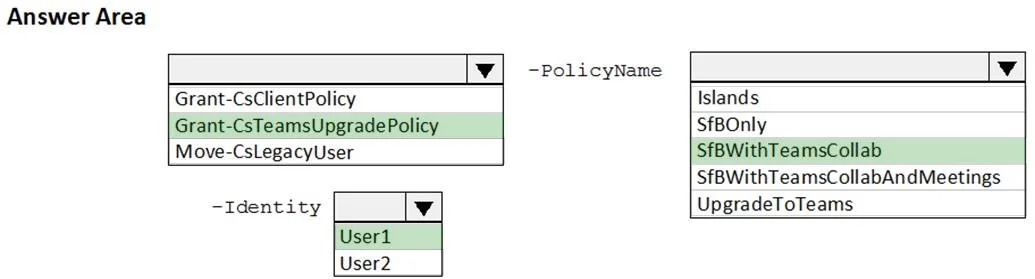
Box 1: User1 only Renewal notifications are emailed to group owners 30 days, 15 days, and one day prior to group expiration. Project1 has User1 as owner so this user will receive a renewal notification and not Admin1. Admin 1 would only receive the renewal notifications if Project1 team was without an owner. Box 2: May 1, 2022 First renewal notification will take place 30 days prior to group expiration.
Topics
#Microsoft 365 Groups#Group Expiration Policy#Group Management#Renewal Notifications
Community Discussion
No community discussion yet for this question.