
Microsoft
MO-100 · Question #6
In the "Savings Accounts" section, delete the comment that is attached to the text "$3,000".
Click the Review tab. Click the Next Comment or Previous Comment button to locate the offending comment. Upon success, the comment is highlighted in the markup area. In the Comments area, choose Delete ->Delete. ... Repeat Steps 2 and 3 to remove additional comments.
Manage document collaboration
Question
In the "Savings Accounts" section, delete the comment that is attached to the text "$3,000".
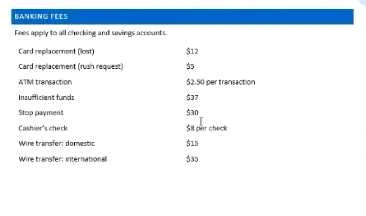
Exhibit
Explanation
Click the Review tab. Click the Next Comment or Previous Comment button to locate the offending comment. Upon success, the comment is highlighted in the markup area. In the Comments area, choose Delete ->Delete. ... Repeat Steps 2 and 3 to remove additional comments.
Topics
#Comments#Document Review#Collaboration#Deleting Content
Community Discussion
No community discussion yet for this question.