
MB-700 · Question #84
Drag and Drop Question A telecom provider uses Microsoft SharePoint to track and manage mobile phones that are issued to employees. All information about employee-issued mobile phones be visible in…
This question tests knowledge of integrating Dynamics 365 with SharePoint using Power Platform tools to surface external SharePoint list data inside a Dynamics 365 model-driven experience, including enabling managers to perform actions (issuing phones) from within that unified…
Question
Exhibit
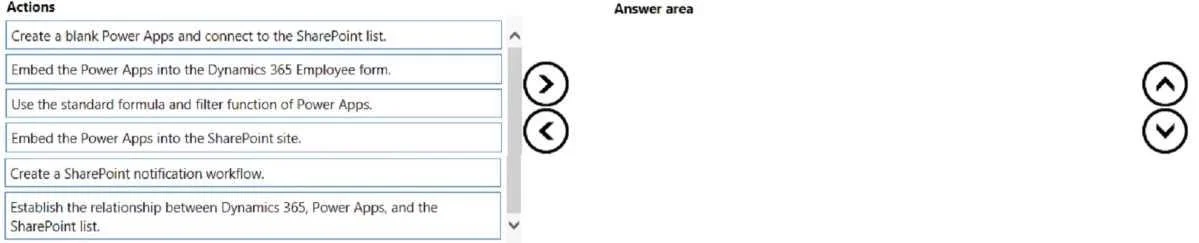
Options
- Box1Configure server-based SharePoint integration
- Box2Enable SharePoint document management for the mobile phone entity
- Box3Create a canvas app with SharePoint as the data source
- Box4Create a model-driven app and embed the canvas app
Why each option
This question tests knowledge of integrating Dynamics 365 with SharePoint using Power Platform tools to surface external SharePoint list data inside a Dynamics 365 model-driven experience, including enabling managers to perform actions (issuing phones) from within that unified interface.
Concept tested: Dynamics 365 + SharePoint server-based integration, the role of canvas apps as a bridge to non-Dynamics data sources, and embedding canvas apps inside model-driven apps to create unified low-code Power Platform solutions.
Source: Microsoft Learn - Configure server-based authentication with SharePoint Online; Embed a canvas app in a model-driven app form (docs.microsoft.com/power-apps)
Topics
Community Discussion
No community discussion yet for this question.