
MB-700 · Question #163
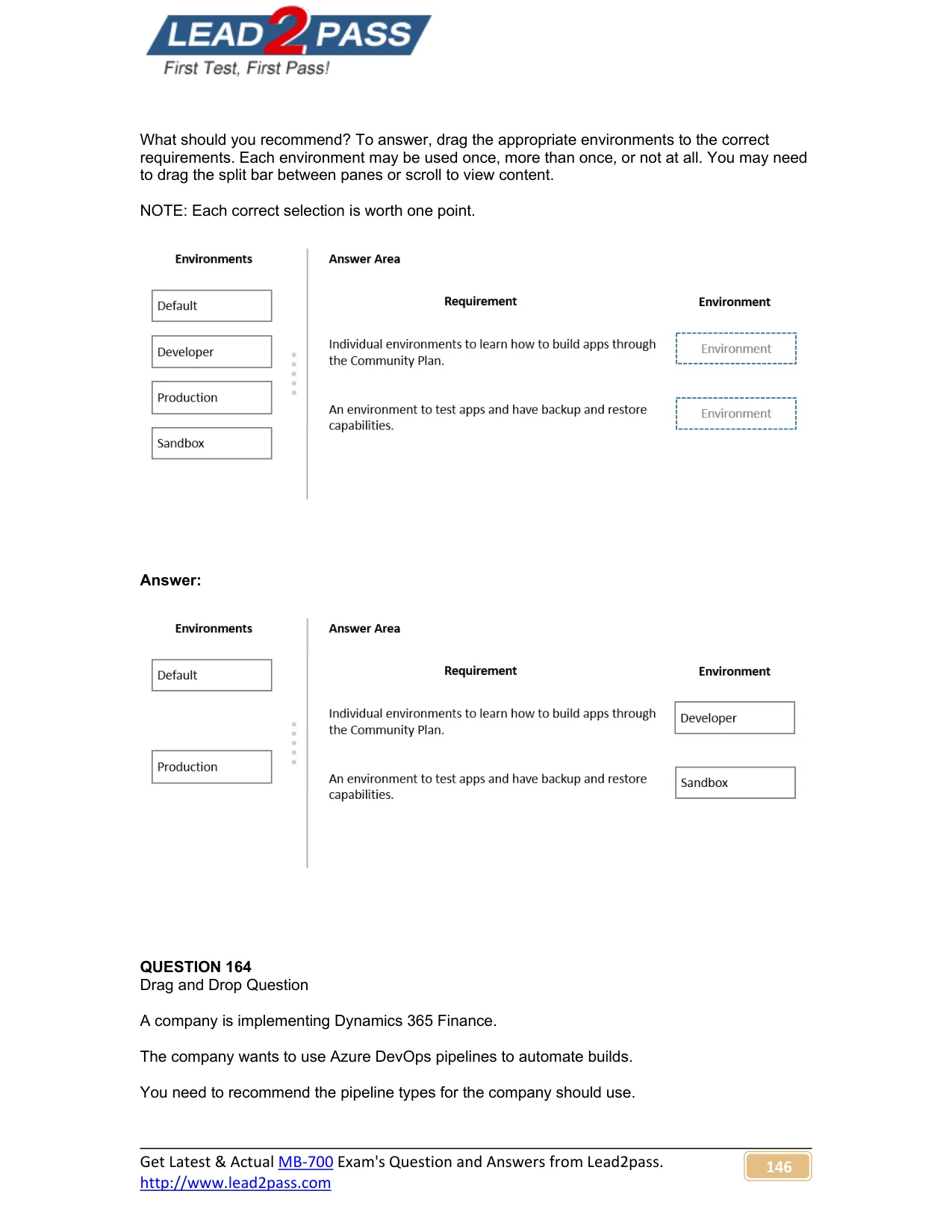
Drag and Drop Question A company plans to build Power Apps apps as part of their digital transformation strategy. App makers require access to individual environments to learn how to build apps…
This question tests knowledge of Microsoft Power Apps environment types and their specific capabilities, particularly which environment suits individual learners versus shared testing with database management needs.
Question
Exhibit
Explanation
This question tests knowledge of Microsoft Power Apps environment types and their specific capabilities, particularly which environment suits individual learners versus shared testing with database management needs.
Approach. App makers using the Community Plan each receive a personal Developer environment - a single-user sandbox scoped to that individual for learning and building apps, with no sharing or production use. Tenant users who need to test apps and require database backup and restore capabilities should use a Sandbox environment, which is a non-production environment explicitly designed for shared testing, supports multiple users across the tenant, and uniquely provides backup and restore functionality. The backup/restore requirement is the critical discriminator here: only Sandbox environments (not Developer or Trial environments) support that database lifecycle management feature in Power Platform.
Concept tested. Microsoft Power Apps environment types: Developer (Community Plan personal environment for individual app makers) vs. Sandbox (shared non-production environment with backup/restore support for tenant-wide testing)
Reference. Microsoft Learn – Power Platform environments overview: https://learn.microsoft.com/en-us/power-platform/admin/environments-overview
Topics
Community Discussion
No community discussion yet for this question.