
HPE0-V15 · Question #235
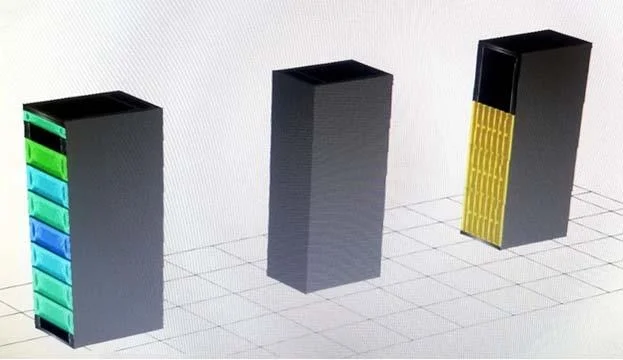
Refer to the exhibit. You observed some high temperature alerts on a switch shown in the middle rack of the exhibit. The cooling in the data center is following best practices for the layout in the…
The correct answer is C. Replace the fan modules with power-to-port fan modules. The switches are operating normally. The handles are red (port to power) should be power to port
Question
Refer to the exhibit. You observed some high temperature alerts on a switch shown in the middle rack of the exhibit. The cooling in the data center is following best practices for the layout in the exhibit. The switch is an HPE 5945 series switch, and all the fans are operating normally. The switch is racked so that its ports face the rear of the rack. The administrator noticed the fan modules have red handles. What should the administrator do to resolve the issue?
Exhibit
Options
- AReplace the fan modules with port-to-power fan modules.
- BAdd additional fan modules to the switch.
- CReplace the fan modules with power-to-port fan modules.
- DChange the fan direction with the fan preferred direction command.
How the community answered
(46 responses)- A7% (3)
- B2% (1)
- C83% (38)
- D9% (4)
Explanation
The switches are operating normally. The handles are red (port to power) should be power to port
Topics
Community Discussion
No community discussion yet for this question.