
HP
HP0-S42 · Question #85
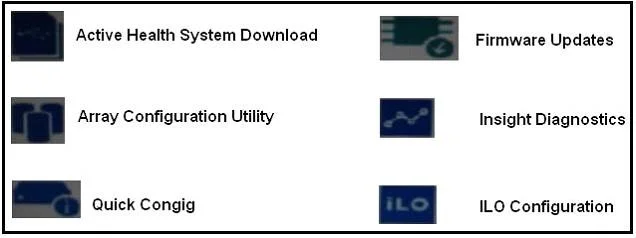
After booting Gen9 server into intelligent Provisioning and selecting Perform maintenance, Why is Firmware Update icon lighter than the other one the screenshot shown?
Sign in or unlock HP0-S42 to reveal the answer and full explanation for question #85. The question stem and answer options stay visible for context.
Security, Management, and Cloud Integration in Server Solutions
Question
After booting Gen9 server into intelligent Provisioning and selecting Perform maintenance, Why is Firmware Update icon lighter than the other one the screenshot shown?
Exhibit
Options
- AThere are no initial networking parameters
- BThe system has not completed a full POST process
- CThe user has insufficient permissions
- DFirmware has just been updated
Unlock HP0-S42 to see the answer
You've previewed enough free HP0-S42 questions. Unlock HP0-S42 for full answers, explanations, the timed quiz mode, progress tracking, and the master PDF. Question stem and options stay visible so you can still see what's on the exam.
Topics
#Intelligent Provisioning#firmware update#Gen9 management#UI state