
HP
HP0-S35 · Question #179
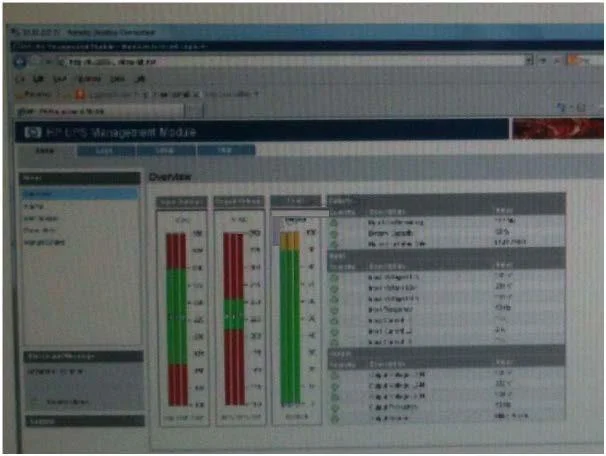
An engineer just installed an HP UPS R12000/3 to power protect an HP BladeSystem c7000 enclosure. The engineer wants to check the UPS and the UPS Management Card firmware levels Referring to the…
Sign in or unlock HP0-S35 to reveal the answer and full explanation for question #179. The question stem and answer options stay visible for context.
Question
An engineer just installed an HP UPS R12000/3 to power protect an HP BladeSystem c7000 enclosure. The engineer wants to check the UPS and the UPS Management Card firmware levels Referring to the screenshot how can the engineer view this information? Exhibit:
HP HP0-S35 Exam
Exhibit
Options
- AAt the Home tab, click the parameters link
- BAt the Home tab, click the identification link
- CAt the Log tab click the Event log
- DAt the Home tab click the manual control link
- EAt the Setup tab click the Attached Devices link
Unlock HP0-S35 to see the answer
You've previewed enough free HP0-S35 questions. Unlock HP0-S35 for full answers, explanations, the timed quiz mode, progress tracking, and the master PDF. Question stem and options stay visible so you can still see what's on the exam.