
FCSS_LED_AR-7.6 · Question #47
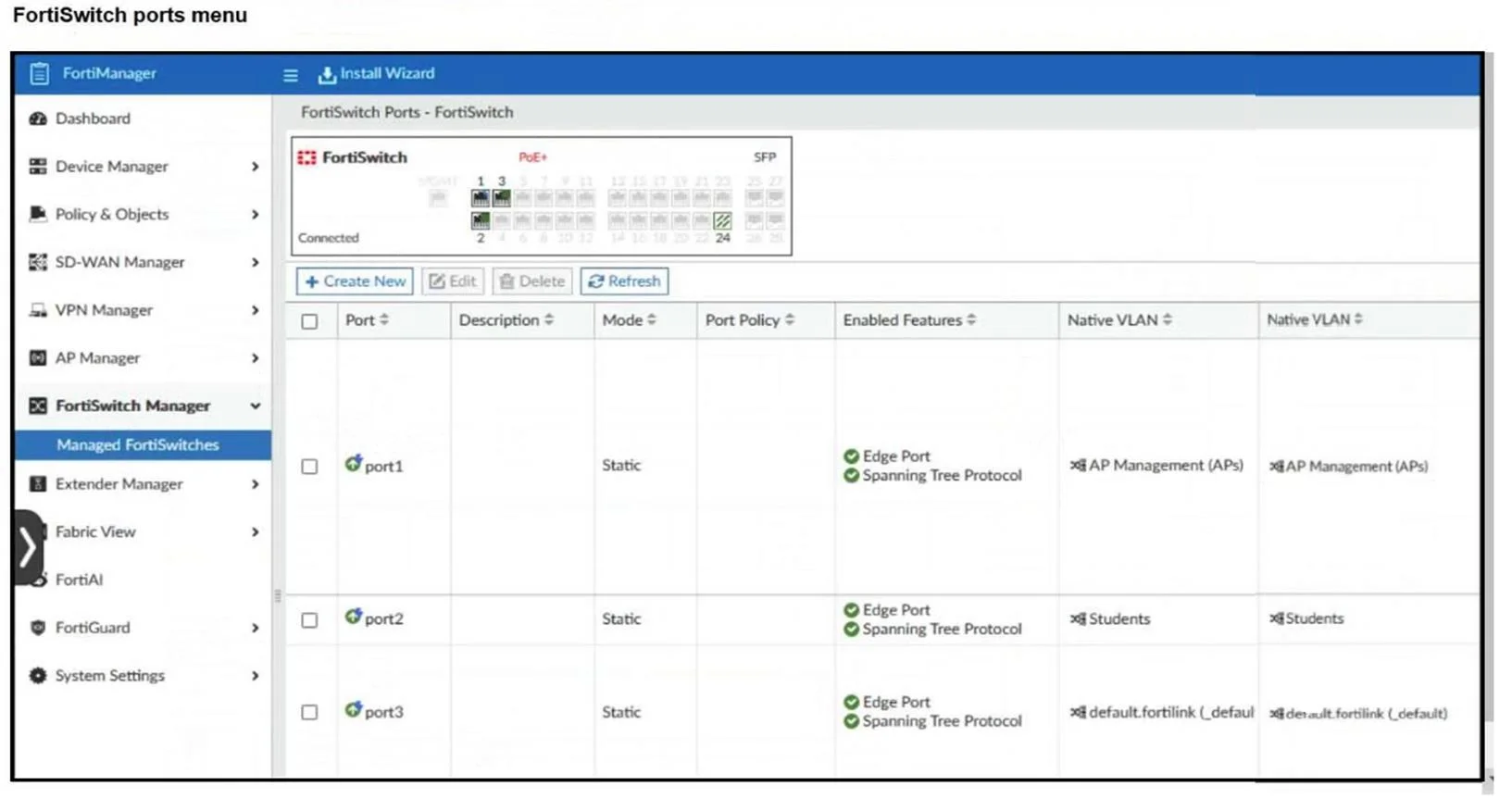
Refer to the exhibit. What can you conclude if you are accessing the FortiSwitch ports menu on FortiManager?
The correct answer is A. The ADOM is configured to support FortiSwitch central management. The fact that you can access the FortiSwitch ports menu in FortiManager indicates that FortiSwitch is being managed centrally through FortiManager. This requires the ADOM (Administrative Domain) to be configured to support FortiSwitch central management. If FortiSwitch were in…
Question
Refer to the exhibit. What can you conclude if you are accessing the FortiSwitch ports menu on FortiManager?
Exhibit
Options
- AThe ADOM is configured to support FortiSwitch central management.
- BFortiSwitch is in standalone mode.
- CThe ADOM is configured to support FortiSwitch per-device-management.
- DFortiSwitch is in transparent mode.
How the community answered
(55 responses)- A91% (50)
- B2% (1)
- C2% (1)
- D5% (3)
Explanation
The fact that you can access the FortiSwitch ports menu in FortiManager indicates that FortiSwitch is being managed centrally through FortiManager. This requires the ADOM (Administrative Domain) to be configured to support FortiSwitch central management. If FortiSwitch were in standalone or transparent mode, it wouldn't appear in FortiManager's FortiSwitch Manager. Also, per-device management wouldn't show this centralized ports menu
Topics
Community Discussion
No community discussion yet for this question.