
FCSS_CDS_AR-7.6 · Question #27
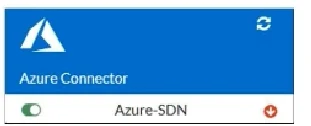
Refer to the exhibit. You are troubleshooting a Microsoft Azure SDN connector issue on your FortiGate VM in Azure. Which command can you use to examine details about API calls sent by the connector?
The correct answer is C. diag debug application azd 1. Option C (diag debug application azd 1) is correct because it enables real-time debug output for the azd process - the Azure SDN connector daemon on FortiGate. The 1 flag sets the debug verbosity level, allowing you to inspect the actual API calls exchanged between FortiGate…
Question
Refer to the exhibit. You are troubleshooting a Microsoft Azure SDN connector issue on your FortiGate VM in Azure. Which command can you use to examine details about API calls sent by the connector?
Exhibit
Options
- Adiag debug application cloud-connector -l
- Bdiag test application azd 1
- Cdiag debug application azd 1
- Dget system sdn-connector
How the community answered
(48 responses)- A6% (3)
- B19% (9)
- C71% (34)
- D4% (2)
Explanation
Option C (diag debug application azd 1) is correct because it enables real-time debug output for the azd process - the Azure SDN connector daemon on FortiGate. The 1 flag sets the debug verbosity level, allowing you to inspect the actual API calls exchanged between FortiGate and the Azure REST API, including authentication attempts, responses, and errors.
Why the distractors are wrong:
- A (
cloud-connector) references a non-existent or incorrect application name for Azure-specific debugging; the Azure daemon process isazd, notcloud-connector. - B (
diag test application azd 1) runs a test/diagnostic function on the azd process (e.g., triggering a sync or status check), but does not produce API call debug output - it's for functional testing, not traffic inspection. - D (
get system sdn-connector) is a configuration command that displays the SDN connector's settings (subscription ID, client credentials, etc.), not live API call details.
Memory tip: Think of the pattern diag debug application <daemon> <level> as FortiGate's universal "wiretap" for any background process. Since Azure's daemon is azd, just combine them: azd = Azure Daemon → use diag debug application azd 1 to see what it's sending to Azure.
Topics
Community Discussion
No community discussion yet for this question.