
FCP_FMG_AD-7.6 · Question #67
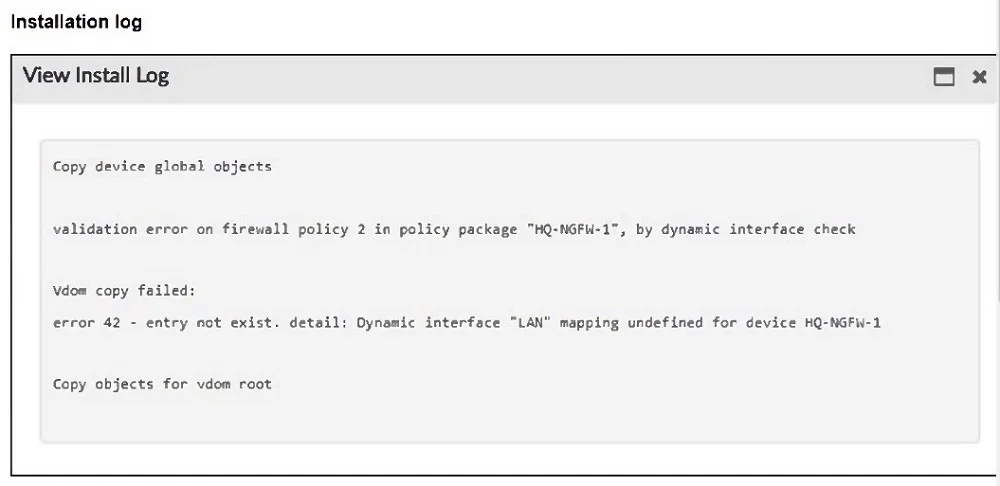
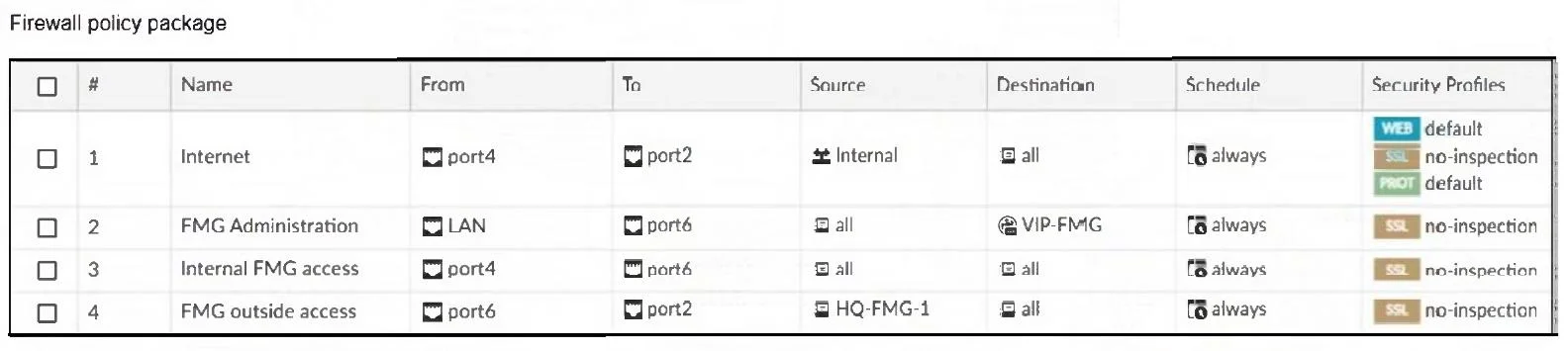
Refer to the exhibits. An administrator must replace the source LAN interface in policy ID 2 on their FortiGateRugged-70F. However, when they try to install the policy package, they receive the…
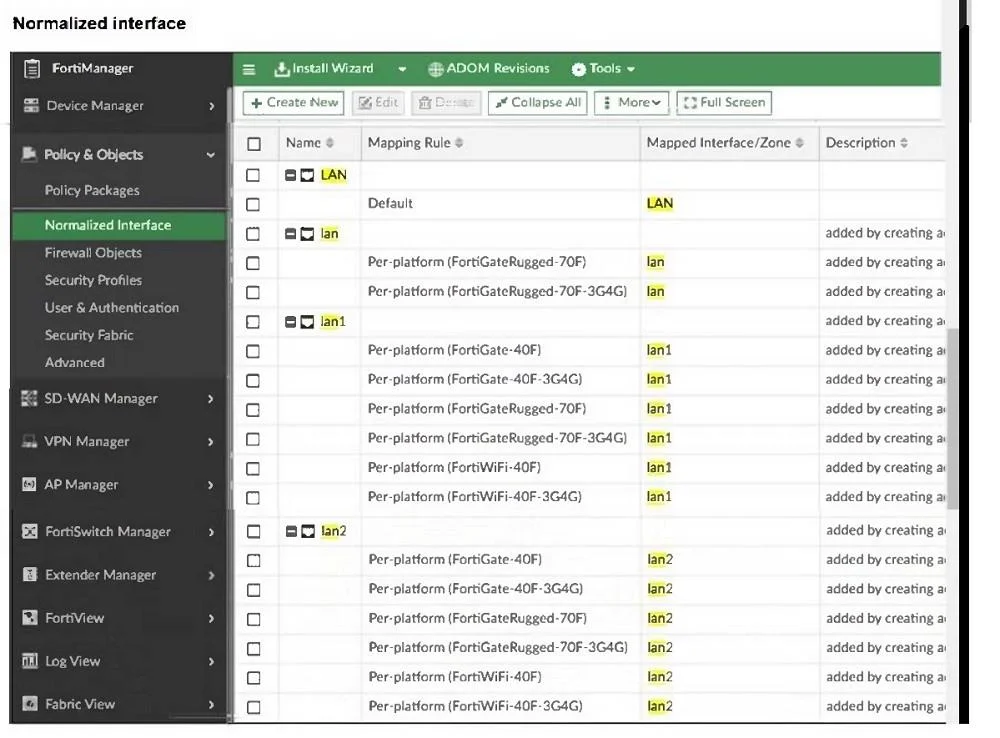
The correct answer is C. Create a per0device mapping for the LAN interface. The installation error clearly states that the dynamic interface mapping for "LAN" is undefined for device HQ-NGFW-1 (a FortiGateRugged-70F). In the "Normalized Interface" view, "LAN" is a normalized name, but FortiGateRugged-70F uses "lan1" as the actual interface. To resolve…
Question
Refer to the exhibits. An administrator must replace the source LAN interface in policy ID 2 on their FortiGateRugged-70F. However, when they try to install the policy package, they receive the error shown in the exhibit. What should the administrator do to resolve the error?
Exhibits
Options
- AUse the API to assign a system template interface forFortiGateRugged-70F model.
- BUse a metadata variable to dynamically assign an interface when this error occurs.
- CCreate a per0device mapping for the LAN interface.
- DReplace LAN with lan1, which is supported by FortiGateRugged-70F models.
How the community answered
(41 responses)- A5% (2)
- B10% (4)
- C83% (34)
- D2% (1)
Explanation
The installation error clearly states that the dynamic interface mapping for "LAN" is undefined for device HQ-NGFW-1 (a FortiGateRugged-70F). In the "Normalized Interface" view, "LAN" is a normalized name, but FortiGateRugged-70F uses "lan1" as the actual interface. To resolve the conflict, the administrator must create a per-device mapping linking the normalized interface "LAN" to "lan1" for the FortiGateRugged-70F device. This allows FortiManager to properly translate the interface name during policy installation.
Topics
Community Discussion
No community discussion yet for this question.