
FCP_FMG_AD-7.6 · Question #33
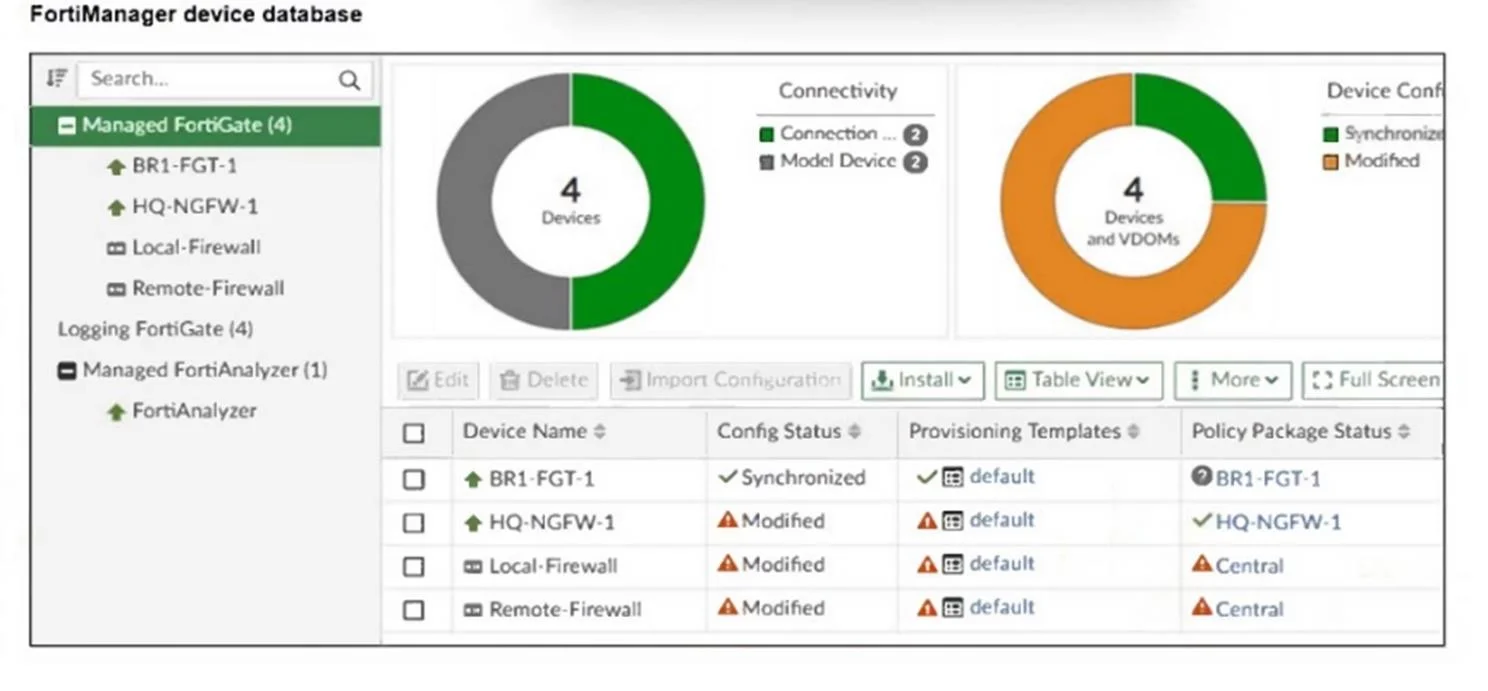
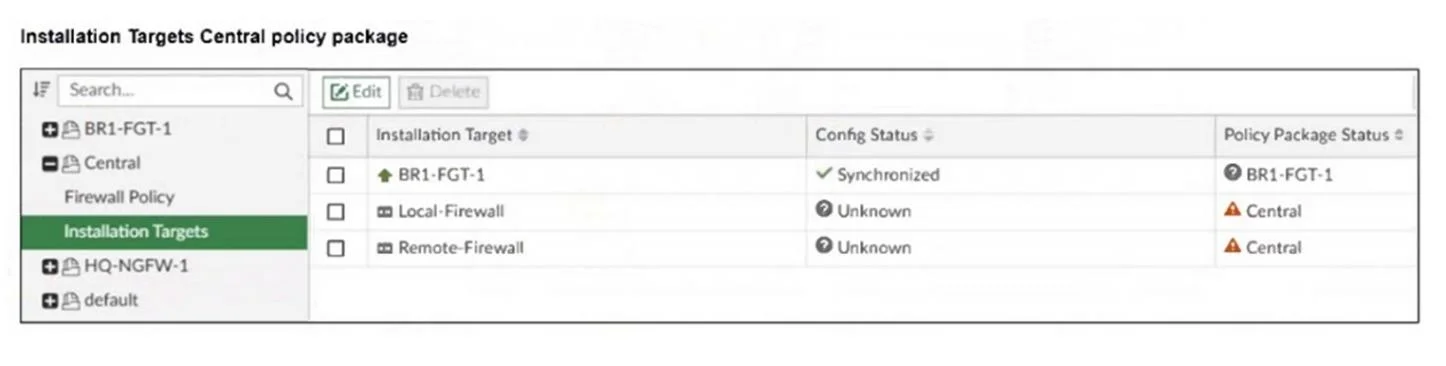
Refer to the exhibits. An administrator has been asked to install the same policies from a central policy package onto the BR1-FGT-1 firewall. The administrator added BR1-FGT-1 as a target in the…
The correct answer is C. Use the install wizard to install the central policy package on the BR1-FGT-1 firewall. Using the Install Wizard is the recommended method to reinstall the central policy package on the BR1-FGT-1 firewall, ensuring all settings, installation targets, and dependencies are correctly processed during installation.
Question
Refer to the exhibits. An administrator has been asked to install the same policies from a central policy package onto the BR1-FGT-1 firewall. The administrator added BR1-FGT-1 as a target in the central policy package installation. What should the administrator do when reinstalling the central policy package on the BR1-FGT-1 firewall?
Exhibits
Options
- AAssign only one policy package to the firewall because FortiManager does not allow more than
- BImport the policy package to change the unknown status and synchronize the policy package.
- CUse the install wizard to install the central policy package on the BR1-FGT-1 firewall.
- DFirst resolve the modified status in the configuration and provisioning templates to allow a smooth
How the community answered
(33 responses)- A3% (1)
- B12% (4)
- C79% (26)
- D6% (2)
Explanation
Using the Install Wizard is the recommended method to reinstall the central policy package on the BR1-FGT-1 firewall, ensuring all settings, installation targets, and dependencies are correctly processed during installation.
Topics
Community Discussion
No community discussion yet for this question.