
FCP_FMG_AD-7.6 · Question #26
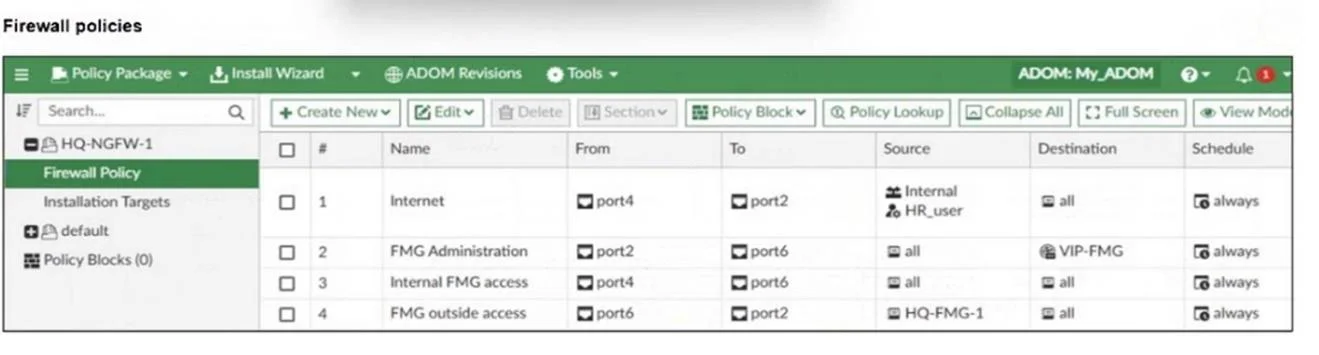
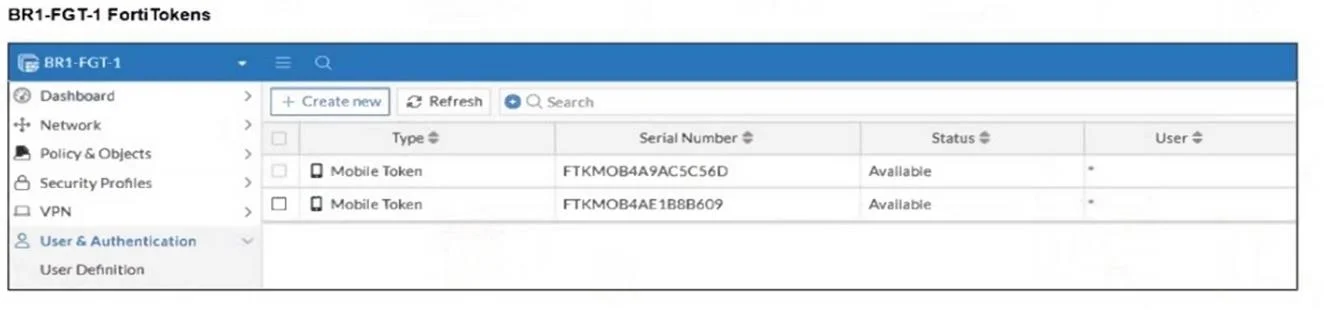
Refer to the exhibits. An administrator needs to push a FortiToken Mobile to assign it to HR_user in the HQ-NGFW-1. However, when installing the policy package, they receive the following error…
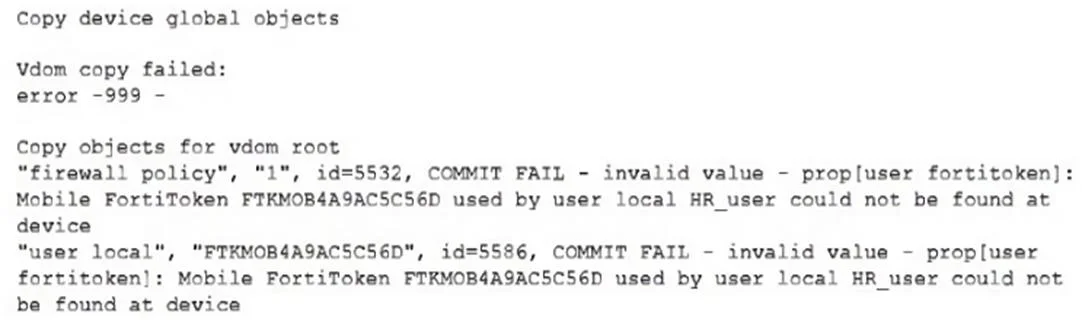
The correct answer is D. The administrator must use per-device mapping to assign the FortiToken to HQ-NGFW-1. About the error: Mobile FortiToken FTFKMO84A9AC5C56D used by user local HR_user could not be found at "user local", "FTKMOB4A9AC5C56D", id=5586, COMMIT FAIL - invalid value - prop[user Mobile FortiToken FTFKMO84A9AC5C56D used by user local HR_user could not be found at In the…
Question
Refer to the exhibits. An administrator needs to push a FortiToken Mobile to assign it to HR_user in the HQ-NGFW-1. However, when installing the policy package, they receive the following error message:
Why is the administrator not able to install the FortiToken on the HQ-NGFW-1 firewall?
Exhibits

Options
- AThe administrator must use a user local meta field to assign FortiToken.
- BThe administrator must use a valid FortiToken that exists on HQ-NGFW-1.
- CThe administrator must use a metadata variable to assign the same FortiToken to multiple users
- DThe administrator must use per-device mapping to assign the FortiToken to HQ-NGFW-1.
How the community answered
(33 responses)- A3% (1)
- B9% (3)
- C6% (2)
- D82% (27)
Explanation
About the error: Mobile FortiToken FTFKMO84A9AC5C56D used by user local HR_user could not be found at "user local", "FTKMOB4A9AC5C56D", id=5586, COMMIT FAIL - invalid value - prop[user Mobile FortiToken FTFKMO84A9AC5C56D used by user local HR_user could not be found at In the Fortigate the User no exist, exist only in FMG, the admin should use device peer-mapping, so that this work correctly and this can create de user with its fortitoken.
Topics
Community Discussion
No community discussion yet for this question.