
FCP_FGT_AD-7.6 · Question #106
Refer to the exhibits. The SSL VPN connection fails when a user attempts to connect to it. What should the user do to successfully connect to the SSL VPN?
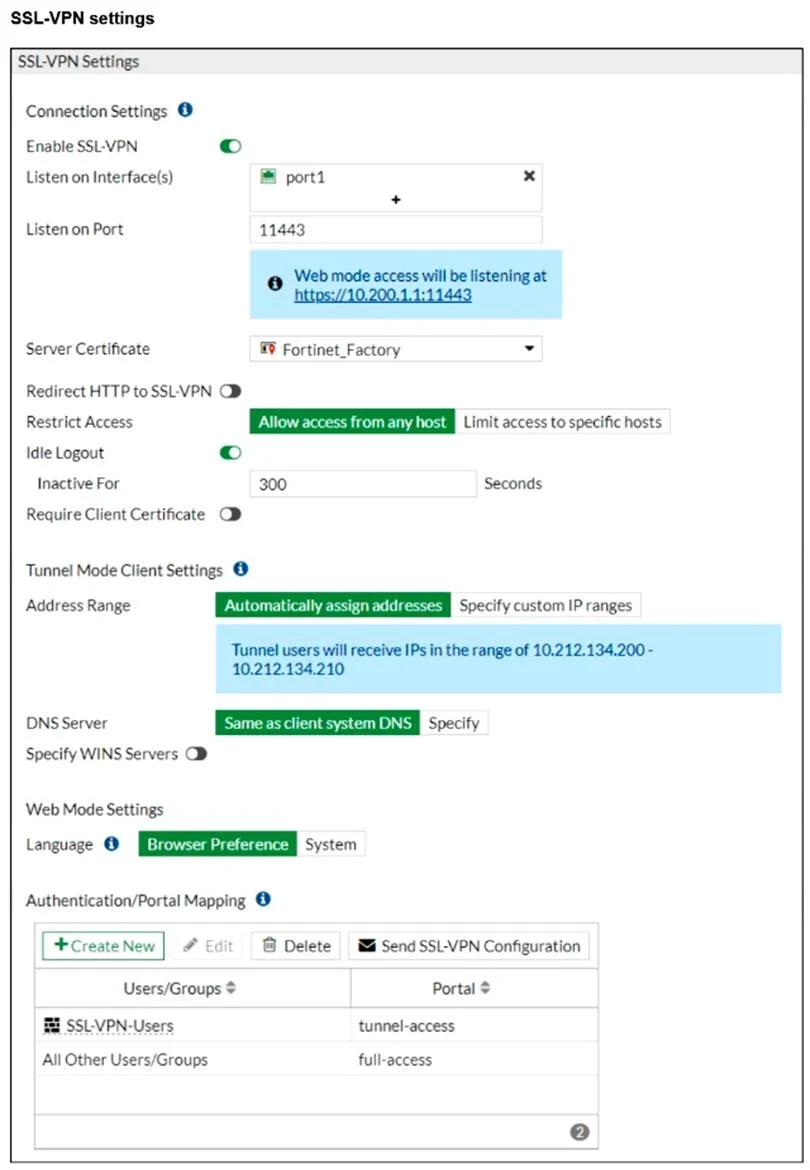
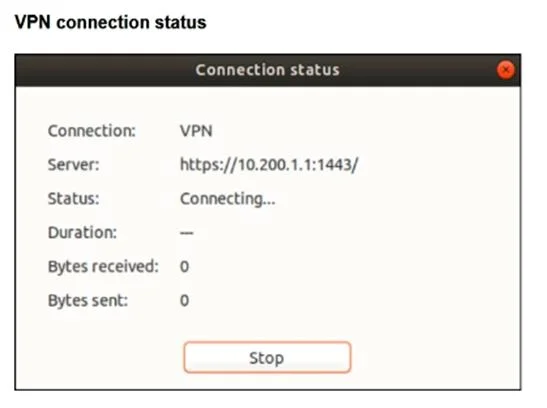
The correct answer is A. Change the SSL VPN port on the client. In the FortiGate SSL-VPN settings, the VPN is configured to listen on port 11443, as shown in the “Listen on Port” field. However, the VPN client is attempting to connect to https://10.200.1.1:443/, which uses the default HTTPS port (443) instead of the configured port. To…
Question
Refer to the exhibits. The SSL VPN connection fails when a user attempts to connect to it. What should the user do to successfully connect to the SSL VPN?
Exhibits
Options
- AChange the SSL VPN port on the client.
- BChange the SSL VPN portal to the tunnel.
- CChange the server IP address.
- DChange the idle-timeout.
How the community answered
(63 responses)- A92% (58)
- B2% (1)
- C5% (3)
- D2% (1)
Explanation
In the FortiGate SSL-VPN settings, the VPN is configured to listen on port 11443, as shown in the “Listen on Port” field. However, the VPN client is attempting to connect to https://10.200.1.1:443/, which uses the default HTTPS port (443) instead of the configured port. To successfully connect, the user must change the SSL VPN port on the client to 11443 so that it matches the listening port defined on the FortiGate device.
Topics
Community Discussion
No community discussion yet for this question.